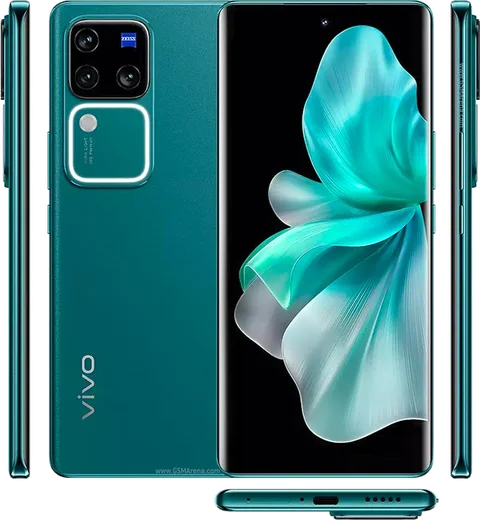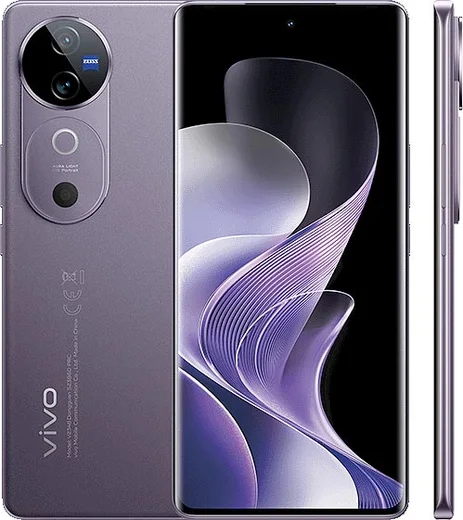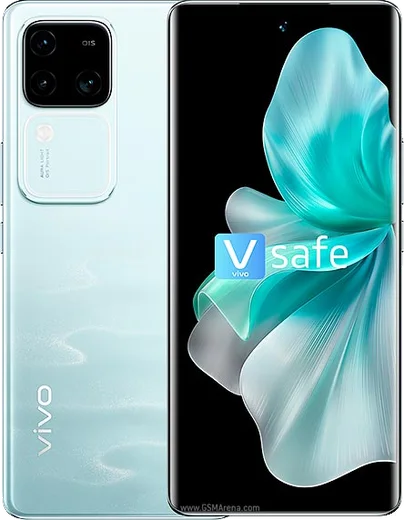
Vivo Android

WhatsApp for Vivo Y200 Pro

Snapdragon 695, 6.77-inch curved AMOLED, 5000mAh, 44W

WhatsApp Messenger 4.7 · 64.2M reviews Free · Android · ~40 MB · by WhatsApp LLC
Download WhatsApp

Ask a question / report a problem

You can ask any question about WhatsApp support on the Vivo Y200 Pro — leave it below and we'll help.

Ask a question

Can the Vivo Y200 Pro run WhatsApp?

Fully supported
  • Operating systemAndroid
  • ProcessorSnapdragon 695
  • WhatsApp versionLatest supported

Latest known WhatsApp problems on Vivo Y200 Pro

1

Why are my WhatsApp notifications delayed or not showing on my Vivo Y200 Pro?

Funtouch OS aggressively kills background apps to save battery, which silences WhatsApp until you reopen it. Go to Settings > Battery > High background power consumption and allow WhatsApp, then open Settings > Apps > App manager > WhatsApp > Battery (or Power consumption management) and set it to 'Allow background activity' / 'Don't restrict'. Also lock WhatsApp in the Recent Apps screen by pulling down on its card so the system won't clear it from memory. See how others solved this on Reddit
2

How do I fix WhatsApp call notifications not ringing on the Vivo Y200 Pro?

Missed call alerts usually mean WhatsApp lacks the auto-start and pop-up permissions Funtouch OS requires for incoming calls. Open Settings > Apps > Auto-start management (or Permission management > Auto-start) and enable WhatsApp, then go to Settings > Apps > App manager > WhatsApp > Permissions and turn on 'Display pop-up windows while running in the background' and 'Display over other apps'. Finally, in WhatsApp > Settings > Notifications, confirm Call notifications have a sound and high priority set. See how others solved this on Reddit
3

WhatsApp started acting buggy after the Funtouch OS 15 / Android 15 update on my Vivo Y200 Pro, how do I fix it?

Major OS updates can leave stale app data that causes crashes, freezing, or missing notifications. First clear WhatsApp's cache via Settings > Apps > App manager > WhatsApp > Storage > Clear cache (this keeps your chats), then restart the phone. If problems persist, update WhatsApp from the Play Store and re-check that the battery and auto-start permissions weren't reset by the update. See how others solved this on Reddit
4

Why do WhatsApp video calls look blurry and low quality on my Vivo Y200 Pro?

WhatsApp drops video resolution automatically when the connection is weak or when data-saving is enabled, so the feed looks grainy regardless of how good your camera is. In WhatsApp go to Settings > Storage and data and turn off 'Use less data for calls', then switch to a stable 5GHz Wi-Fi or strong mobile signal. Make sure both you and the other person have a good connection, since the lower of the two streams sets the quality. See how others solved this on Reddit
5

My Vivo Y200 Pro screen colors fade or gray out randomly, what's wrong?

This is usually the eye-comfort / low-brightness color-shift behavior of the AMOLED panel rather than a hardware fault. Go to Settings > Display & brightness and turn off 'Eye protection' (and any scheduled eye-protection mode), then check Screen color / color temperature is on a fixed profile like 'Standard' instead of an automatic one. If it still happens, toggle off automatic brightness so the panel stops dynamically dimming and shifting tone. See how others solved this on Reddit
6

WhatsApp keeps freezing or lagging on my Vivo Y200 Pro, how can I make it run smoothly?

Lag and freezing on Funtouch OS are often tied to background restrictions and piled-up cached data. Set WhatsApp to 'Don't restrict' under Settings > Battery > App battery management, clear its cache in Settings > Apps > App manager > WhatsApp > Storage, and make sure both the app and Funtouch OS are fully updated. A weekly reboot frees memory and keeps messaging responsive. See how others solved this on Reddit

Ask a question / report a problem

You can ask any question about WhatsApp support on the Vivo Y200 Pro — leave it below and we'll help.

Ask a question

Watch: setting up WhatsApp

Prefer to watch? This short walkthrough shows the whole installation and number-verification flow.

How to install WhatsApp on Vivo Y200 Pro — video walkthrough

How to install WhatsApp on Vivo Y200 Pro

1

Choose how to download

On your Vivo Y200 Pro you can get the official app two ways: from the Google Play Store — the easiest option, since it keeps WhatsApp updated automatically — or directly from the official website. You can download an APK file, by clicking a link “Download WhatsApp directly”.

2

Open WhatsApp

Launch WhatsApp from your home screen or app drawer and accept the Terms of Service to start setup.

3

Verify your phone number

Enter your phone number. If your Vivo Y200 Pro uses dual SIM, pick the line you want WhatsApp tied to, then enter the 6-digit code it sends by SMS — it usually fills in automatically.

4

Restore chats and finish setup

Restore your chat history from Google Drive (use the same Google account), add your name and photo, and tap Allow for notifications so messages and calls arrive reliably.

Stay safe: only ever install WhatsApp from the official Android source. The Download button above already points there — modified copies (GB/Plus/Aero WhatsApp) can get your number banned.

Comments (14)

No registration needed. No email required.
K
kev19May 1, 2026

well installed on my y200 pro, super simple 💯

D
dan_kevAug 9, 2025

Ngl two thumbs up

C
coolcatAug 1, 2025

facilissimo, fatto in 2 minuti 👍

N
newphoneJul 27, 2025

franchement a marché parfaitement sur mon Vivo Y200 Pro 💯

O
omar.wJul 19, 2025

it crashes right after the splash screen anyone

AppWhatsOfficialJul 21, 2025

Hey there, crashes are often an old version. Remove it, update your OS, and reinstall the newest build from the official source. Happy chatting!

L
lina15Jun 21, 2025

Anyone? is whatsapp free or do i have to pay thanks

AppWhatsOfficialJun 26, 2025

Hey there, no payment needed at all. WhatsApp is free, you just need an internet connection. Let us know if you need anything else.

L
leo_kMay 15, 2025

Guys installed on my y200 pro, super simple

K
kate_denMar 28, 2025

so got it working on my y200 pro first try

L
lina_realMar 28, 2025

ugh cant do this alone HELP how do i download

AppWhatsOfficialApr 1, 2025

Relax, it is simpler than it looks. Press Download, install, then verify with the SMS code. You got this! You got this!

A
andy.pFeb 5, 2025

Guys the download is very slow is that normal ?

AppWhatsOfficialFeb 9, 2025

Sure, it depends on your connection. Try switching to wifi if you can, and the download should finish in under a minute on most networks. Enjoy WhatsApp on your your phone!

L
lurkerJan 11, 2025

Omg the Vivo Y200 Pro steps actually work unlike other sites

B
big_maxxJan 4, 2025

Anyone? my phone is a few years old will it work ?

AppWhatsOfficialJan 9, 2025

Hi! Older phones can work as long as the app is still offered to them. Updating the OS where possible helps a lot. Let us know if you need anything else.

M
moDec 16, 2024

أفضل موقع، اشتغل من أول مرة

K
kev.wSep 7, 2024

no annoying ads which is nice