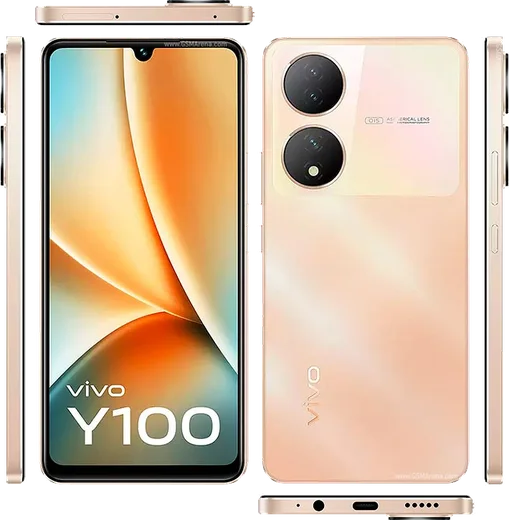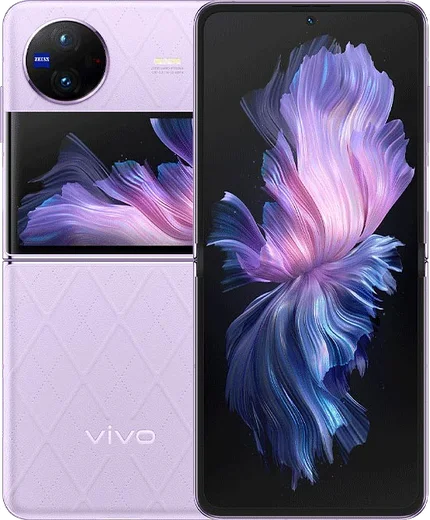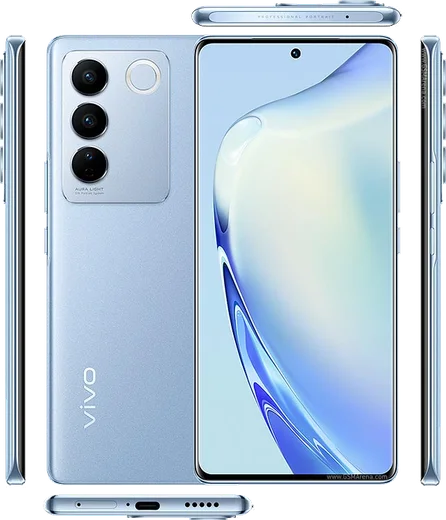
WhatsApp on Vivo Y100
Vivo Android

WhatsApp for Vivo Y100

Snapdragon 695, 6.38-inch AMOLED, 4500mAh, 44W charging

WhatsApp Messenger 4.7 · 64.2M reviews Free · Android · ~40 MB · by WhatsApp LLC
Download WhatsApp

Ask a question / report a problem

You can ask any question about WhatsApp support on the Vivo Y100 — leave it below and we'll help.

Ask a question

Can the Vivo Y100 run WhatsApp?

Fully supported
  • Operating systemAndroid
  • ProcessorSnapdragon 695
  • WhatsApp versionLatest supported

Latest known WhatsApp problems on Vivo Y100

1

Why don't I get WhatsApp call and video call notifications on my Vivo Y100?

Funtouch OS aggressively restricts background apps, which can silence incoming call alerts. Open Settings > Battery > High background power consumption and set WhatsApp to Allow, then go to Settings > Apps > Autostart manager and enable WhatsApp so it can run in the background. Finally, in WhatsApp tap Settings > Notifications and confirm that call notifications and Show notifications are turned on. See how others solved this on Reddit
2

My Vivo Y100 screen goes black when I switch to the rear camera during a WhatsApp video call. How do I fix it?

This is usually a camera-handoff or cached-data glitch in WhatsApp rather than a hardware fault. Go to Settings > Apps > Manage apps > WhatsApp > Permissions and confirm Camera access is allowed, then clear the WhatsApp cache under Storage usage. Update WhatsApp from the Play Store to the latest version and restart the phone, since older builds had a known bug switching to the rear camera mid-call. See how others solved this on Reddit
3

Why do my photos look blurry or low quality when I send them on WhatsApp from my Vivo Y100?

WhatsApp compresses images by default, which softens detail from the Y100's camera. In WhatsApp, go to Settings > Storage and data > Media upload quality and set it to HD, and when attaching a photo tap the HD button at the top before sending. For the sharpest result, send the image as a Document instead of a photo so WhatsApp transfers the original file without compression. See how others solved this on Reddit
4

How can I get Apple-style emojis in WhatsApp on my Vivo Y100?

Funtouch OS uses its own emoji set, so WhatsApp shows Vivo/Android emojis by default and there is no official toggle to swap them for Apple emojis. Without rooting, the closest option is to install a third-party keyboard such as Gboard or a dedicated emoji keyboard from the Play Store, but this only changes how emojis look on your own screen, not for the people you message. Avoid apps that ask to be set as a system theme or font, as these can be unstable and often stop working after updates. See how others solved this on Reddit
5

Why is WhatsApp draining my Vivo Y100 battery so fast?

Constant background sync, auto-downloading media, and frequent calls can make WhatsApp a top battery user. Open Settings > Battery to confirm WhatsApp's usage, then in WhatsApp go to Settings > Storage and data and turn off media auto-download for mobile data, Wi-Fi, and roaming. You can also reduce background activity by disabling Settings > Chats > Media visibility so incoming media isn't constantly saved to your gallery. See how others solved this on Reddit

Ask a question / report a problem

You can ask any question about WhatsApp support on the Vivo Y100 — leave it below and we'll help.

Ask a question

Watch: setting up WhatsApp

Prefer to watch? This short walkthrough shows the whole installation and number-verification flow.

How to install WhatsApp on Vivo Y100 — video walkthrough

How to install WhatsApp on Vivo Y100

1

Choose how to download

On your Vivo Y100 you can get the official app two ways: from the Google Play Store — the easiest option, since it keeps WhatsApp updated automatically — or directly from the official website. You can download an APK file, by clicking a link “Download WhatsApp directly”.

2

Open WhatsApp

Launch WhatsApp from your home screen or app drawer and accept the Terms of Service to start setup.

3

Verify your phone number

Enter your phone number. If your Vivo Y100 uses dual SIM, pick the line you want WhatsApp tied to, then enter the 6-digit code it sends by SMS — it usually fills in automatically.

4

Restore chats and finish setup

Restore your chat history from Google Drive (use the same Google account), add your name and photo, and tap Allow for notifications so messages and calls arrive reliably.

Stay safe: only ever install WhatsApp from the official Android source. The Download button above already points there — modified copies (GB/Plus/Aero WhatsApp) can get your number banned.

Comments (11)

No registration needed. No email required.
T
the_real_tanJan 5, 2026

Guys wasnt expecting it to be this easy 💯

L
lurkerAug 29, 2025

no problems installing on my y100 💯

G
greg.jJun 17, 2025

wow installiert und läuft auf meinem y100 😍

L
leo11May 30, 2025

Ok so this fixed whatsapp on my Vivo Y100

Z
zoe1990May 22, 2025

update im not techy and i still managed

R
rob99Apr 1, 2025

ok so the Vivo Y100 guide was spot on

B
ben_tanJan 23, 2025

Ngl i was scared it was a virus but its the real app

G
guest_userJan 2, 2025

Echt richtig klare schritte für das Y100

P
phoneaddictDec 23, 2024

Hey installed it but it wont open just a black screen anyone

AppWhatsOfficialDec 24, 2024

Good question, a black screen usually clears after a restart. If not, reinstall the newest version and it should open fine. Hope that helps!

L
lucy57Oct 31, 2024

Guys anyone pls i cant download it heeeelp me

AppWhatsOfficialNov 1, 2024

We are here to help. Hit Download, follow the steps on this page, and if the code is slow just request it again.

N
nick_theSep 14, 2024

my phone is a few years old will it work anyone

AppWhatsOfficialSep 16, 2024

No worries, it depends. WhatsApp drops support for very old systems over time. If the store still offers you the app, your phone is supported.