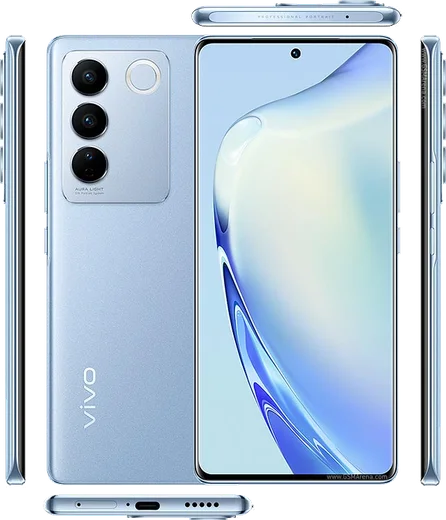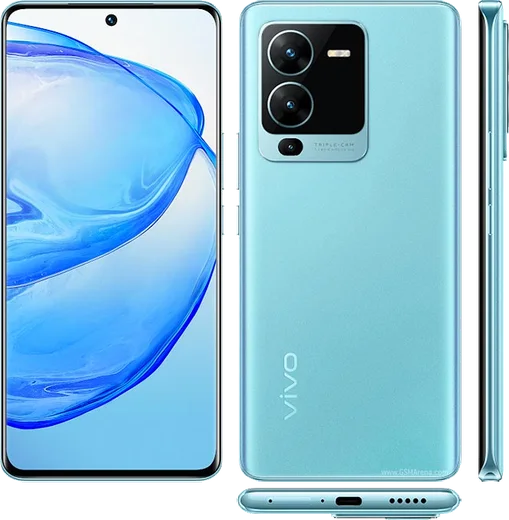
Vivo Android

WhatsApp for Vivo X80 Pro

Snapdragon 8 Gen 1, 6.78-inch LTPO AMOLED, Zeiss cameras

WhatsApp Messenger 4.7 · 64.2M reviews Free · Android · ~40 MB · by WhatsApp LLC
Download WhatsApp

Ask a question / report a problem

You can ask any question about WhatsApp support on the Vivo X80 Pro — leave it below and we'll help.

Ask a question

Can the Vivo X80 Pro run WhatsApp?

Fully supported
  • Operating systemAndroid
  • ProcessorSnapdragon 8 Gen 1
  • WhatsApp versionLatest supported

Latest known WhatsApp problems on Vivo X80 Pro

1

WhatsApp calls don't ring or come through on my Vivo X80 Pro until I open the app

Funtouch OS aggressively kills background apps, so go to Settings > Battery > High background power consumption and set WhatsApp to allow background activity. Then open Settings > Apps & permissions > Autostart and enable WhatsApp, and lock WhatsApp in the recent-apps tray by swiping it up and tapping the padlock so the system stops freezing it. This keeps the connection alive so calls ring in real time. See how others solved this on Reddit
2

How do I move my WhatsApp chats from my old iPhone to the Vivo X80 Pro?

iPhone-to-Android WhatsApp transfer needs a cable: install WhatsApp on the X80 Pro, then during setup connect both phones with a USB-C cable and follow the on-screen 'Move to Android' / 'Transfer chats' prompts (the iPhone shows a QR code you scan with the Vivo). Your iCloud WhatsApp backup cannot be restored directly to Android, so the wired transfer is the only official route; afterward verify the same phone number and let the X80 Pro finish importing before deleting anything on the iPhone. See how others solved this on Reddit
3

WhatsApp notifications are delayed or missing on my Vivo X80 Pro

This is almost always Funtouch OS battery optimization, so go to Settings > Battery > High background power consumption and set WhatsApp to allow background activity, then enable it under Settings > Apps & permissions > Autostart. Also confirm Settings > Notifications & status bar > WhatsApp has notifications allowed with banner and lock-screen alerts turned on, and disable any data-saver restriction for WhatsApp so messages push instantly instead of only on app open. See how others solved this on Reddit
4

Can I see WhatsApp message previews from locked apps on my Vivo X80 Pro?

If you locked WhatsApp using Funtouch OS App Lock, the system can hide its notification content. Open Settings > Security & privacy > App lock (or Privacy > App lock), tap WhatsApp, and enable showing notification content for the locked app so previews appear. Then double-check Settings > Notifications & status bar > Lock screen notifications is set to show content rather than hide it. See how others solved this on Reddit
5

My Vivo X80 Pro battery drains fast and health is dropping, including while using WhatsApp

Heavy WhatsApp video calls and always-on background sync accelerate drain, so cap it via Settings > Battery > High background power consumption and turn off auto-downloading media in WhatsApp (WhatsApp > Settings > Storage and data > turn off auto-download on mobile data). To preserve long-term battery health on the X80 Pro, enable Settings > Battery > Battery protection (limits charging to roughly 80%) and avoid charging in hot conditions; a genuinely degraded cell can be checked at a Vivo service center. See how others solved this on Reddit

Ask a question / report a problem

You can ask any question about WhatsApp support on the Vivo X80 Pro — leave it below and we'll help.

Ask a question

Watch: setting up WhatsApp

Prefer to watch? This short walkthrough shows the whole installation and number-verification flow.

How to install WhatsApp on Vivo X80 Pro — video walkthrough

How to install WhatsApp on Vivo X80 Pro

1

Choose how to download

On your Vivo X80 Pro you can get the official app two ways: from the Google Play Store — the easiest option, since it keeps WhatsApp updated automatically — or directly from the official website. You can download an APK file, by clicking a link “Download WhatsApp directly”.

2

Open WhatsApp

Launch WhatsApp from your home screen or app drawer and accept the Terms of Service to start setup.

3

Verify your phone number

Enter your phone number. If your Vivo X80 Pro uses dual SIM, pick the line you want WhatsApp tied to, then enter the 6-digit code it sends by SMS — it usually fills in automatically.

4

Restore chats and finish setup

Restore your chat history from Google Drive (use the same Google account), add your name and photo, and tap Allow for notifications so messages and calls arrive reliably.

Stay safe: only ever install WhatsApp from the official Android source. The Download button above already points there — modified copies (GB/Plus/Aero WhatsApp) can get your number banned.

Comments (10)

No registration needed. No email required.
K
kai.jApr 11, 2026

finally did it without any help, very simple

L
lucy.qMar 21, 2026

honestly couldnt install whatsapp on my X80 Pro until i found this ❤️

N
newbieMar 12, 2026

omg best site for this honestly :)

AppWhatsOfficialMar 13, 2026

Nice one, enjoy WhatsApp!

S
sara_kaiNov 22, 2025

Hat bei mir sofort geklappt auf dem x80pro danke

L
lou_kAug 3, 2025

Whatsapp finally on my X80 Pro 👌

S
sooo_confusedJul 31, 2025

hey does this cost money

AppWhatsOfficialAug 4, 2025

Hi! WhatsApp is 100% free to download and use. You only use your normal mobile data or wifi for messages and calls. Enjoy WhatsApp on your your phone!

L
lucy.mMay 18, 2025

Honestly i was scared it was a virus but its the real app 🔥

S
saaaaamApr 18, 2025

ugh SOS i cant figure out how to install whatsapp heeelp

AppWhatsOfficialApr 22, 2025

Relax, it is simpler than it looks. Press Download, install, then verify with the SMS code. You got this!

G
gabe59Jan 20, 2025

hat super funktioniert auf meinem X80 Pro

M
mr_maxxOct 25, 2024

set up whatsapp on my dads X80 Pro no problem