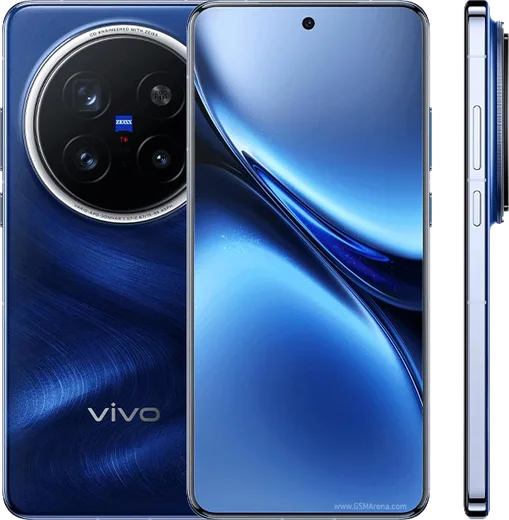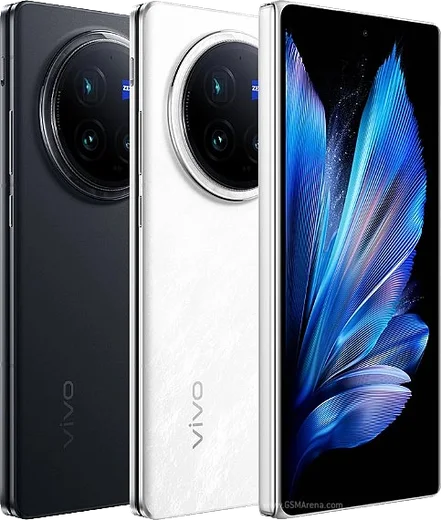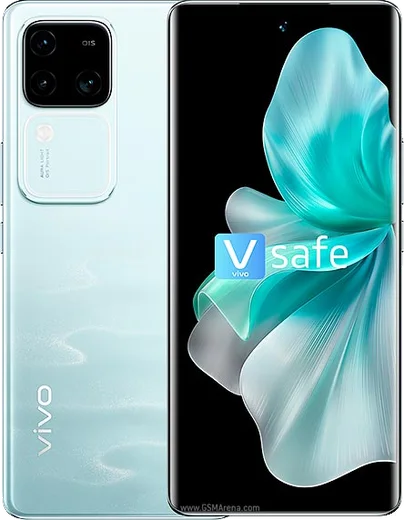
WhatsApp on Vivo X200 Pro
Vivo Android

WhatsApp for Vivo X200 Pro

Dimensity 9400, 6.78-inch LTPO AMOLED, 6000mAh, Zeiss optics

WhatsApp Messenger 4.7 · 64.2M reviews Free · Android · ~40 MB · by WhatsApp LLC
Download WhatsApp

Ask a question / report a problem

You can ask any question about WhatsApp support on the Vivo X200 Pro — leave it below and we'll help.

Ask a question

Can the Vivo X200 Pro run WhatsApp?

Fully supported
  • Operating systemAndroid
  • ProcessorDimensity 9400
  • WhatsApp versionLatest supported

Latest known WhatsApp problems on Vivo X200 Pro

1

WhatsApp calls not ringing or dropping on the Vivo X200 Pro

OriginOS aggressively kills background apps, which breaks WhatsApp's call signaling. Go to Settings > Battery > High background power consumption and add WhatsApp (or set its background consumption to Allow/unrestricted), then open Settings > Apps > Manage apps > WhatsApp > enable Autostart. Finally, open the recent-apps screen, hold the WhatsApp card and tap the lock icon so the system stops closing it. After these three changes calls ring reliably again. See how others solved this on Reddit
2

WhatsApp voice messages or call microphone not working on Vivo X200 Pro

First confirm the permission: Settings > Apps > Manage apps > WhatsApp > Permissions > Microphone set to Allow. If voice notes are still silent or distorted, go to Settings > Apps > Manage apps > WhatsApp > Storage and tap Clear cache (do not clear data), then restart the phone. These mic issues often appear right after an OriginOS update, and disabling any third-party audio/sound-enhancement feature usually restores normal recording. See how others solved this on Reddit
3

WhatsApp notifications delayed or not showing on Vivo X200 Pro OriginOS

OriginOS power saving is the main cause of delayed WhatsApp notifications. Open Settings > Battery, set WhatsApp to High background power consumption (Allow), then go to Settings > Apps > Manage apps > WhatsApp > Notifications and make sure Allow notifications plus all message channels and banner/floating alerts are enabled. Turning off any global Battery saver and removing WhatsApp from sleep/standby optimization keeps alerts arriving in real time. See how others solved this on Reddit
4

Videos look dull or washed out when sent from the Vivo X200 Pro

WhatsApp re-compresses videos and discards the X200 Pro's wide color profile, which flattens the colors you see in Gallery. To keep quality, in WhatsApp go to Settings > Storage and data > Media upload quality and choose HD, or attach the clip as a Document (attachment menu > Document) so the original file is sent without compression. Recording in standard mode rather than 4K Dolby Vision/LOG also reduces the color shift. See how others solved this on Reddit
5

WhatsApp video calls look very dark on the Vivo X200 Pro

This is a known OriginOS camera-handling issue where WhatsApp can't drive the X200 Pro's auto-exposure during video calls, leaving the image dark. Update WhatsApp to the latest version from the Play Store and confirm Settings > Apps > Manage apps > WhatsApp > Permissions > Camera is set to Allow. Until Vivo or Meta patch it, face a light source, since exposure cannot be adjusted manually inside the call. See how others solved this on Reddit
6

How do I transfer WhatsApp chats to my new Vivo X200 Pro?

From another Android: on the old phone open WhatsApp > Settings > Chats > Chat backup and back up to Google Drive using the Google account you'll sign into on the X200 Pro, then during WhatsApp setup on the new phone sign in with that same account and the same phone number to restore. From an iPhone, use WhatsApp's official 'Move to Android' flow shown in the X200 Pro setup wizard, since iCloud backups can't be read directly by Android. See how others solved this on Reddit

Ask a question / report a problem

You can ask any question about WhatsApp support on the Vivo X200 Pro — leave it below and we'll help.

Ask a question

Watch: setting up WhatsApp

Prefer to watch? This short walkthrough shows the whole installation and number-verification flow.

How to install WhatsApp on Vivo X200 Pro — video walkthrough

How to install WhatsApp on Vivo X200 Pro

1

Choose how to download

On your Vivo X200 Pro you can get the official app two ways: from the Google Play Store — the easiest option, since it keeps WhatsApp updated automatically — or directly from the official website. You can download an APK file, by clicking a link “Download WhatsApp directly”.

2

Open WhatsApp

Launch WhatsApp from your home screen or app drawer and accept the Terms of Service to start setup.

3

Verify your phone number

Enter your phone number. If your Vivo X200 Pro uses dual SIM, pick the line you want WhatsApp tied to, then enter the 6-digit code it sends by SMS — it usually fills in automatically.

4

Restore chats and finish setup

Restore your chat history from Google Drive (use the same Google account), add your name and photo, and tap Allow for notifications so messages and calls arrive reliably.

Stay safe: only ever install WhatsApp from the official Android source. The Download button above already points there — modified copies (GB/Plus/Aero WhatsApp) can get your number banned.

Comments (15)

No registration needed. No email required.
J
joe.kMay 22, 2026

did it without any help, very simple

D
deni.qApr 10, 2026

Someone been at this for hours pls someone help me 😭😭

AppWhatsOfficialApr 12, 2026

We are here to help. Hit Download, follow the steps on this page, and if the code is slow just request it again. Reply here if you get stuck.

M
marc76Apr 7, 2026

Ok so verified my number on the Vivo X200 Pro with no trouble

W
whyyyyyFeb 21, 2026

ohne probleme installiert 💯

X
xX_priyaFeb 10, 2026

Yo my x200 pro has whatsapp now thanks to this 😍

H
helpmeeeNov 23, 2025

hey sehr einfach, in 2 minuten auf meinem x200 Pro erledigt

L
lil_saraJul 2, 2025

finally thank u, whatsapp installed on my x200 pro cheers

Y
yasinMay 18, 2025

أخيراً أفضل موقع، اشتغل من أول مرة

T
theo_solMar 25, 2025

tbh respect, this helped alot

H
helpmeFeb 8, 2025

honestly this is the only one that worked for me

E
eeeeeemmmmmaaaaaFeb 2, 2025

Guys bookmarking this site for sure

N
nick.gDec 22, 2024

Finally got whatsapp running on my x200 pro :)

O
omar_ytNov 13, 2024

sorry but stuck on a black screen after install thanks

AppWhatsOfficialNov 18, 2024

Restart the phone, and if the black screen stays, clear the app data and install the latest build again. Happy chatting!

N
newphoneNov 9, 2024

quick q does it work on older android versions pls

AppWhatsOfficialNov 10, 2024

Happy to help, older phones can work as long as the app is still offered to them. Updating the OS where possible helps a lot. Reach out anytime.

A
ash92Sep 8, 2024

Well thank u so much lol