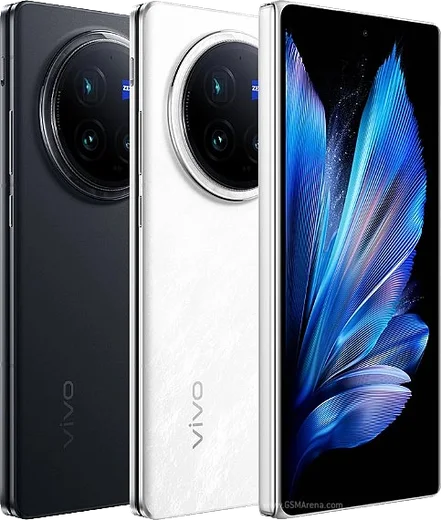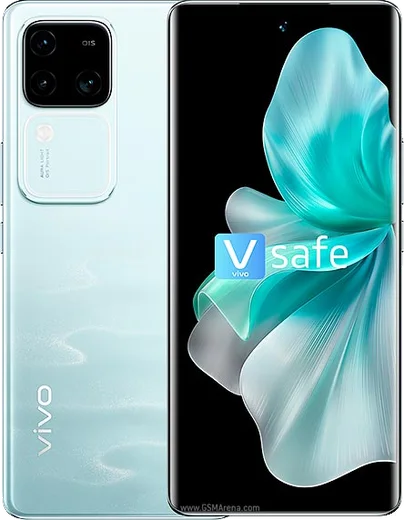
WhatsApp on Vivo X200
Vivo Android

WhatsApp for Vivo X200

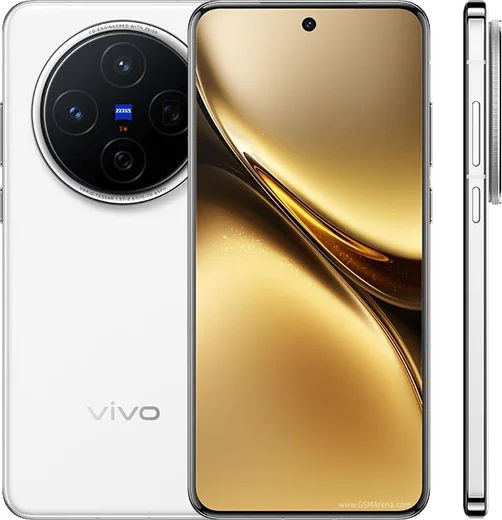
Dimensity 9400, 6.67-inch AMOLED, Zeiss triple 50MP cameras

WhatsApp Messenger 4.7 · 64.2M reviews Free · Android · ~40 MB · by WhatsApp LLC
Download WhatsApp

Ask a question / report a problem

You can ask any question about WhatsApp support on the Vivo X200 — leave it below and we'll help.

Ask a question

Can the Vivo X200 run WhatsApp?

Fully supported
  • Operating systemAndroid
  • ProcessorDimensity 9400
  • WhatsApp versionLatest supported

Latest known WhatsApp problems on Vivo X200

1

Why does WhatsApp keep losing connection on my Vivo X200?

This is usually Vivo's aggressive battery management killing WhatsApp's background connection. Go to Settings > Battery > Background power consumption management, find WhatsApp and set it to Allow high background power consumption, then go to Settings > Apps > Manage apps > WhatsApp > Battery and disable any battery optimization. Also lock WhatsApp in Recents (swipe up to open recents, pull the card down to lock it) so the system stops clearing it. See how others solved this on Reddit
2

Why doesn't WhatsApp run in the background or deliver messages until I open it on my Vivo X200?

OriginOS/Funtouch's auto-launch and power restrictions are pausing WhatsApp when the screen is off. Open Settings > Battery > Background power consumption management and set WhatsApp to Allow high background power consumption, then in Settings > Apps > Auto-start management enable auto-start for WhatsApp. Finally check Settings > Apps > Manage apps > WhatsApp > Notifications is fully enabled so alerts still arrive when the app is closed. See how others solved this on Reddit
3

Why are videos I send through WhatsApp from my Vivo X200 dull or low quality?

WhatsApp heavily compresses video, and the X200's HDR/Dolby footage often looks washed out after that re-encoding. In WhatsApp tap the attach icon, pick the video, then tap the HD toggle at the top and choose HD quality before sending. For important clips, record in a standard (non-HDR) profile via the Camera settings, or send the file as a Document instead of a video to skip WhatsApp's compression entirely. See how others solved this on Reddit
4

Why aren't I getting WhatsApp call and message notifications on my Vivo X200?

The X200's notification throttling and Do Not Disturb rules commonly silence WhatsApp calls. Go to Settings > Notifications & status bar > WhatsApp, enable Allow notifications, and make sure the Calls channel is set to make sound and pop on screen, with Lock screen notifications turned on. Then in Settings > Apps > Auto-start management and Settings > Battery > Background power consumption management, allow WhatsApp so incoming calls can wake the phone. See how others solved this on Reddit
5

How do I transfer my WhatsApp chats to my Vivo X200, especially coming from an iPhone?

For an Android-to-X200 move, back up on the old phone via WhatsApp > Settings > Chats > Chat backup to Google Drive (same Google account), then restore during setup on the X200. Coming from iPhone, use the official iOS-to-Android flow: in WhatsApp on the X200 it will prompt you to scan a QR code, then install Move to iOS/Move to Android as directed, connect both phones with a cable, and follow the in-app prompt so chats migrate without needing iCloud. See how others solved this on Reddit
6

Why won't WhatsApp verify or send the SMS code on my Vivo X200?

Verification stalls usually come from the SMS not reaching the right SIM or being filtered. Confirm the correct SIM is set for SMS in Settings > SIM management (or Settings > Mobile network > SIM management), check Messages and the blocked/spam folder for the 6-digit code, and make sure WhatsApp has SMS and Phone permissions under Settings > Apps > Manage apps > WhatsApp > Permissions. If the code still doesn't arrive after a minute, choose Call me instead, or briefly toggle Airplane mode to refresh the network. See how others solved this on Reddit

Ask a question / report a problem

You can ask any question about WhatsApp support on the Vivo X200 — leave it below and we'll help.

Ask a question

Watch: setting up WhatsApp

Prefer to watch? This short walkthrough shows the whole installation and number-verification flow.

How to install WhatsApp on Vivo X200 — video walkthrough

How to install WhatsApp on Vivo X200

1

Choose how to download

On your Vivo X200 you can get the official app two ways: from the Google Play Store — the easiest option, since it keeps WhatsApp updated automatically — or directly from the official website. You can download an APK file, by clicking a link “Download WhatsApp directly”.

2

Open WhatsApp

Launch WhatsApp from your home screen or app drawer and accept the Terms of Service to start setup.

3

Verify your phone number

Enter your phone number. If your Vivo X200 uses dual SIM, pick the line you want WhatsApp tied to, then enter the 6-digit code it sends by SMS — it usually fills in automatically.

4

Restore chats and finish setup

Restore your chat history from Google Drive (use the same Google account), add your name and photo, and tap Allow for notifications so messages and calls arrive reliably.

Stay safe: only ever install WhatsApp from the official Android source. The Download button above already points there — modified copies (GB/Plus/Aero WhatsApp) can get your number banned.

Comments (10)

No registration needed. No email required.
M
maxx_amyMay 8, 2026

so downloaded and installed on my x200 ✌️

AppWhatsOfficialMay 11, 2026

Awesome, glad it worked!

T
tom00Feb 25, 2026

wow best guide for the vivo x200 by far

H
helpmeDec 11, 2025

Omg help meee i pressed everything and nothing 😭

AppWhatsOfficialDec 12, 2025

Hey, no need to stress! Tap the green Download button at the top, follow the steps, and you will have WhatsApp in a minute. You will be set up on your phone in no time.

S
saaaaamSep 10, 2025

sehr einfach, in 2 minuten auf meinem X200 erledigt 🙏

S
sol21Apr 6, 2025

anyone? the app crashes every time i open it

AppWhatsOfficialApr 12, 2025

Hi! Try clearing the cache and updating your phone software, then install the latest version again. That usually stops the crashing.

R
rob72Nov 25, 2024

anyone? same account on two devices possible ?

AppWhatsOfficialNov 29, 2024

Good question, you can link extra devices from Settings, that lets the same number work on another phone. Glad to help.

L
lucy.uOct 5, 2024

Wow finalmente whatsapp installato

N
nick6Sep 27, 2024

you guys are life savers :)

V
val_officialSep 17, 2024

omg whatsapp finally on my X200 cheers

B
bea.hAug 7, 2024

Ok so thank u, whatsapp installed on my Vivo X200 cheers