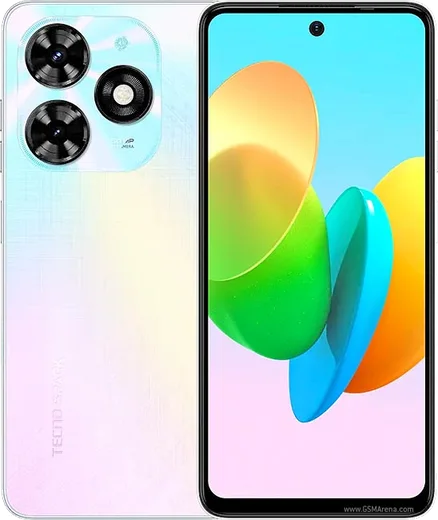
WhatsApp on Tecno Spark 20C
Tecno Android

WhatsApp for Tecno Spark 20C

Unisoc T606, 6.6-inch 90Hz display, 5000mAh

WhatsApp Messenger 4.7 · 64.2M reviews Free · Android · ~40 MB · by WhatsApp LLC
Download WhatsApp

Ask a question / report a problem

You can ask any question about WhatsApp support on the Tecno Spark 20C — leave it below and we'll help.

Ask a question

Can the Tecno Spark 20C run WhatsApp?

Fully supported
  • Operating systemAndroid
  • ProcessorUnisoc T606
  • WhatsApp versionLatest supported

Latest known WhatsApp problems on Tecno Spark 20C

1

Why do my WhatsApp messages on the Tecno Spark 20C arrive late or only when I open the app?

HiOS aggressively closes background apps to save battery, which stops WhatsApp from staying connected. Go to Settings > Apps > App management > WhatsApp > Battery and set it to 'No restrictions' (or 'Allow background activity'). Then open Settings > Battery and add WhatsApp to the protected / auto-launch allowed list so the system stops killing it. Finally, make sure Settings > Battery > Power saving (and Ultra/Smart power saving) is off, since that mode delays notifications. Confirm WhatsApp notifications are enabled under Settings > Apps > App management > WhatsApp > Notifications. See how others solved this on Reddit
2

My Tecno Spark 20C camera resets settings like flash and resolution every time I close the app. How do I keep them?

The stock HiOS Camera app only remembers certain options if you set them inside its own settings menu rather than the quick toolbar. Open Camera, tap the gear / Settings icon and set your resolution, aspect ratio and any 'remember mode' option there. If toggles still reset on each launch, the preference file may be corrupted: go to Settings > Apps > App management > Camera > Storage > Clear cache (this does not delete your photos). If that fails, also Clear data, then re-set your preferences once. See how others solved this on Reddit
3

During calls my Tecno Spark 20C keeps switching to speaker by itself. How do I stop it?

This is almost always the proximity sensor being blocked or dirty, so the phone thinks you've moved it away from your face and turns the screen (and speaker routing) back on. Remove any screen protector or case covering the top of the screen near the earpiece, and wipe that area clean. Reboot and test on a call. If it persists, clear the Phone app's cache via Settings > Apps > App management > Phone (or Call) > Storage > Clear cache. If the sensor is faulty in hardware, a Tecno service center can recalibrate or replace it. See how others solved this on Reddit
4

After a software update my Tecno Spark 20C earpiece, speaker and microphone stopped working. What can I do?

A bad update can leave audio routing stuck on a disconnected Bluetooth or virtual output. First reboot the phone. Then go to Settings > Connected devices / Bluetooth and 'forget' any paired earbuds or speaker so audio returns to the phone. Test again. If it's still silent, boot into Safe Mode (press and hold the power button, then long-press 'Power off' and confirm) to rule out a third-party app. As a last resort, back up your data and use Settings > System > Reset > Reset all settings, or take it to a Tecno service center if the hardware was damaged. See how others solved this on Reddit
5

My Tecno Spark 20C feels laggy and apps reload constantly. How can I speed it up?

With limited RAM, HiOS drops background apps quickly, so they reload from scratch. Free up resources by going to Settings > Apps and uninstalling or disabling bloatware you never use. If your model has it, enable Settings > Memory / RAM expansion (virtual RAM). You can also reduce animations: enable Developer options (tap Settings > About phone > Build number seven times), then set Window, Transition and Animator animation scale to 0.5x. Finally, clear junk under Settings > Storage to keep things responsive. See how others solved this on Reddit
6

What common quirks should I expect on a budget Tecno phone like the Spark 20C?

Tecno phones run HiOS with a fair amount of preinstalled apps and occasional notification ads. To cut the ads, open the offending app's settings and disable promotional notifications, and turn off recommendations in apps like Phone Manager and the app store. Set key apps such as WhatsApp to unrestricted battery use so notifications stay reliable, and keep the system current via Settings > System > System update. Avoid installing random APKs from outside the Play Store, since that's the main source of the malware complaints owners report. See how others solved this on Reddit

Ask a question / report a problem

You can ask any question about WhatsApp support on the Tecno Spark 20C — leave it below and we'll help.

Ask a question

Watch: setting up WhatsApp

Prefer to watch? This short walkthrough shows the whole installation and number-verification flow.

How to install WhatsApp on Tecno Spark 20C — video walkthrough

How to install WhatsApp on Tecno Spark 20C

1

Choose how to download

On your Tecno Spark 20C you can get the official app two ways: from the Google Play Store — the easiest option, since it keeps WhatsApp updated automatically — or directly from the official website. You can download an APK file, by clicking a link “Download WhatsApp directly”.

2

Open WhatsApp

Launch WhatsApp from your home screen or app drawer and accept the Terms of Service to start setup.

3

Verify your phone number

Enter your phone number. If your Tecno Spark 20C uses dual SIM, pick the line you want WhatsApp tied to, then enter the 6-digit code it sends by SMS — it usually fills in automatically.

4

Restore chats and finish setup

Restore your chat history from Google Drive (use the same Google account), add your name and photo, and tap Allow for notifications so messages and calls arrive reliably.

Stay safe: only ever install WhatsApp from the official Android source. The Download button above already points there — modified copies (GB/Plus/Aero WhatsApp) can get your number banned.

Comments (13)

No registration needed. No email required.
P
priya57Jan 26, 2026

ok so didnt work at first but second time was fine 👍

S
sara.sDec 18, 2025

echt hat super funktioniert auf meinem 20c 🙏

L
luca_xNov 1, 2025

tbh respect, this helped alot 🔥

AppWhatsOfficialNov 4, 2025

That is great to hear!

A
ash.bOct 21, 2025

smooth install on the Tecno Spark 20C

N
not_miaOct 10, 2025

Guys got it working on my tecno spark 20c first try

T
tan_petSep 18, 2025

update no annoying ads which is nice

Y
yasinJun 2, 2025

والله أفضل شرح شكراً

T
theo_xMay 24, 2025

quick q is this the official whatsapp or a modded one pls

AppWhatsOfficialMay 28, 2025

Happy to help, it is the official WhatsApp from the real app store. We do not recommend modded versions like GB or Plus, they can get your number banned. Reach out anytime.

N
newphoneApr 20, 2025

omg omggg i cant install it someone heeelp :(

AppWhatsOfficialApr 23, 2025

Take a breath, we got you. Press Download above, then Install, then verify your number. That is all it takes. Reply here if you get stuck.

A
apploverMar 1, 2025

pls help the code never arrives, what do i do thanks

AppWhatsOfficialMar 2, 2025

Hey there, double check the country code and that you have signal, then request a fresh SMS code. If it still fails, wait a few minutes before trying again. Enjoy WhatsApp on your your phone!

B
big_deniFeb 14, 2025

il miglior sito, funzionato al primo colpo sul mio 20c

T
tan39Aug 1, 2024

hi download takes forever for me thanks

AppWhatsOfficialAug 6, 2024

Good question, speed comes down to your data or wifi. On a good connection it only takes a few seconds. Glad to help.

C
chris.bJul 10, 2024

guys this fixed whatsapp on my tecno spark 20c :)