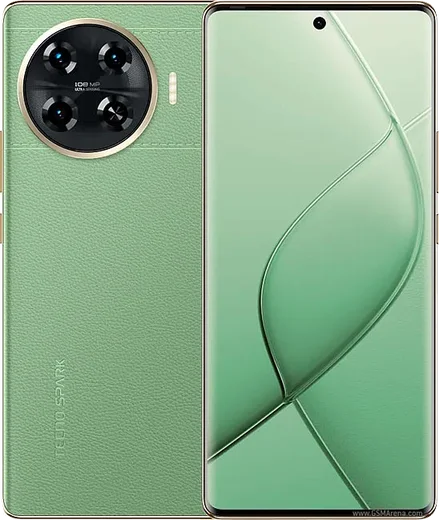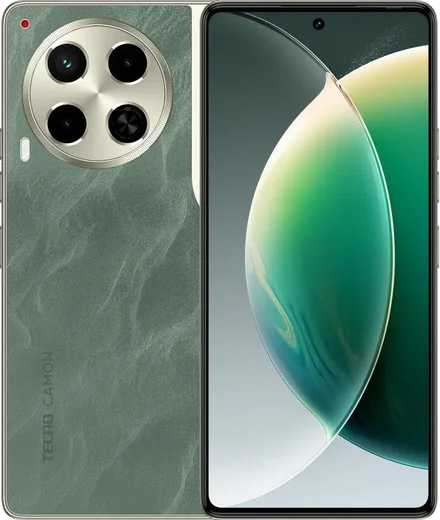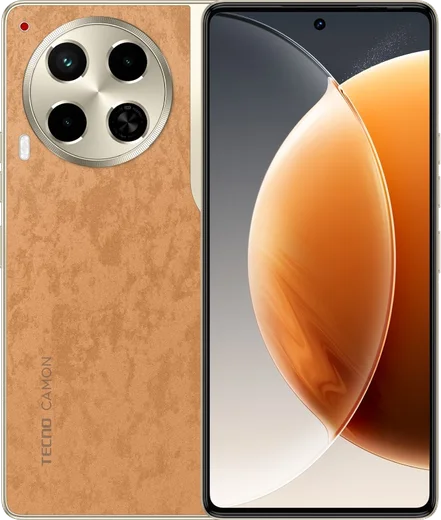
WhatsApp on Tecno Spark 20 Pro+
Tecno Android

WhatsApp for Tecno Spark 20 Pro+

Helio G99 Ultimate, 6.78-inch 120Hz curved AMOLED

WhatsApp Messenger 4.7 · 64.2M reviews Free · Android · ~40 MB · by WhatsApp LLC
Download WhatsApp

Ask a question / report a problem

You can ask any question about WhatsApp support on the Tecno Spark 20 Pro+ — leave it below and we'll help.

Ask a question

Can the Tecno Spark 20 Pro+ run WhatsApp?

Fully supported
  • Operating systemAndroid
  • ProcessorHelio G99 Ultimate
  • WhatsApp versionLatest supported

Latest known WhatsApp problems on Tecno Spark 20 Pro+

1

Why do WhatsApp calls fail to ring or connect on my Tecno Spark 20 Pro+?

Tecno's HiOS power management aggressively kills background apps, so WhatsApp stops receiving calls when the screen is off. Open Settings > Apps > Manage apps (or App management) > WhatsApp > Battery saver (or Battery usage) and set it to 'No restrictions / Allow background activity'. Then open Phone Master > App launch (also reachable via Settings > Battery), find WhatsApp, switch it from 'Auto manage' to 'Manage manually' and turn on all three toggles: Auto-launch, Secondary launch, and Run in background. Finally confirm Microphone and Notification permissions are granted under Settings > Apps > WhatsApp > Permissions. See how others solved this on Reddit
2

My Tecno Spark 20 Pro+ randomly shuts off on its own, how do I stop it?

Sudden shutdowns on Tecno devices are usually caused by overheating or a battery-calibration glitch after a system update rather than any single app. Update HiOS via Settings > System > System update, then clear the cache of apps you were using (Settings > Apps > [app] > Storage > Clear cache). Avoid using the phone while fast-charging, since heat buildup can force a protective cutoff. If it keeps happening, back up first (for chats: WhatsApp > Settings > Chats > Chat backup), then do a factory reset via Settings > System > Reset to rule out corrupted firmware, and if it persists contact Tecno support as it may be a hardware fault. See how others solved this on Reddit
3

My selfie videos and WhatsApp video calls look blurry on the Tecno Spark 20 Pro+ front camera in low light, can I fix it?

The front sensor struggles with motion in dim light, so it lengthens the exposure and the image smears whenever you move. Improve it by facing a bright light source and holding the phone steady. In the stock Camera app, turn off beauty and AI smoothing (the face/wand icons) since they soften detail, and try the screen-fill / palm flash if available. Keep HiOS fully updated via Settings > System > System update, since Tecno has shipped camera-processing fixes through updates. Note that third-party apps like WhatsApp use a lower-quality video stream, so calls will always look softer than the native camera. See how others solved this on Reddit
4

After a HiOS update my apps started crashing and acting buggy on the Tecno Spark 20 Pro+, what should I do?

Post-update bugs on Tecno usually come from a stale app cache that no longer matches the new system build. Go to Settings > Apps > [the affected app] > Storage and tap Clear cache (not Clear data, which wipes app content), then update the app from the Play Store so it is rebuilt against the new OS. If problems persist, check Settings > System > System update for a follow-up patch, since Tecno often releases a quick hotfix after a buggy rollout. As a last resort, Settings > System > Reset > Reset all settings clears system glitches without deleting your files. See how others solved this on Reddit
5

My Tecno Spark 20 Pro+ feels laggy and slow with all the preinstalled bloatware, how can I speed it up?

Tecno ships with preinstalled apps and ad-pushing services that consume memory and push notifications. Turn off promotional alerts: in Phone Master and the Palmstore, open their notification settings and disable recommendations/ads, and check Settings > Notifications to silence anything you don't use. Uninstall or disable apps you don't need via Settings > Apps > Manage apps. Keep at least a few GB of internal storage free, clear cached files through Phone Master > Cleaner, and disable unused background apps in Phone Master > App launch to keep the phone responsive. See how others solved this on Reddit

Ask a question / report a problem

You can ask any question about WhatsApp support on the Tecno Spark 20 Pro+ — leave it below and we'll help.

Ask a question

Watch: setting up WhatsApp

Prefer to watch? This short walkthrough shows the whole installation and number-verification flow.

How to install WhatsApp on Tecno Spark 20 Pro+ — video walkthrough

How to install WhatsApp on Tecno Spark 20 Pro+

1

Choose how to download

On your Tecno Spark 20 Pro+ you can get the official app two ways: from the Google Play Store — the easiest option, since it keeps WhatsApp updated automatically — or directly from the official website. You can download an APK file, by clicking a link “Download WhatsApp directly”.

2

Open WhatsApp

Launch WhatsApp from your home screen or app drawer and accept the Terms of Service to start setup.

3

Verify your phone number

Enter your phone number. If your Tecno Spark 20 Pro+ uses dual SIM, pick the line you want WhatsApp tied to, then enter the 6-digit code it sends by SMS — it usually fills in automatically.

4

Restore chats and finish setup

Restore your chat history from Google Drive (use the same Google account), add your name and photo, and tap Allow for notifications so messages and calls arrive reliably.

Stay safe: only ever install WhatsApp from the official Android source. The Download button above already points there — modified copies (GB/Plus/Aero WhatsApp) can get your number banned.

Comments (13)

No registration needed. No email required.
M
mike83Apr 22, 2026

did it on my 20 pro+ in like 2 minutes

M
mr_jayMar 19, 2026

update thank u, whatsapp installed on my spark 20pro+ 😍

L
lurkerMar 12, 2026

omg this is the only one that worked for me lol

M
mia.wJan 28, 2026

Thank u, whatsapp installed on my spark 20pro+ 💯

N
noobmasterJan 8, 2026

Ngl my tecno spark 20 pro+ was being difficult but this sorted it thx

K
kev_realNov 7, 2025

whyyy is this so hard pls help me get whatsapp 😭

AppWhatsOfficialNov 8, 2025

No panic needed. The Download button takes you to the official app, then just install and verify your number. You got this!

P
pablo94Sep 8, 2025

Update no registration needed, love that

D
dan.cJun 30, 2025

man the video helped me understand

K
kev9Mar 24, 2025

Tolle anleitung danke

Y
yasin70Mar 12, 2025

سهل جداً بدون مشاكل

S
saaaaamFeb 27, 2025

Guys thank u so much thanks again

N
not_jayNov 11, 2024

smooth install on the tecno spark 20 pro+

T
theo2000Sep 22, 2024

Uff el mejor sitio, funcionó a la primera gracias