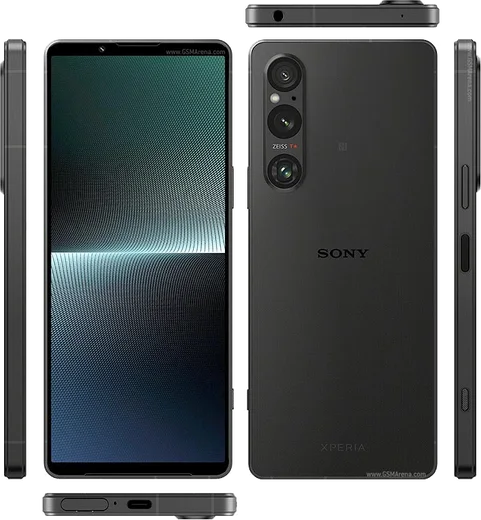
WhatsApp on Xperia 10 V
Sony Xperia Android

WhatsApp for Xperia 10 V

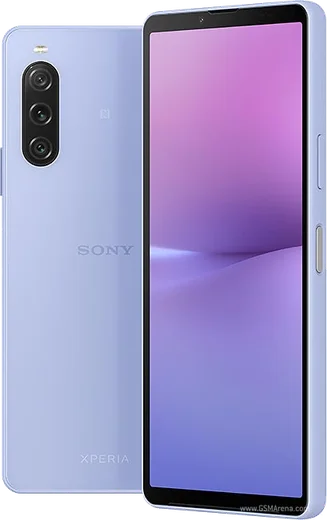
Snapdragon 695 5G, 6.1-inch OLED, lightweight 159g

WhatsApp Messenger 4.7 · 64.2M reviews Free · Android · ~40 MB · by WhatsApp LLC
Download WhatsApp

Ask a question / report a problem

You can ask any question about WhatsApp support on the Xperia 10 V — leave it below and we'll help.

Ask a question

Can the Xperia 10 V run WhatsApp?

Fully supported
  • Operating systemAndroid
  • ProcessorSnapdragon 695 5G
  • WhatsApp versionLatest supported

Latest known WhatsApp problems on Xperia 10 V

1

Why does WhatsApp keep crashing or closing on my Xperia 10 V?

First update WhatsApp from the Google Play Store, since outdated builds can crash on Sony's stock Android. If it still closes, go to Settings > Apps > WhatsApp > Storage & cache and tap Clear cache (not Clear storage, which deletes local chats), then reboot the phone. Also set Settings > Apps > WhatsApp > App battery usage to Unrestricted so the system isn't killing it in the background. See how others solved this on Reddit
2

WhatsApp call audio is too quiet or sounds wrong on my Xperia 10 V — how do I fix it?

Sony's audio tuning can interfere, so open Settings > Sound & vibration and turn off enhancements like 360 Upmix or Dolby Sound while on calls. In WhatsApp, open Settings > Storage and data and make sure 'Use less data for calls' is off, then check Settings > Apps > WhatsApp > Permissions to confirm the Microphone permission is granted. Cleaning the bottom mic and earpiece grilles also helps if the other side sounds muffled. See how others solved this on Reddit
3

I can't answer WhatsApp calls through my Bluetooth headset on the Xperia 10 V — what's going on?

Make sure WhatsApp has the Nearby devices and Phone permissions under Settings > Apps > WhatsApp > Permissions, since without them the headset's answer button may not trigger. Re-pair the device under Settings > Device connection > Bluetooth, and on the headset side ensure it's connected for both Media and Call audio. If the answer button still fails, answer on-screen and switch output to the headset from the in-call audio output icon as a workaround. See how others solved this on Reddit
4

WhatsApp photos look low quality compared to the Xperia 10 V camera app — can I improve that?

WhatsApp uses its own basic in-app camera and heavily compresses media, so for the best results tap the attach (paperclip) icon, choose Gallery, and pick a photo you already took with Sony's Camera app instead of shooting inside WhatsApp. To reduce compression, go to WhatsApp Settings > Storage and data > Media upload quality and set it to HD. Capturing in the stock Camera app first, then sending from the gallery, gives noticeably sharper results. See how others solved this on Reddit
5

Can I run two WhatsApp accounts on the Xperia 10 V?

Yes. WhatsApp now supports a second account in-app: open WhatsApp Settings, tap the arrow next to your name, choose 'Add account', and register a second number (you'll need access to that number for the verification code). Alternatively, since the Xperia 10 V is dual-SIM, install WhatsApp Business from the Play Store as a fully separate app with its own number. Sony's stock Android has no built-in app-cloning feature, so these are the reliable options. See how others solved this on Reddit
6

Why is there no notification light for WhatsApp messages on the Xperia 10 V?

The Xperia 10 V has no notification LED, so use the Ambient display instead: go to Settings > Display > Lock screen and enable 'Wake screen when notifications arrive' (and turn on Always-on display for a persistent indicator). For a stronger cue, open Settings > Apps > WhatsApp > Notifications and turn on 'Pop on screen' plus vibration. A third-party edge-lighting app from the Play Store can simulate an LED flash if you really want one. See how others solved this on Reddit

Ask a question / report a problem

You can ask any question about WhatsApp support on the Xperia 10 V — leave it below and we'll help.

Ask a question

Watch: setting up WhatsApp

Prefer to watch? This short walkthrough shows the whole installation and number-verification flow.

How to install WhatsApp on Xperia 10 V — video walkthrough

How to install WhatsApp on Xperia 10 V

1

Choose how to download

On your Xperia 10 V you can get the official app two ways: from the Google Play Store — the easiest option, since it keeps WhatsApp updated automatically — or directly from the official website. You can download an APK file, by clicking a link “Download WhatsApp directly”.

2

Open WhatsApp

Launch WhatsApp from your home screen or app drawer and accept the Terms of Service to start setup.

3

Verify your phone number

Enter your phone number. If your Xperia 10 V uses dual SIM, pick the line you want WhatsApp tied to, then enter the 6-digit code it sends by SMS — it usually fills in automatically.

4

Restore chats and finish setup

Restore your chat history from Google Drive (use the same Google account), add your name and photo, and tap Allow for notifications so messages and calls arrive reliably.

Stay safe: only ever install WhatsApp from the official Android source. The Download button above already points there — modified copies (GB/Plus/Aero WhatsApp) can get your number banned.

Comments (11)

No registration needed. No email required.
N
noobmasterMay 8, 2026

perfect steps for the xperia 10 v ❤️

P
priya.dNov 16, 2025

Guys my whole family is waiting pls help me install it pls

AppWhatsOfficialNov 18, 2025

You are almost there! Tap Download, allow the install, open WhatsApp and confirm your number. You got this!

N
nooooNov 6, 2025

omg no problems installing on my 10 v 👌

N
noobmasterSep 27, 2025

Franchement trop facile, mon xperia 10v est prêt 😍

U
ugh_helpMar 27, 2025

wow all good on my 10 v now lol

Z
zoe.xMar 16, 2025

davvero il miglior sito, funzionato al primo colpo sul mio 10 v

N
nick6Mar 3, 2025

Yo quick and painless

L
lil_alexJan 7, 2025

well much better then the other sites :)

T
theuserNov 13, 2024

My whatsapp keeps crashing after install pls

AppWhatsOfficialNov 14, 2024

Of course, try clearing the cache and updating your phone software, then install the latest version again. That usually stops the crashing. Let us know if you need anything else.

J
jess9Aug 19, 2024

thank u so much

S
sara_zoeAug 7, 2024

Omg i tried 3 other guides before this one