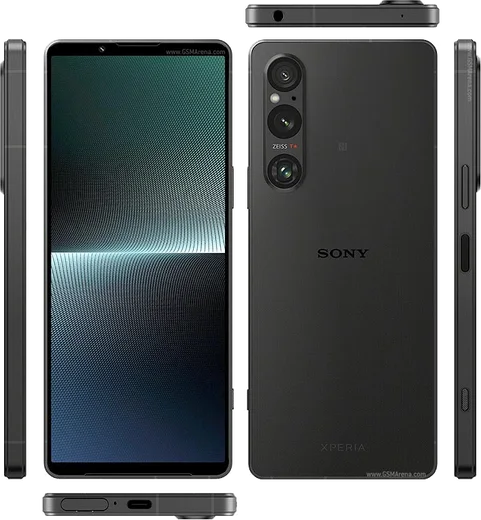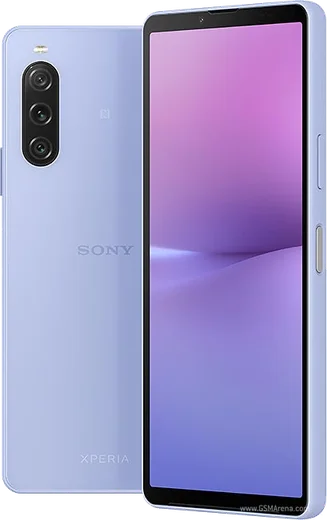
WhatsApp on Xperia 1 V
Sony Xperia Android

WhatsApp for Xperia 1 V

Snapdragon 8 Gen 2, Exmor T sensor, 4K 120Hz OLED

WhatsApp Messenger 4.7 · 64.2M reviews Free · Android · ~40 MB · by WhatsApp LLC
Download WhatsApp

Ask a question / report a problem

You can ask any question about WhatsApp support on the Xperia 1 V — leave it below and we'll help.

Ask a question

Can the Xperia 1 V run WhatsApp?

Fully supported
  • Operating systemAndroid
  • ProcessorSnapdragon 8 Gen 2
  • WhatsApp versionLatest supported

Latest known WhatsApp problems on Xperia 1 V

1

Why does WhatsApp take such low-quality photos on my Xperia 1 V?

WhatsApp uses its own basic in-app camera instead of Sony's Photo Pro app, so it never accesses the full sensor quality your Xperia is capable of, and it also compresses anything you send. For sharp results, take the photo first with the stock Sony camera app, then in WhatsApp tap the attach (paperclip or +) icon, choose Document instead of Gallery, and send the image file that way to skip WhatsApp's heavy compression. See how others solved this on Reddit
2

WhatsApp won't open Sony's camera app when I attach a photo on my Xperia 1 V

WhatsApp deliberately uses a built-in stripped-down camera rather than launching the Xperia's native camera, and Android does not let you swap WhatsApp's internal camera for Photo Pro. The reliable workaround is to capture with the Sony camera app, then in WhatsApp tap the paperclip, pick Gallery, and select your shot. Make sure WhatsApp has Camera permission under Settings, Apps, WhatsApp, Permissions so the in-app capture works at all. See how others solved this on Reddit
3

WhatsApp keeps crashing on my Xperia 1 V, how do I fix it?

Crashes are usually caused by a corrupted cache or an outdated build, so first go to Settings, Apps, WhatsApp, Storage and tap Clear cache (not Clear storage, which deletes your chats). Then update WhatsApp from the Google Play Store and reboot the phone. If it still crashes, go to Settings, Apps, WhatsApp, App battery usage and set it to Unrestricted so Sony's STAMINA power saving isn't force-killing it. See how others solved this on Reddit
4

I can't answer WhatsApp calls through my Bluetooth headset on the Xperia 1 V

This is usually Sony's aggressive battery management suspending WhatsApp in the background so call audio can't route to Bluetooth in time. Go to Settings, Apps, WhatsApp, App battery usage and set it to Unrestricted, then make sure STAMINA mode under Settings, Battery isn't restricting it. Also unpair and re-pair the headset, and confirm WhatsApp has the Nearby devices and Phone permissions granted. See how others solved this on Reddit
5

WhatsApp notification sounds don't work properly on my Xperia 1 V

Sony's battery optimization and Android notification channels are the usual culprits when WhatsApp sounds go silent or delayed. Set WhatsApp to Unrestricted under Settings, Apps, WhatsApp, App battery usage, then open WhatsApp's own Settings, Notifications and re-select the notification tone. Finally check Settings, Apps, WhatsApp, Notifications to confirm the Messages and Calls channels are enabled with sound turned on. See how others solved this on Reddit
6

How do I run two WhatsApp accounts on my Xperia 1 V?

WhatsApp now has a built-in second account feature, which is the cleanest option. Open WhatsApp, go to Settings, tap the down-arrow next to your profile name at the top, then choose Add account and register a second phone number. Alternatively, install WhatsApp Business from the Play Store alongside regular WhatsApp so each app holds a separate number. Either way, both accounts need their own number that can receive an SMS or call verification code. See how others solved this on Reddit

Ask a question / report a problem

You can ask any question about WhatsApp support on the Xperia 1 V — leave it below and we'll help.

Ask a question

Watch: setting up WhatsApp

Prefer to watch? This short walkthrough shows the whole installation and number-verification flow.

How to install WhatsApp on Xperia 1 V — video walkthrough

How to install WhatsApp on Xperia 1 V

1

Choose how to download

On your Xperia 1 V you can get the official app two ways: from the Google Play Store — the easiest option, since it keeps WhatsApp updated automatically — or directly from the official website. You can download an APK file, by clicking a link “Download WhatsApp directly”.

2

Open WhatsApp

Launch WhatsApp from your home screen or app drawer and accept the Terms of Service to start setup.

3

Verify your phone number

Enter your phone number. If your Xperia 1 V uses dual SIM, pick the line you want WhatsApp tied to, then enter the 6-digit code it sends by SMS — it usually fills in automatically.

4

Restore chats and finish setup

Restore your chat history from Google Drive (use the same Google account), add your name and photo, and tap Allow for notifications so messages and calls arrive reliably.

Stay safe: only ever install WhatsApp from the official Android source. The Download button above already points there — modified copies (GB/Plus/Aero WhatsApp) can get your number banned.

Comments (11)

No registration needed. No email required.
I
im_tomJun 16, 2026

sorry but can i recover my chats ?

AppWhatsOfficialJun 22, 2026

Sure, yes, as long as you had a backup. Use the same number and choose Restore during setup to bring your messages back. Let us know if you need anything else.

Z
zoe_xAug 23, 2025

ngl installed whatsapp on my 1 v with no issues 🙏

P
pablo_xAug 16, 2025

omg my whole family is waiting pls help me install it pls

AppWhatsOfficialAug 17, 2025

You are almost there! Tap Download, allow the install, open WhatsApp and confirm your number.

G
greg_kAug 7, 2025

honestly perfect steps for the 1v

R
rosa_maxJul 17, 2025

des étapes super claires pour le Xperia 1 V 👍

P
pete39Jul 8, 2025

Tbh even my grandma could do this :)

S
sam2Mar 9, 2025

quick q do i need to pay for the app

AppWhatsOfficialMar 11, 2025

Hey there, it is completely free. There is no fee for the app, only your usual data or wifi is used. Happy chatting!

L
lina07Nov 28, 2024

Tbh much better then the other sites ❤️

A
andy.dOct 14, 2024

auf dem Xperia 1 V meiner mutter problemlos installiert

R
ray76Aug 29, 2024

Quick q the app opens to a black screen anyone

AppWhatsOfficialSep 1, 2024

No worries, try restarting your phone first. If it still wont open, clear the cache or reinstall the latest version from the official source. Hope that helps!

Y
yuki73Aug 23, 2024

tbh best guide for the Xperia 1 V by far lol

AppWhatsOfficialAug 26, 2024

Awesome, glad it worked!