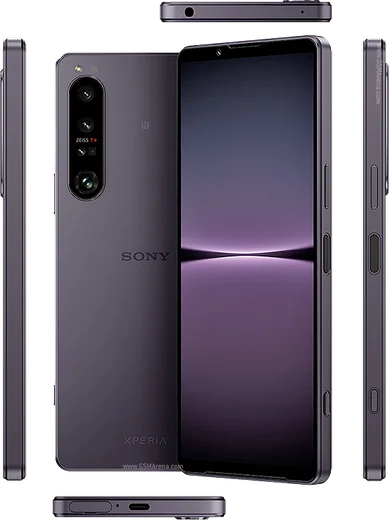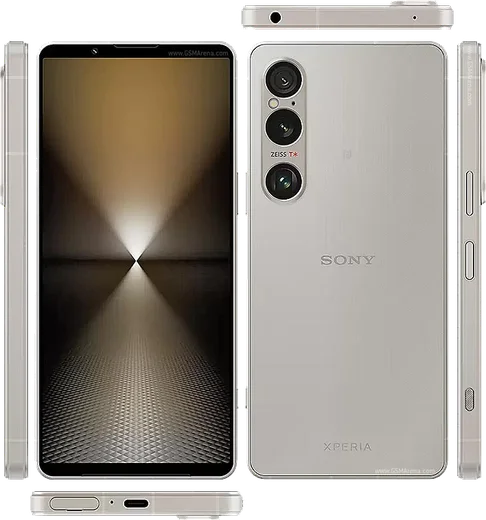
WhatsApp on Xperia 1 VII
Sony Xperia Android

WhatsApp for Xperia 1 VII

Snapdragon 8 Elite, 6.5-inch 120Hz LTPO OLED

WhatsApp Messenger 4.7 · 64.2M reviews Free · Android · ~40 MB · by WhatsApp LLC
Download WhatsApp

Ask a question / report a problem

You can ask any question about WhatsApp support on the Xperia 1 VII — leave it below and we'll help.

Ask a question

Can the Xperia 1 VII run WhatsApp?

Fully supported
  • Operating systemAndroid
  • ProcessorSnapdragon 8 Elite
  • WhatsApp versionLatest supported

Latest known WhatsApp problems on Xperia 1 VII

1

Why do photos taken inside WhatsApp look so bad on my Xperia 1 VII?

WhatsApp uses its own basic in-app camera, which bypasses Sony's image processing and heavily compresses the result, so it never matches the dedicated Camera app on the Xperia 1 VII. Instead of shooting from inside the chat, open the Sony Camera app, take the shot, then attach it in WhatsApp via the gallery/photo icon. For the sharpest result also set Settings > Storage and data > Media upload quality > HD in WhatsApp. See how others solved this on Reddit
2

Why won't WhatsApp use the proper Sony Camera app on my Xperia?

WhatsApp always launches its own built-in camera and there is no setting to force it to open Sony's Camera app, so the controls and quality are limited by design. The reliable workaround is to shoot with the Sony Camera app first, then tap the attachment/gallery icon in the chat and pick the photo or video you just captured. This preserves Sony's full image pipeline, and turning on HD under Settings > Storage and data > Media upload quality keeps more detail when you send it. See how others solved this on Reddit
3

How do I stop WhatsApp from crashing on my Xperia 1 VII?

Crashes are usually caused by a corrupted cache or an outdated build, so first clear it via Settings > Apps > WhatsApp > Storage & cache > Clear cache, then update WhatsApp in the Play Store. If it still crashes, force-stop the app, reboot, and make sure WhatsApp is allowed to run in the background under Settings > Apps > WhatsApp > Battery > Unrestricted. As a last resort, reinstall WhatsApp (your chats restore from your Google Drive backup). See how others solved this on Reddit
4

Why can't I answer WhatsApp calls through my Bluetooth headset on the Xperia 1 VII?

This usually happens when WhatsApp lacks the permissions or background freedom it needs to route the call to the headset, so first grant Settings > Apps > WhatsApp > Permissions > Nearby devices and Microphone. Then set Settings > Apps > WhatsApp > Battery to Unrestricted so the call screen isn't suspended while the phone is locked. If the accept button still doesn't respond, re-pair the headset under Settings > Device connection > Bluetooth. See how others solved this on Reddit
5

Why doesn't WhatsApp sound or ringtone work properly on my Xperia?

Missing or quiet WhatsApp sounds are usually a notification-channel or Do Not Disturb issue rather than a system volume problem. Open Settings > Apps > WhatsApp > Notifications and confirm the Messages and Calls channels are on with a sound assigned, then check Settings > Sound & vibration > Do Not Disturb isn't silencing the app. Also set Settings > Apps > WhatsApp > Battery to Unrestricted so notifications and call ringtones aren't delayed or dropped. See how others solved this on Reddit
6

Why are my WhatsApp and social app notifications delayed on the Xperia 1 VII?

Sony's aggressive battery management, especially STAMINA mode and Adaptive Battery, can put WhatsApp to sleep and hold messages until you open the app. Turn off Settings > Battery > STAMINA mode and set Settings > Apps > WhatsApp > Battery to Unrestricted to exempt it. Then turn off Adaptive Battery under Settings > Battery so WhatsApp keeps syncing in real time. See how others solved this on Reddit

Ask a question / report a problem

You can ask any question about WhatsApp support on the Xperia 1 VII — leave it below and we'll help.

Ask a question

Watch: setting up WhatsApp

Prefer to watch? This short walkthrough shows the whole installation and number-verification flow.

How to install WhatsApp on Xperia 1 VII — video walkthrough

How to install WhatsApp on Xperia 1 VII

1

Choose how to download

On your Xperia 1 VII you can get the official app two ways: from the Google Play Store — the easiest option, since it keeps WhatsApp updated automatically — or directly from the official website. You can download an APK file, by clicking a link “Download WhatsApp directly”.

2

Open WhatsApp

Launch WhatsApp from your home screen or app drawer and accept the Terms of Service to start setup.

3

Verify your phone number

Enter your phone number. If your Xperia 1 VII uses dual SIM, pick the line you want WhatsApp tied to, then enter the 6-digit code it sends by SMS — it usually fills in automatically.

4

Restore chats and finish setup

Restore your chat history from Google Drive (use the same Google account), add your name and photo, and tap Allow for notifications so messages and calls arrive reliably.

Stay safe: only ever install WhatsApp from the official Android source. The Download button above already points there — modified copies (GB/Plus/Aero WhatsApp) can get your number banned.

Comments (11)

No registration needed. No email required.
R
raj20Jun 4, 2026

Finally a guide that makes sense

L
luca.nMay 10, 2026

wow trop facile, tout est prêt

N
needwhatsappApr 13, 2026

hey i NEED this app pleaseeee how do i do it 😩

AppWhatsOfficialApr 15, 2026

Hey, no need to stress! Tap the green Download button at the top, follow the steps, and you will have WhatsApp in a minute. You got this!

C
confuuusedMar 17, 2026

Well my 1 vii was being difficult but this sorted it 😍

E
ella.sNov 1, 2025

echt super easy, alles startklar 🙏

X
xX_beaAug 9, 2025

so took me 5 min total

K
kate93Jul 22, 2025

whatsapp is working on my 1vii now thanks again

C
chris_noaJun 5, 2025

Hi is this legit and safe

AppWhatsOfficialJun 10, 2025

Good question, totally safe. We only link to the genuine WhatsApp, so there is no risk of malware as long as you use the button above. Hope that helps!

N
newbieMay 19, 2025

omg works like a charm on the Xperia 1 VII

N
newbieMay 2, 2025

Verified my number on the xperia 1 vii with no trouble

L
leo.bMar 28, 2025

well installed whatsapp on my 1vii with no issues