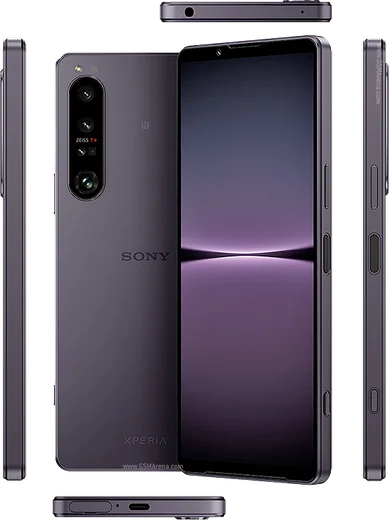
WhatsApp on Xperia 1 III
Sony Xperia Android

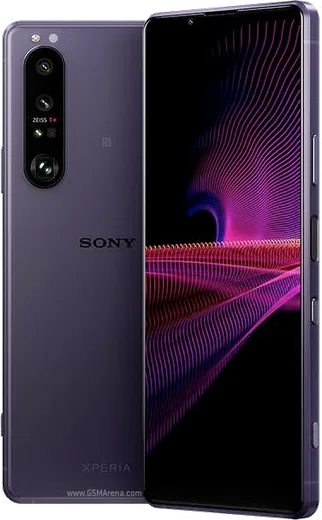
WhatsApp for Xperia 1 III

Snapdragon 888, 4K 120Hz OLED, variable telephoto

WhatsApp Messenger 4.7 · 64.2M reviews Free · Android · ~40 MB · by WhatsApp LLC
Download WhatsApp

Ask a question / report a problem

You can ask any question about WhatsApp support on the Xperia 1 III — leave it below and we'll help.

Ask a question

Can the Xperia 1 III run WhatsApp?

Fully supported
  • Operating systemAndroid
  • ProcessorSnapdragon 888
  • WhatsApp versionLatest supported

Latest known WhatsApp problems on Xperia 1 III

1

Why are WhatsApp notifications delayed or not showing on my Xperia 1 III?

Sony's aggressive power management is the usual cause. Open Settings > Apps > WhatsApp > Battery (or App battery usage) and set it to Unrestricted so the app isn't slept in the background. Then go to Settings > Battery and turn off STAMINA mode (or add WhatsApp to its exceptions). Finally confirm notifications are on under Settings > Apps > WhatsApp > Notifications, and that Notifications are enabled inside WhatsApp's own Settings > Notifications. See how others solved this on Reddit
2

My Xperia 1 III only shows WhatsApp messages when I open the app, how do I fix it?

This is background restriction cutting WhatsApp's push connection until you reopen it. Set Settings > Apps > WhatsApp > Battery to Unrestricted, then open Settings > Battery > Adaptive Battery and turn it off (or exclude WhatsApp) so the system stops learning to limit it. Keeping STAMINA mode off in Settings > Battery prevents it from suppressing the connection again later. See how others solved this on Reddit
3

WhatsApp notification sounds don't play correctly on my Xperia 1 III, what's wrong?

In WhatsApp open Settings > Notifications and re-select a Notification tone for both Message notifications and Group notifications, since a blank or missing tone can fail silently. On the phone side, check Settings > Sound & vibration that notification volume isn't muted and that Do Not Disturb isn't active. If sound still cuts out, open Settings > Apps > WhatsApp > Notifications, tap the message notification channel, and set its Sound there directly. See how others solved this on Reddit
4

Does the Xperia 1 III have an LED notification light for WhatsApp messages?

No, the Xperia 1 III has no dedicated notification LED, so you'll rely on screen-based alerts instead. Turn on Settings > Display > Ambient display (Tap to show notifications) so the screen wakes when a message arrives, and make sure the lock screen is set to show notification content under Settings > Display > Lock screen. Within Settings > Apps > WhatsApp > Notifications, keep the message channel set to Pop on screen so messages flash as heads-up alerts. See how others solved this on Reddit
5

WhatsApp is draining my Xperia 1 III battery, how do I reduce it?

First confirm the cause under Settings > Battery > Battery usage so you know WhatsApp, not another app, is responsible. In WhatsApp, go to Settings > Storage and data > Media auto-download and set photos, audio and video to Wi-Fi only to cut constant background downloading. Enabling STAMINA mode in Settings > Battery reduces overall drain, but add WhatsApp as an exception if you still need reliable messaging. See how others solved this on Reddit
6

Why won't WhatsApp use the Xperia 1 III's main camera app for photos?

WhatsApp uses its own built-in in-app camera rather than Sony's Photography Pro app, so by design the quality is lower. For better shots, exit the chat, take the photo with the stock Camera app, then return to WhatsApp and attach it using the paperclip/gallery picker. Make sure WhatsApp has Camera and Photos and videos permission under Settings > Apps > WhatsApp > Permissions so the picker can reach your full-quality images. See how others solved this on Reddit

Ask a question / report a problem

You can ask any question about WhatsApp support on the Xperia 1 III — leave it below and we'll help.

Ask a question

Watch: setting up WhatsApp

Prefer to watch? This short walkthrough shows the whole installation and number-verification flow.

How to install WhatsApp on Xperia 1 III — video walkthrough

How to install WhatsApp on Xperia 1 III

1

Choose how to download

On your Xperia 1 III you can get the official app two ways: from the Google Play Store — the easiest option, since it keeps WhatsApp updated automatically — or directly from the official website. You can download an APK file, by clicking a link “Download WhatsApp directly”.

2

Open WhatsApp

Launch WhatsApp from your home screen or app drawer and accept the Terms of Service to start setup.

3

Verify your phone number

Enter your phone number. If your Xperia 1 III uses dual SIM, pick the line you want WhatsApp tied to, then enter the 6-digit code it sends by SMS — it usually fills in automatically.

4

Restore chats and finish setup

Restore your chat history from Google Drive (use the same Google account), add your name and photo, and tap Allow for notifications so messages and calls arrive reliably.

Stay safe: only ever install WhatsApp from the official Android source. The Download button above already points there — modified copies (GB/Plus/Aero WhatsApp) can get your number banned.

Comments (7)

No registration needed. No email required.
N
nina.sApr 8, 2026

me funcionó al instante en mi xperia 1iii 😍

A
amy23Nov 8, 2025

Hi the app crashes every time i open it

AppWhatsOfficialNov 10, 2025

Thanks for asking, try clearing the cache and updating your phone software, then install the latest version again. That usually stops the crashing. Reach out anytime.

L
lou49Oct 8, 2025

Finally smooth and simple, no issues 🔥

G
gamerxSep 12, 2025

Yo installed on my 1 iii, super simple ❤️

O
oldschoolJun 18, 2025

worked even on my old phone

J
jay_louMar 16, 2025

omg whatsapp finally on my xperia 1 iii

S
sol_kaiSep 14, 2024

I been trying since morning pleaseee how to install on 1 iii pls

AppWhatsOfficialSep 18, 2024

Take a breath, we got you. Press Download above, then Install, then verify your number. That is all it takes. Reply here if you get stuck.