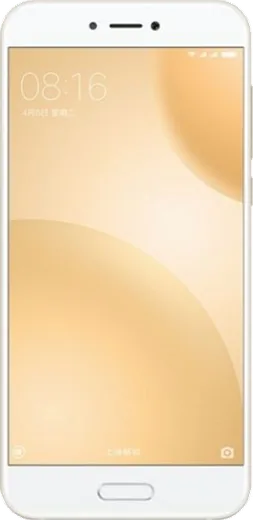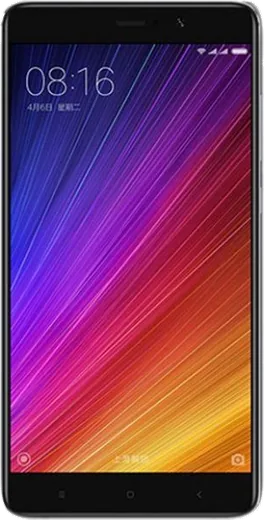
WhatsApp on Xiaomi Redmi Pro
Xiaomi Android

WhatsApp for Xiaomi Redmi Pro

Install the official WhatsApp on your Xiaomi Redmi Pro in a few simple steps.

WhatsApp Messenger 4.7 · 64.2M reviews Free · Android · ~40 MB · by WhatsApp LLC
Download WhatsApp

Ask a question / report a problem

You can ask any question about WhatsApp support on the Xiaomi Redmi Pro — leave it below and we'll help.

Ask a question

Can the Xiaomi Redmi Pro run WhatsApp?

Support ending soon
  • Operating systemAndroid
  • WhatsApp versionLatest supported

Latest known WhatsApp problems on Xiaomi Redmi Pro

1

Why don't I get WhatsApp call notifications on my Redmi Pro until I open the app?

MIUI's aggressive battery saver is freezing WhatsApp in the background, so calls and messages only appear once you manually open it. Go to Settings > Apps > Manage apps > WhatsApp > Battery saver and set it to 'No restrictions', then under Settings > Apps > Permissions > Autostart, enable Autostart for WhatsApp. Also lock WhatsApp in the Recents screen (open Recents, hold the WhatsApp card, tap the lock icon) so MIUI stops killing it. See how others solved this on Reddit
2

WhatsApp call notifications stopped showing on my Redmi Pro but I still hear the ringtone

This is a notification-channel issue where the sound plays but the heads-up banner is suppressed. Open Settings > Apps > Manage apps > WhatsApp > Notifications, make sure the 'Calls' and 'Messages' channels are on, and enable 'Floating notifications' plus 'Show on lock screen' for each. Then in Settings > Notifications & Control center, turn off any 'Hide notifications' or focus/Do Not Disturb restrictions that may be blocking the call banner. See how others solved this on Reddit
3

WhatsApp notifications are delayed or only arrive when I unlock my Redmi Pro

MIUI delays notifications to save power, batching them until you wake the screen. Set WhatsApp's Battery saver to 'No restrictions' under Settings > Apps > Manage apps > WhatsApp > Battery saver, and enable Autostart under Settings > Apps > Permissions > Autostart. The most reliable fix on Redmi devices is to turn OFF 'Turn on MIUI optimization' in Developer options (Settings > Additional settings > Developer options), which commonly breaks WhatsApp's background notifications. See how others solved this on Reddit
4

WhatsApp stopped working properly on my Redmi Pro after a MIUI update

A MIUI update often resets app permissions and re-enables battery restrictions, breaking background sync. After updating, re-grant WhatsApp its Autostart permission (Settings > Apps > Permissions > Autostart) and set Battery saver to 'No restrictions'. If messages still fail to send or media won't download, clear only the cache via Settings > Apps > Manage apps > WhatsApp > Clear data > Clear cache (avoid 'Clear all data', which would wipe local chats). See how others solved this on Reddit
5

The screen stays black during WhatsApp calls on my Redmi Pro because of the proximity sensor

The proximity sensor keeps the screen off when it thinks the phone is near your ear, and on some Redmi units it sticks even after you move the phone away. First remove any screen protector or dirt covering the sensor near the front camera/earpiece, then run the built-in hardware test (dial *#*#64663#*#* and check the proximity sensor) to confirm it reads correctly. As a quick workaround during a stuck call, press the power button once to wake the screen; if the sensor consistently misreads, it usually needs cleaning or service rather than a software toggle. See how others solved this on Reddit
6

Can I make and answer WhatsApp calls from a Xiaomi smartwatch paired to my Redmi Pro?

WhatsApp has no native Wear OS app, so true two-way WhatsApp calling from the watch isn't supported regardless of which Xiaomi watch you pair. On Wear OS watches you can read and reply to WhatsApp messages via mirrored notifications, but for calls you'll need the phone itself. Make sure notification mirroring is enabled in the watch's companion app and that WhatsApp notifications aren't being blocked by MIUI battery restrictions on the Redmi Pro. See how others solved this on Reddit

Ask a question / report a problem

You can ask any question about WhatsApp support on the Xiaomi Redmi Pro — leave it below and we'll help.

Ask a question

Watch: setting up WhatsApp

Prefer to watch? This short walkthrough shows the whole installation and number-verification flow.

How to install WhatsApp on Xiaomi Redmi Pro — video walkthrough

How to install WhatsApp on Xiaomi Redmi Pro

1

Choose how to download

On your Xiaomi Redmi Pro you can get the official app two ways: from the Google Play Store — the easiest option, since it keeps WhatsApp updated automatically — or directly from the official website. You can download an APK file, by clicking a link “Download WhatsApp directly”.

2

Open WhatsApp

Launch WhatsApp from your home screen or app drawer and accept the Terms of Service to start setup.

3

Verify your phone number

Enter your phone number. If your Xiaomi Redmi Pro uses dual SIM, pick the line you want WhatsApp tied to, then enter the 6-digit code it sends by SMS — it usually fills in automatically.

4

Restore chats and finish setup

Restore your chat history from Google Drive (use the same Google account), add your name and photo, and tap Allow for notifications so messages and calls arrive reliably.

Stay safe: only ever install WhatsApp from the official Android source. The Download button above already points there — modified copies (GB/Plus/Aero WhatsApp) can get your number banned.

Comments (7)

No registration needed. No email required.
J
just_leoFeb 20, 2026

hi it says my number cant be verified ?

AppWhatsOfficialFeb 24, 2026

Sure, double check the country code and that you have signal, then request a fresh SMS code. If it still fails, wait a few minutes before trying again. Enjoy WhatsApp on your your phone!

P
pete_proJan 23, 2026

A marché parfaitement sur mon Redmi Pro 👍

B
big_kateJan 1, 2026

ok so did it on my Xiaomi Redmi Pro in like 2 minutes 👍

P
pablo.dJun 21, 2025

Pls help verification keeps failing for me

AppWhatsOfficialJun 23, 2025

Sure, if the SMS will not arrive, you can choose the call option to hear the code, just make sure your number is entered correctly. Enjoy WhatsApp on your your phone!

M
mr_mikeDec 26, 2024

so im not techy and i still managed 💯

AppWhatsOfficialDec 27, 2024

Thanks, enjoy the app!

R
rob95Nov 8, 2024

someone SOS i cant figure out how to install whatsapp heeelp

AppWhatsOfficialNov 10, 2024

Breathe! Follow the steps above one by one, tap Download first, and you will be chatting in no time. Reply here if you get stuck.

N
newphoneAug 11, 2024

Best guide for the redmi pro by far thx