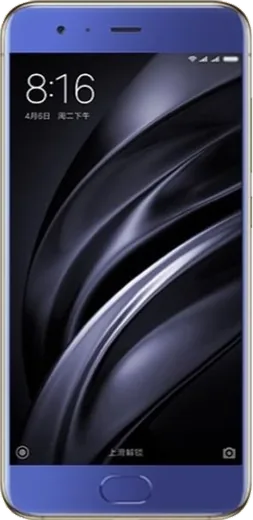
WhatsApp on Xiaomi Mi 6
Xiaomi Android

WhatsApp for Xiaomi Mi 6

Install the official WhatsApp on your Xiaomi Mi 6 in a few simple steps.

WhatsApp Messenger 4.7 · 64.2M reviews Free · Android · ~40 MB · by WhatsApp LLC
Download WhatsApp

Ask a question / report a problem

You can ask any question about WhatsApp support on the Xiaomi Mi 6 — leave it below and we'll help.

Ask a question

Can the Xiaomi Mi 6 run WhatsApp?

Fully supported
  • Operating systemAndroid
  • WhatsApp versionLatest supported

Latest known WhatsApp problems on Xiaomi Mi 6

1

WhatsApp notifications not showing on my Xiaomi Mi 6 — how do I fix it?

First open WhatsApp > Settings > Notifications and confirm notifications are enabled there. Then on the phone go to Settings > Apps > Manage apps > WhatsApp > Notifications and turn on all notification categories. Finally go to Settings > Battery & performance > App battery saver, find WhatsApp and set it to No restrictions, and lock WhatsApp in the Recents screen so MIUI/HyperOS doesn't kill it in the background. See how others solved this on Reddit
2

Why don't I get a notification for incoming WhatsApp calls on my Xiaomi Mi 6?

Call alerts use a separate notification channel, so open WhatsApp > Settings > Notifications and make sure call notifications are enabled, then under Settings > Apps > Manage apps > WhatsApp > Notifications turn on the Calls category. Also grant WhatsApp the 'Display pop-up windows while running in background' permission under Settings > Apps > Manage apps > WhatsApp > Other permissions, otherwise MIUI/HyperOS can block the full-screen ringing screen. See how others solved this on Reddit
3

How do I stop WhatsApp from constantly waking up and checking for new messages on my Xiaomi Mi 6?

Go to Settings > Battery & performance > App battery saver, select WhatsApp and choose Restricted (or Battery saver) to limit how aggressively it runs in the background. If you only want to silence specific chats rather than restrict the app, open the chat in WhatsApp, tap the contact or group name, and choose Mute notifications, or turn off individual categories under WhatsApp > Settings > Notifications. See how others solved this on Reddit
4

WhatsApp notifications work but arrive delayed on my Xiaomi Mi 6 — how can I make them instant?

Delayed delivery is almost always MIUI/HyperOS battery management. Go to Settings > Battery & performance > App battery saver, set WhatsApp to No restrictions, and turn off any global power-saving mode. Then enable Autostart for WhatsApp under Settings > Apps > Permissions > Autostart so it can keep running and push messages the moment they arrive. See how others solved this on Reddit
5

Can I reply to WhatsApp messages directly from the notification on my Xiaomi Mi 6?

Yes, Android's inline reply works as long as WhatsApp notifications arrive as expanded pop-ups. Enable them under Settings > Apps > Manage apps > WhatsApp > Notifications by turning on Floating notifications for the Messages category. Pull down the notification shade, tap Reply on the WhatsApp message, and type your response without opening the app. If no Reply button appears, the Messages category is likely set to silent or minimized. See how others solved this on Reddit

Ask a question / report a problem

You can ask any question about WhatsApp support on the Xiaomi Mi 6 — leave it below and we'll help.

Ask a question

Watch: setting up WhatsApp

Prefer to watch? This short walkthrough shows the whole installation and number-verification flow.

How to install WhatsApp on Xiaomi Mi 6 — video walkthrough

How to install WhatsApp on Xiaomi Mi 6

1

Choose how to download

On your Xiaomi Mi 6 you can get the official app two ways: from the Google Play Store — the easiest option, since it keeps WhatsApp updated automatically — or directly from the official website. You can download an APK file, by clicking a link “Download WhatsApp directly”.

2

Open WhatsApp

Launch WhatsApp from your home screen or app drawer and accept the Terms of Service to start setup.

3

Verify your phone number

Enter your phone number. If your Xiaomi Mi 6 uses dual SIM, pick the line you want WhatsApp tied to, then enter the 6-digit code it sends by SMS — it usually fills in automatically.

4

Restore chats and finish setup

Restore your chat history from Google Drive (use the same Google account), add your name and photo, and tap Allow for notifications so messages and calls arrive reliably.

Stay safe: only ever install WhatsApp from the official Android source. The Download button above already points there — modified copies (GB/Plus/Aero WhatsApp) can get your number banned.

Comments (6)

No registration needed. No email required.
K
kev_nicDec 30, 2025

hi the download is very slow is that normal pls

AppWhatsOfficialJan 4, 2026

Sure, it depends on your connection. Try switching to wifi if you can, and the download should finish in under a minute on most networks. Glad to help.

B
bea.mDec 21, 2025

yo finally a guide that makes sense 🎉

AppWhatsOfficialDec 23, 2025

Perfect, enjoy chatting!

J
just_alexApr 13, 2025

ugh pleeeease i really need whatsapp on my mi 6 today

AppWhatsOfficialApr 17, 2025

We are here to help. Hit Download, follow the steps on this page, and if the code is slow just request it again. You will be set up on your phone in no time.

R
raj_rayMar 1, 2025

Quick q download takes forever for me

AppWhatsOfficialMar 5, 2025

Hey there, a slow download is usually the network. A stable wifi connection will speed it up a lot. Enjoy WhatsApp on your your phone!

A
andy.iDec 16, 2024

Well set up whatsapp on my dads mi 6 no problem 😍

R
rob_linNov 15, 2024

finalmente installato senza problemi sul mio xiaomi mi 6 😍