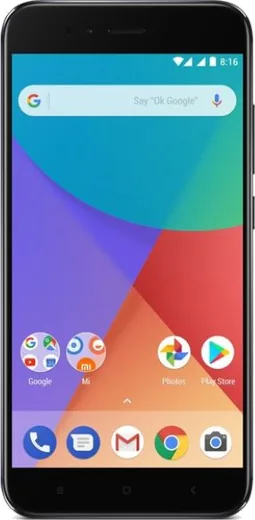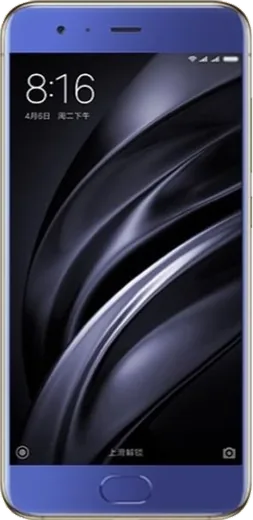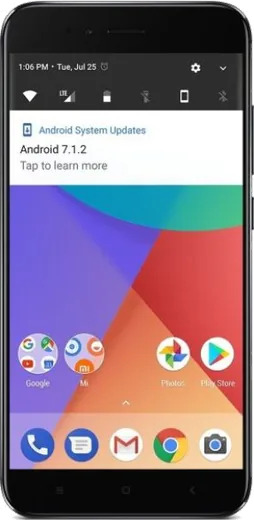
WhatsApp on Xiaomi Mi A1 (5X)
Xiaomi Android

WhatsApp for Xiaomi Mi A1 (5X)

Install the official WhatsApp on your Xiaomi Mi A1 (5X) in a few simple steps.

WhatsApp Messenger 4.7 · 64.2M reviews Free · Android · ~40 MB · by WhatsApp LLC
Download WhatsApp

Ask a question / report a problem

You can ask any question about WhatsApp support on the Xiaomi Mi A1 (5X) — leave it below and we'll help.

Ask a question

Can the Xiaomi Mi A1 (5X) run WhatsApp?

Fully supported
  • Operating systemAndroid
  • WhatsApp versionLatest supported

Latest known WhatsApp problems on Xiaomi Mi A1 (5X)

1

Why do photos sent on WhatsApp have a green tint on my Mi A1?

This was a known WhatsApp image-processing bug that affected some devices, where WhatsApp's re-encoding of the JPEG introduced a green or pinkish color shift. The most reliable fix is to send the picture as a document instead of a photo (tap the paperclip > Document > browse and pick the image), which sends it uncompressed and unaltered. Also update WhatsApp to the latest version from the Play Store, since later releases corrected the tint. If only the in-app preview looks off, clearing the cache under Settings > Apps > WhatsApp > Storage > Clear cache can refresh the thumbnail. See how others solved this on Reddit
2

WhatsApp messages arrive late or only when I open the app on my Mi A1 - how do I fix the delay?

Android's battery optimization is throttling WhatsApp in the background, which is the usual cause of delayed message and call notifications on the Mi A1. Go to Settings > Apps > WhatsApp > Battery (or Settings > Battery > Battery optimization) and set WhatsApp to 'Don't optimize' / 'Unrestricted', then make sure notifications are enabled under Settings > Apps > WhatsApp > Notifications. Also confirm background data is allowed under Settings > Apps > WhatsApp > Mobile data & Wi-Fi > Background data, since restricting it stops push notifications. See how others solved this on Reddit
3

There are preinstalled apps like Caping on my Mi A1 I don't want - can I remove them?

The Mi A1 ships with a small amount of Xiaomi bloatware, and most of it can be uninstalled or disabled normally even though it runs stock Android One. Long-press the app icon and choose App info, then tap Uninstall, or if Uninstall is greyed out, tap Disable to stop it running and hide it. For anything that keeps coming back, open Settings > Apps, select the app, and revoke its background and notification permissions to keep it quiet. See how others solved this on Reddit
4

My Mi A1 WiFi gets very slow whenever Bluetooth is turned on - what's going on?

This is 2.4GHz interference: WiFi and Bluetooth both use the 2.4GHz band, so an active Bluetooth connection can drag down WiFi throughput on the Mi A1. Switch your router to the 5GHz band and connect the Mi A1 to that SSID, since 5GHz doesn't clash with Bluetooth. If you only have 2.4GHz, turn Bluetooth off when you need fast WiFi, or set a fixed router channel (1, 6, or 11) to reduce the overlap. See how others solved this on Reddit
5

My Mi Band 3 keeps showing old WhatsApp notifications instead of new ones from my Mi A1 - how do I stop that?

This happens when WhatsApp notifications don't clear properly on the phone, so the band replays stale ones. On the Mi A1, grant the Mi Fit app notification access under Settings > Apps > Special app access > Notification access, then in Mi Fit enable WhatsApp under Notifications > App alerts. Clear WhatsApp from recents and toggle the band's notification setting off and on to resync. Keeping WhatsApp set to 'Unrestricted' in battery settings also prevents the backlog that causes repeats. See how others solved this on Reddit

Ask a question / report a problem

You can ask any question about WhatsApp support on the Xiaomi Mi A1 (5X) — leave it below and we'll help.

Ask a question

Watch: setting up WhatsApp

Prefer to watch? This short walkthrough shows the whole installation and number-verification flow.

How to install WhatsApp on Xiaomi Mi A1 (5X) — video walkthrough

How to install WhatsApp on Xiaomi Mi A1 (5X)

1

Choose how to download

On your Xiaomi Mi A1 (5X) you can get the official app two ways: from the Google Play Store — the easiest option, since it keeps WhatsApp updated automatically — or directly from the official website. You can download an APK file, by clicking a link “Download WhatsApp directly”.

2

Open WhatsApp

Launch WhatsApp from your home screen or app drawer and accept the Terms of Service to start setup.

3

Verify your phone number

Enter your phone number. If your Xiaomi Mi A1 (5X) uses dual SIM, pick the line you want WhatsApp tied to, then enter the 6-digit code it sends by SMS — it usually fills in automatically.

4

Restore chats and finish setup

Restore your chat history from Google Drive (use the same Google account), add your name and photo, and tap Allow for notifications so messages and calls arrive reliably.

Stay safe: only ever install WhatsApp from the official Android source. The Download button above already points there — modified copies (GB/Plus/Aero WhatsApp) can get your number banned.

Comments (6)

No registration needed. No email required.
P
plz help meeMar 18, 2026

Anyone pls i cant download it heeeelp me

AppWhatsOfficialMar 22, 2026

We are here to help. Hit Download, follow the steps on this page, and if the code is slow just request it again.

M
maxx82Nov 9, 2025

installed whatsapp on my a1 with no issues ✌️

M
mobilegeekSep 6, 2025

guys restarted the phone and then it installed

H
helpmeeeJul 30, 2025

omg downloaded and installed on my Xiaomi Mi A1

AppWhatsOfficialAug 2, 2025

Perfect, enjoy chatting!

P
pete_ninNov 14, 2024

por fin excelente guía, funcionó en mi mi A1 👍

B
bea_kaiNov 12, 2024

Guys works like a charm on the xiaomi mi a1