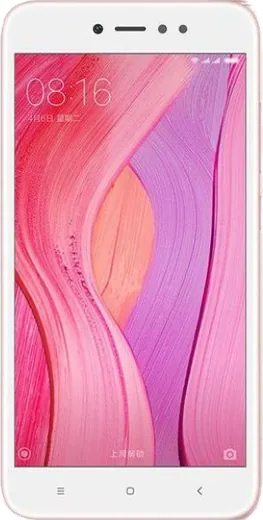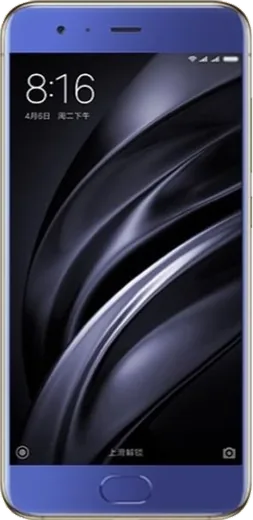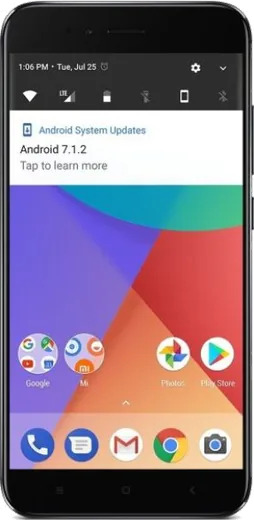
WhatsApp on Xiaomi Redmi Note 5A Prime (Redmi Y1)
Xiaomi Android

WhatsApp for Xiaomi Redmi Note 5A Prime (Redmi Y1)

Install the official WhatsApp on your Xiaomi Redmi Note 5A Prime (Redmi Y1) in a few simple steps.

WhatsApp Messenger 4.7 · 64.2M reviews Free · Android · ~40 MB · by WhatsApp LLC
Download WhatsApp

Ask a question / report a problem

You can ask any question about WhatsApp support on the Xiaomi Redmi Note 5A Prime (Redmi Y1) — leave it below and we'll help.

Ask a question

Can the Xiaomi Redmi Note 5A Prime (Redmi Y1) run WhatsApp?

Fully supported
  • Operating systemAndroid
  • WhatsApp versionLatest supported

Latest known WhatsApp problems on Xiaomi Redmi Note 5A Prime (Redmi Y1)

1

Why does my Redmi Note 5A Prime (Redmi Y1) keep restarting on its own at random?

Random reboots on this phone are usually caused by a misbehaving app or corrupted cache after a MIUI update, an unstable custom theme, or a swelling/aging battery. First boot into Safe Mode (hold Power, then long-press the 'Power off' option until 'Safe mode' appears) to check whether a third-party app is the trigger; if reboots stop in Safe Mode, uninstall recently added apps. Clear individual app caches under Settings > Apps > Manage apps > (app) > Clear data > Clear cache, or wipe the system cache from Recovery (power off, then hold Volume Up + Power). If it persists, back up your data and do a factory reset under Settings > Additional settings > Backup & reset > Factory reset. Note this model uses a Snapdragon 435, and an aging battery is a common hardware cause, so a battery replacement may be needed if resets continue. See how others solved this on Reddit
2

How do I remove the pre-installed bloatware and default apps on my Redmi Y1 running MIUI?

MIUI on the Redmi Note 5A Prime ships with apps like Mi Browser, GetApps, and Mi Video that you can mostly uninstall or disable. Long-press an app icon and tap Uninstall, or go to Settings > Apps > Manage apps, tap the app and choose Uninstall (or Disable for system apps that can't be removed). To cut system ads in apps you can't remove, open that app's settings and turn off 'Receive recommendations', and disable the ad service under Settings > Passwords & security > Authorization & revocation > msa (turn it off). See how others solved this on Reddit
3

My Redmi Note 5A Prime has become very slow and laggy. How can I speed it up?

With only 3GB of RAM, this phone bogs down as apps and MIUI bloat grow. Free up resources by going to Settings > Apps > Manage apps and uninstalling or disabling apps you don't use, and stop background apps from auto-launching under Settings > Apps > Permissions > Autostart. Clear junk via Settings > Storage and the built-in Cleaner, and keep some internal storage free. To make the UI feel snappier, enable Developer options (Settings > About phone > tap 'MIUI version' 7 times), then set Window/Transition/Animator scales to 0.5x under Settings > Additional settings > Developer options. See how others solved this on Reddit
4

The battery on my old Redmi Y1 drains fast and the phone heats up. What should I do?

After years of use the 3080mAh battery degrades and background apps make drain and heat worse. Open Settings > Battery & performance > Battery usage to find the heaviest apps, then restrict their background activity and disable their auto-launch under Settings > Apps > Permissions > Autostart. Turn on Battery saver, lower screen brightness and screen timeout, and remove apps you rarely use. If the phone still heats up and drains within a few hours, the aging battery likely needs replacement at a service center. See how others solved this on Reddit
5

Is the Redmi Note 5A Prime still reliable to use in 2026, and how do I keep it usable?

The Redmi Y1 is well past its MIUI update support, so it stays usable mainly for calls, messaging and light apps rather than demanding modern apps. Keep it lean: only install apps you actually need, offload photos to Google Photos or an SD card to free internal storage, and periodically factory reset via Settings > Additional settings > Backup & reset after backing up to Google Drive. Avoid loading many large apps at once, since the Snapdragon 435 and 3GB of RAM struggle with current software. See how others solved this on Reddit

Ask a question / report a problem

You can ask any question about WhatsApp support on the Xiaomi Redmi Note 5A Prime (Redmi Y1) — leave it below and we'll help.

Ask a question

Watch: setting up WhatsApp

Prefer to watch? This short walkthrough shows the whole installation and number-verification flow.

How to install WhatsApp on Xiaomi Redmi Note 5A Prime (Redmi Y1) — video walkthrough

How to install WhatsApp on Xiaomi Redmi Note 5A Prime (Redmi Y1)

1

Choose how to download

On your Xiaomi Redmi Note 5A Prime (Redmi Y1) you can get the official app two ways: from the Google Play Store — the easiest option, since it keeps WhatsApp updated automatically — or directly from the official website. You can download an APK file, by clicking a link “Download WhatsApp directly”.

2

Open WhatsApp

Launch WhatsApp from your home screen or app drawer and accept the Terms of Service to start setup.

3

Verify your phone number

Enter your phone number. If your Xiaomi Redmi Note 5A Prime (Redmi Y1) uses dual SIM, pick the line you want WhatsApp tied to, then enter the 6-digit code it sends by SMS — it usually fills in automatically.

4

Restore chats and finish setup

Restore your chat history from Google Drive (use the same Google account), add your name and photo, and tap Allow for notifications so messages and calls arrive reliably.

Stay safe: only ever install WhatsApp from the official Android source. The Download button above already points there — modified copies (GB/Plus/Aero WhatsApp) can get your number banned.

Comments (8)

No registration needed. No email required.
K
kate85Jan 21, 2026

update couldnt be easier 🔥

R
ray_officialJan 7, 2026

hi should i remove the old version before this

AppWhatsOfficialJan 12, 2026

No worries, you can keep the old one. Installing the newest build simply updates it and your chats stay put.

N
noobmasterSep 22, 2025

had whatsapp on my Redmi Note 5A Prime in no time 👌

T
theuserFeb 22, 2025

finally downloaded and installed on my Redmi Note 5A Prime ❤️

H
heeeelpJan 13, 2025

so installed on my xiaomi redmi note 5a prime, super simple thanks again

S
speedyJan 3, 2025

ottima guida, ha funzionato sul mio Redmi Note 5A Prime

J
jay83Dec 30, 2024

guys been at this for hours pls someone help me

AppWhatsOfficialJan 2, 2025

Relax, it is simpler than it looks. Press Download, install, then verify with the SMS code. You got this!

M
ms_lucyNov 3, 2024

got my redmi note5aprime sorted thanks to you