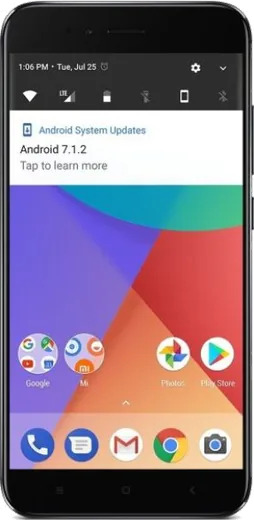
WhatsApp on Xiaomi Redmi Note 5 Pro
Xiaomi Android

WhatsApp for Xiaomi Redmi Note 5 Pro

Install the official WhatsApp on your Xiaomi Redmi Note 5 Pro in a few simple steps.

WhatsApp Messenger 4.7 · 64.2M reviews Free · Android · ~40 MB · by WhatsApp LLC
Download WhatsApp

Ask a question / report a problem

You can ask any question about WhatsApp support on the Xiaomi Redmi Note 5 Pro — leave it below and we'll help.

Ask a question

Can the Xiaomi Redmi Note 5 Pro run WhatsApp?

Fully supported
  • Operating systemAndroid
  • WhatsApp versionLatest supported

Latest known WhatsApp problems on Xiaomi Redmi Note 5 Pro

1

WhatsApp stopped working on my Redmi Note 5 Pro after a MIUI 12.5 update - how do I fix it?

This is almost always MIUI's aggressive battery management killing WhatsApp after the update. Go to Settings > Apps > Manage apps > WhatsApp > Battery saver and set it to 'No restrictions', then on the same WhatsApp screen turn on Autostart. If it still misbehaves, open Settings > Apps > Manage apps > WhatsApp > Clear data and tap 'Clear cache' (not 'Clear all data'), then reboot. See how others solved this on Reddit
2

My Redmi Note 5 Pro has no WhatsApp connection or messages won't send after updating MIUI - what should I do?

After a MIUI update the system often revokes WhatsApp's background data and autostart permissions. Re-enable them at Settings > Apps > Manage apps > WhatsApp > Autostart (toggle on), then open Settings > Apps > Manage apps > WhatsApp > Restrict data usage and make sure both Wi-Fi and Mobile data are checked. Also lock WhatsApp in the Recents screen by swiping down on its card and tapping the lock icon so MIUI stops clearing it from memory. See how others solved this on Reddit
3

I don't get WhatsApp notifications on my Redmi Note 5 Pro unless I open the app - how do I get them on time?

Delayed notifications on Redmi phones come from MIUI's battery saver freezing WhatsApp in the background. Set Settings > Apps > Manage apps > WhatsApp > Battery saver to 'No restrictions' and turn on Autostart, then go to Settings > Apps > Manage apps > WhatsApp > Notifications and make sure 'Show notifications' and 'Floating notifications' are allowed. Finally, lock WhatsApp in the Recents screen so MIUI keeps it alive. See how others solved this on Reddit
4

WhatsApp keeps crashing or showing an error on my Redmi Note 5 Pro - how can I stop it?

First make sure WhatsApp is fully updated from the Play Store, since older builds crash on MIUI. If it still errors, go to Settings > Apps > Manage apps > WhatsApp > Clear data, tap 'Clear cache', and reboot. If the crash persists, back up your chats to Google Drive (in WhatsApp: Settings > Chats > Chat backup) and reinstall the app fresh. See how others solved this on Reddit
5

WhatsApp voice notes play very quietly on my Redmi Note 5 Pro - how do I make them louder?

This usually happens because the proximity sensor thinks the phone is at your ear and switches playback to the quiet earpiece instead of the loudspeaker. Play the voice note with the screen clear of your hand and the phone away from your face, and clean the area around the top earpiece and proximity sensor. While a voice note is playing, raise the volume with the volume rocker (this adjusts media volume) to make it louder. See how others solved this on Reddit
6

My Redmi Note 5 Pro shuts off or restarts when I make or receive a WhatsApp call - what causes this?

Sudden shutdowns during calls are typically a worn or failing battery that can't hold voltage under the combined load of the radio and screen, which is common on older Redmi Note 5 Pro units. Check the battery health and consider a battery replacement, and meanwhile keep the phone above 30% charge during calls. To rule out software, boot into Safe Mode (hold Power, then long-press the 'Power off' option until prompted) and use the phone normally for a while - note that third-party apps including WhatsApp are disabled in Safe Mode, so if it never shuts down there, a buggy app or MIUI setting is the likely culprit rather than the hardware. See how others solved this on Reddit

Ask a question / report a problem

You can ask any question about WhatsApp support on the Xiaomi Redmi Note 5 Pro — leave it below and we'll help.

Ask a question

Watch: setting up WhatsApp

Prefer to watch? This short walkthrough shows the whole installation and number-verification flow.

How to install WhatsApp on Xiaomi Redmi Note 5 Pro — video walkthrough

How to install WhatsApp on Xiaomi Redmi Note 5 Pro

1

Choose how to download

On your Xiaomi Redmi Note 5 Pro you can get the official app two ways: from the Google Play Store — the easiest option, since it keeps WhatsApp updated automatically — or directly from the official website. You can download an APK file, by clicking a link “Download WhatsApp directly”.

2

Open WhatsApp

Launch WhatsApp from your home screen or app drawer and accept the Terms of Service to start setup.

3

Verify your phone number

Enter your phone number. If your Xiaomi Redmi Note 5 Pro uses dual SIM, pick the line you want WhatsApp tied to, then enter the 6-digit code it sends by SMS — it usually fills in automatically.

4

Restore chats and finish setup

Restore your chat history from Google Drive (use the same Google account), add your name and photo, and tap Allow for notifications so messages and calls arrive reliably.

Stay safe: only ever install WhatsApp from the official Android source. The Download button above already points there — modified copies (GB/Plus/Aero WhatsApp) can get your number banned.

Comments (10)

No registration needed. No email required.
W
whatsappfanApr 29, 2026

finally set up whatsapp on my dads Xiaomi Redmi Note 5 Pro no problem :)

L
luca_robDec 10, 2025

pls help is the note5pro compatible with whatsapp anyone

AppWhatsOfficialDec 13, 2025

Hi! The your phone works great with WhatsApp. Keep your system software current and you are good to go. Happy chatting!

A
alex39Oct 25, 2025

Guys installed whatsapp on my redmi note 5 pro with no issues ❤️

J
jess.aOct 22, 2025

Well no problems installing on my redmi note5pro cheers

P
phonefanSep 25, 2025

hey ohne probleme installiert

L
lina92May 14, 2025

ohne probleme installiert

N
newphoneMar 28, 2025

ok so set up whatsapp on my dads redmi note 5 pro no problem

AppWhatsOfficialMar 31, 2025

Thanks, enjoy the app!

K
kate67Jan 23, 2025

help meee i pressed everything and nothing 😭 pls

AppWhatsOfficialJan 26, 2025

No panic needed. The Download button takes you to the official app, then just install and verify your number. It is easier than it looks, promise.

P
plz help meeDec 11, 2024

How do i do it without play store

AppWhatsOfficialDec 14, 2024

Happy to help, yes you can. Enable 'Install unknown apps' for your browser in Settings, then open the official APK. The steps above cover it. Hope that helps!

P
phoneaddictNov 4, 2024

guys im not techy and i still managed