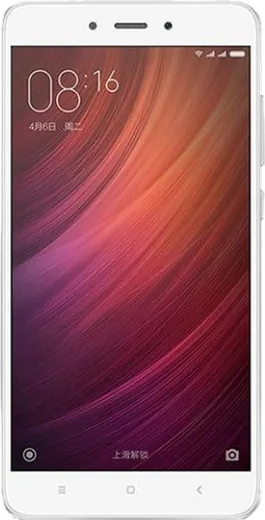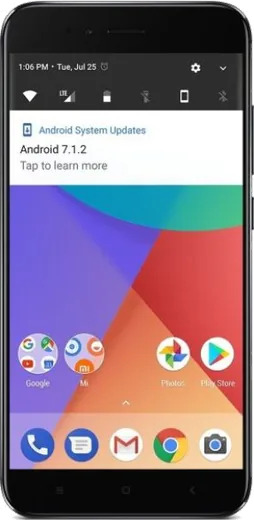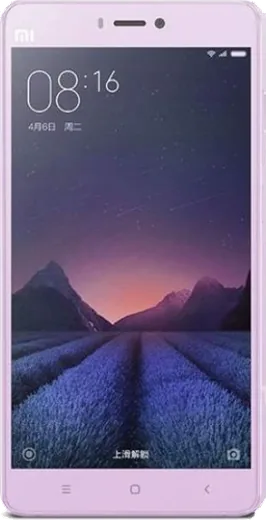
WhatsApp on Xiaomi Redmi Note 4
Xiaomi Android

WhatsApp for Xiaomi Redmi Note 4

Install the official WhatsApp on your Xiaomi Redmi Note 4 in a few simple steps.

WhatsApp Messenger 4.7 · 64.2M reviews Free · Android · ~40 MB · by WhatsApp LLC
Download WhatsApp

Ask a question / report a problem

You can ask any question about WhatsApp support on the Xiaomi Redmi Note 4 — leave it below and we'll help.

Ask a question

Can the Xiaomi Redmi Note 4 run WhatsApp?

Support ending soon
  • Operating systemAndroid
  • WhatsApp versionLatest supported

Latest known WhatsApp problems on Xiaomi Redmi Note 4

1

Why don't I get WhatsApp notifications on my Redmi Note 4 until I open the app?

MIUI's aggressive battery saver is killing WhatsApp in the background. Go to Settings > Apps > Manage apps > WhatsApp, set Battery saver to 'No restrictions', and turn on Autostart for WhatsApp. Then open the Security app, tap Boost speed, and lock WhatsApp in the recent apps screen (open recents and tap/hold the app, then tap the lock icon) so MIUI stops force-closing it. See how others solved this on Reddit
2

WhatsApp notifications are delayed or sometimes missing on my Redmi Note 4, how do I fix it?

This is almost always MIUI's memory cleanup combined with Doze mode putting WhatsApp to sleep. Go to Settings > Apps > Manage apps > WhatsApp, set Battery saver to 'No restrictions', and enable Autostart. Then go to Settings > Apps > Manage apps > WhatsApp > Notifications and make sure all categories (Messages, Calls) are enabled with sound and 'Show on lock screen' turned on. See how others solved this on Reddit
3

WhatsApp calls don't ring on my Redmi Note 4 unless the app is already open, what's wrong?

MIUI blocks WhatsApp's call notifications when the app is in the background. Open Settings > Apps > Manage apps > WhatsApp > Other permissions and enable 'Display pop-up windows while running in background' and 'Start in background'. Combine this with Autostart enabled and Battery saver set to 'No restrictions' so incoming calls can wake the screen. See how others solved this on Reddit
4

WhatsApp call quality is terrible on my Redmi Note 4 with choppy or dropped audio, how can I improve it?

Choppy calls usually come from MIUI throttling WhatsApp's network access in the background. Go to Settings > Apps > Manage apps > WhatsApp and set Battery saver to 'No restrictions', then make sure background data and unrestricted data usage are allowed for WhatsApp (turn off any Data Saver restriction). If it still happens, clear the WhatsApp cache via Settings > Apps > Manage apps > WhatsApp > Clear data > Clear cache and test the call on both Wi-Fi and mobile data to see which network is the problem. See how others solved this on Reddit
5

WhatsApp stopped working on my Redmi Note 4 after a MIUI update, how do I get it back?

A MIUI update often resets WhatsApp's permissions and re-enables battery restrictions. Update WhatsApp to the latest version from the Google Play Store, then re-grant Autostart and set Battery saver to 'No restrictions' under Settings > Apps > Manage apps > WhatsApp. If it still crashes, clear cache via Settings > Apps > Manage apps > WhatsApp > Clear data > Clear cache (not 'Clear all data', so your chats stay). See how others solved this on Reddit
6

WhatsApp keeps freezing or acting buggy on my Xiaomi Redmi Note 4, what should I try?

First make sure WhatsApp is fully updated from the Play Store, since older builds run poorly on MIUI. Then clear the app cache under Settings > Apps > Manage apps > WhatsApp > Clear data > Clear cache, and reboot the phone. If problems continue, confirm WhatsApp has Autostart enabled and Battery saver set to 'No restrictions' to stop MIUI from interfering. See how others solved this on Reddit

Ask a question / report a problem

You can ask any question about WhatsApp support on the Xiaomi Redmi Note 4 — leave it below and we'll help.

Ask a question

Watch: setting up WhatsApp

Prefer to watch? This short walkthrough shows the whole installation and number-verification flow.

How to install WhatsApp on Xiaomi Redmi Note 4 — video walkthrough

How to install WhatsApp on Xiaomi Redmi Note 4

1

Choose how to download

On your Xiaomi Redmi Note 4 you can get the official app two ways: from the Google Play Store — the easiest option, since it keeps WhatsApp updated automatically — or directly from the official website. You can download an APK file, by clicking a link “Download WhatsApp directly”.

2

Open WhatsApp

Launch WhatsApp from your home screen or app drawer and accept the Terms of Service to start setup.

3

Verify your phone number

Enter your phone number. If your Xiaomi Redmi Note 4 uses dual SIM, pick the line you want WhatsApp tied to, then enter the 6-digit code it sends by SMS — it usually fills in automatically.

4

Restore chats and finish setup

Restore your chat history from Google Drive (use the same Google account), add your name and photo, and tap Allow for notifications so messages and calls arrive reliably.

Stay safe: only ever install WhatsApp from the official Android source. The Download button above already points there — modified copies (GB/Plus/Aero WhatsApp) can get your number banned.

Comments (6)

No registration needed. No email required.
B
big_linaJun 14, 2026

Guys my whatsapp had stopped working but this fixed it ❤️

L
lucy.lFeb 24, 2026

sorry but is whatsapp free or do i have to pay pls

AppWhatsOfficialFeb 27, 2026

Hi! It is completely free. There is no fee for the app, only your usual data or wifi is used. Enjoy WhatsApp on your your phone!

F
finn44Jan 19, 2026

guys PLEASE i need whatsapp on my redmi note4 its urgent 😭

AppWhatsOfficialJan 21, 2026

You are almost there! Tap Download, allow the install, open WhatsApp and confirm your number. You will be set up on your phone in no time.

J
just_rayNov 22, 2025

Guys wasnt expecting it to be this easy 😍

B
budgetkingOct 31, 2025

quick q no contacts appear in the app

AppWhatsOfficialNov 1, 2025

Sure, add the contact in your phone with the full country code, then open WhatsApp and refresh. They should appear.

S
sara.gAug 21, 2025

wow ha funzionato subito sul mio xiaomi redmi note 4 grazie