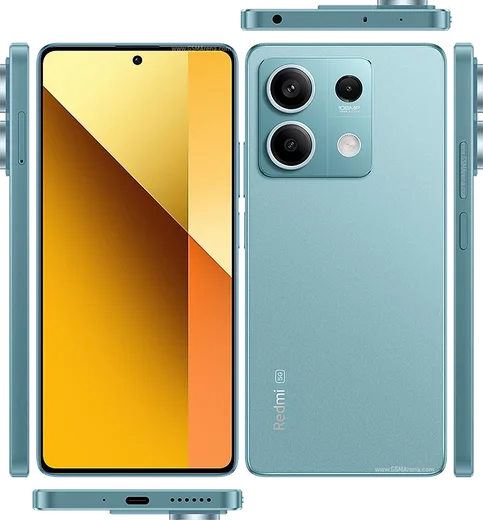
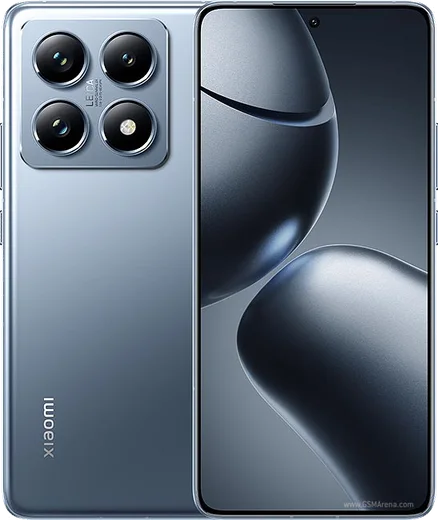
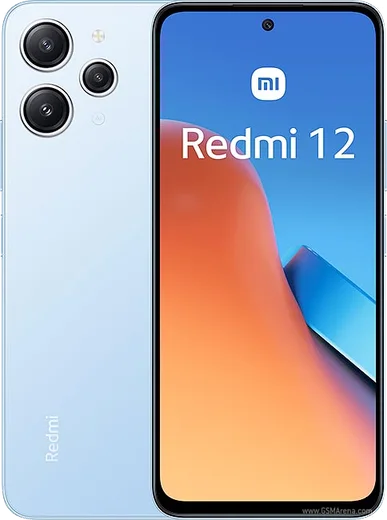
WhatsApp on Redmi Note 13
Xiaomi Android

WhatsApp for Redmi Note 13

Snapdragon 685, 108MP camera, 6.67-inch 120Hz AMOLED

WhatsApp Messenger 4.7 · 64.2M reviews Free · Android · ~40 MB · by WhatsApp LLC
Download WhatsApp

Ask a question / report a problem

You can ask any question about WhatsApp support on the Redmi Note 13 — leave it below and we'll help.

Ask a question

Can the Redmi Note 13 run WhatsApp?

Fully supported
  • Operating systemAndroid
  • ProcessorSnapdragon 685
  • WhatsApp versionLatest supported

Latest known WhatsApp problems on Redmi Note 13

1

Why does WhatsApp keep crashing on my Redmi Note 13?

Crashes on HyperOS usually come from a corrupted cache or an outdated app build, so first open Settings > Apps > Manage apps > WhatsApp > Clear data > Clear cache (this clears cache only, not your chats). Then update WhatsApp from the Play Store, and if it still closes, uninstall and reinstall it after backing up your chats to Google Drive via WhatsApp > Settings > Chats > Chat backup. See how others solved this on Reddit
2

Why don't I get WhatsApp notifications until I open the app on my Redmi Note 13?

HyperOS aggressively kills background apps to save battery, which delays notifications. Go to Settings > Apps > Manage apps > WhatsApp > Battery saver and set it to No restrictions. Then go back to the WhatsApp app-info screen and turn on Autostart. Finally, open the Recents (multitask) view, swipe down on the WhatsApp card (or long-press it) and tap the lock icon so the system stops closing it. See how others solved this on Reddit
3

Why are my WhatsApp photos blurry on my Redmi Note 13?

WhatsApp compresses media by default. In WhatsApp go to Settings > Storage and data > Media upload quality and choose HD, and turn off any data-saving toggles. For sharp originals, send photos as a Document (attachment menu > Document) instead of through the photo picker so they aren't recompressed. See how others solved this on Reddit
4

WhatsApp images don't show up in my Xiaomi Gallery on the Redmi Note 13 — how do I fix it?

The WhatsApp Images folder won't appear in Gallery if media visibility is off. In WhatsApp go to Settings > Chats and turn on Media visibility, or open a specific chat > tap the contact name > Media visibility > On to save its photos to your phone's gallery. If the folder still won't appear, force-stop the Gallery app in Settings > Apps > Manage apps > Gallery and reopen it to rescan media. See how others solved this on Reddit
5

Why don't WhatsApp calls show up on my Redmi Note 13 lock screen?

Incoming-call screens need display and background permissions that HyperOS blocks by default. Go to Settings > Apps > Manage apps > WhatsApp > Other permissions and enable Display pop-up windows while running in background and Show on lock screen. Then under Battery saver set No restrictions so the call screen can wake the display. See how others solved this on Reddit
6

WhatsApp stopped working after a HyperOS/MIUI system update on my Redmi Note 13 — what now?

System updates often reset WhatsApp's permissions and re-enable battery restrictions. Re-grant everything under Settings > Apps > Manage apps > WhatsApp > Permissions (Contacts, Notifications, Storage), turn on Autostart, and set Battery saver to No restrictions. If messaging or calls still fail, clear the app cache and reinstall the latest WhatsApp from the Play Store after backing up to Google Drive. See how others solved this on Reddit

Ask a question / report a problem

You can ask any question about WhatsApp support on the Redmi Note 13 — leave it below and we'll help.

Ask a question

Watch: setting up WhatsApp

Prefer to watch? This short walkthrough shows the whole installation and number-verification flow.

How to install WhatsApp on Redmi Note 13 — video walkthrough

How to install WhatsApp on Redmi Note 13

1

Choose how to download

On your Redmi Note 13 you can get the official app two ways: from the Google Play Store — the easiest option, since it keeps WhatsApp updated automatically — or directly from the official website. You can download an APK file, by clicking a link “Download WhatsApp directly”.

2

Open WhatsApp

Launch WhatsApp from your home screen or app drawer and accept the Terms of Service to start setup.

3

Verify your phone number

Enter your phone number. If your Redmi Note 13 uses dual SIM, pick the line you want WhatsApp tied to, then enter the 6-digit code it sends by SMS — it usually fills in automatically.

4

Restore chats and finish setup

Restore your chat history from Google Drive (use the same Google account), add your name and photo, and tap Allow for notifications so messages and calls arrive reliably.

Stay safe: only ever install WhatsApp from the official Android source. The Download button above already points there — modified copies (GB/Plus/Aero WhatsApp) can get your number banned.

Comments (15)

No registration needed. No email required.
X
xX_maxxMay 5, 2026

update super easy to follow cheers

T
tan42Feb 17, 2026

Uff todo bien, mil gracias gracias

J
just_chrisNov 28, 2025

how do i do it without play store ?

AppWhatsOfficialDec 1, 2025

Hi! No problem. Without Play Store you can use the official APK, just allow installs from your browser first. Let us know if you need anything else.

M
mia_ytOct 20, 2025

so clear steps for the note13, cheers 👍

D
deni_yukOct 16, 2025

Couldnt install whatsapp on my Redmi Note 13 until i found this thanks again

M
mr_linaJul 18, 2025

i had to enable unknown sources but then it was fine

B
big_jayJun 16, 2025

my new Redmi Note 13 is all set up now 🙏

K
khaled3Jun 3, 2025

اشتغل تمام شكراً 🙏

T
tan55May 8, 2025

Sorry but can i hide when i was last online anyone

AppWhatsOfficialMay 12, 2025

Hi! Yes, go to Settings then Privacy and set Last Seen and Online to Nobody or My Contacts. Your activity stays private.

K
kai_petApr 12, 2025

Omg help meee i pressed everything and nothing pls

AppWhatsOfficialApr 15, 2025

Breathe! Follow the steps above one by one, tap Download first, and you will be chatting in no time.

A
andy61Feb 10, 2025

downloaded and installed on my note 13

A
anonJan 25, 2025

Richtig klare schritte für das Redmi Note 13

S
sooo_confusedDec 27, 2024

quick q is whatsapp free or do i have to pay thanks

AppWhatsOfficialDec 31, 2024

Hi! No payment needed at all. WhatsApp is free, you just need an internet connection.

L
lucy.lDec 6, 2024

Man didnt work at first but second time was fine cheers

F
finn.yOct 8, 2024

no play store on my phone, will this work

AppWhatsOfficialOct 13, 2024

Hi! No problem. Without Play Store you can use the official APK, just allow installs from your browser first.