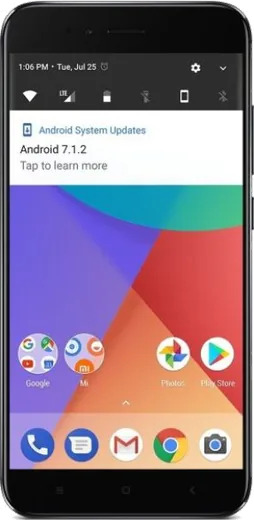
WhatsApp on Xiaomi Redmi 5 Plus
Xiaomi Android

WhatsApp for Xiaomi Redmi 5 Plus

Install the official WhatsApp on your Xiaomi Redmi 5 Plus in a few simple steps.

WhatsApp Messenger 4.7 · 64.2M reviews Free · Android · ~40 MB · by WhatsApp LLC
Download WhatsApp

Ask a question / report a problem

You can ask any question about WhatsApp support on the Xiaomi Redmi 5 Plus — leave it below and we'll help.

Ask a question

Can the Xiaomi Redmi 5 Plus run WhatsApp?

Fully supported
  • Operating systemAndroid
  • WhatsApp versionLatest supported

Latest known WhatsApp problems on Xiaomi Redmi 5 Plus

1

WhatsApp stopped working on my Redmi 5 Plus after a MIUI update

After a MIUI update, the system often re-locks background activity for WhatsApp, which breaks syncing and messaging. Go to Settings > Apps > Manage apps > WhatsApp and turn on Autostart, then open Battery saver for WhatsApp and set it to No restrictions. Also clear the WhatsApp cache under Storage and reboot the phone to force a clean reconnect. See how others solved this on Reddit
2

I only get WhatsApp call and message notifications when I open the app on my Redmi 5 Plus

This is MIUI's aggressive battery management killing WhatsApp in the background. Go to Settings > Apps > Manage apps > WhatsApp > Battery saver and choose No restrictions, then enable Autostart for WhatsApp. Lock WhatsApp in the Recents screen (open Recents, press and hold the WhatsApp card, then tap the lock icon) so MIUI doesn't close it. See how others solved this on Reddit
3

WhatsApp keeps closing in the background and delaying messages on my Redmi 5 Plus

MIUI clears apps from memory to save power, which delays WhatsApp delivery. Set Settings > Apps > Manage apps > WhatsApp > Battery saver to No restrictions and turn on Autostart. Then lock WhatsApp in the Recents screen so it isn't swept from memory, and avoid running the phone in Battery saver mode (Settings > Battery & performance), since aggressive power saving makes background kills more frequent. See how others solved this on Reddit
4

WhatsApp notifications are silent or delayed on my Redmi 5 Plus

Check that notifications are fully enabled at Settings > Apps > Manage apps > WhatsApp > Notifications, and make sure the Messages and Calls categories have sound and pop-up (floating) notifications turned on. Then set Battery saver to No restrictions for WhatsApp and enable Autostart so the notification service keeps running in the background. See how others solved this on Reddit
5

WhatsApp keeps crashing on my Redmi 5 Plus

Crashes are usually caused by a corrupted cache or an outdated build. Go to Settings > Apps > Manage apps > WhatsApp > Storage and tap Clear cache (not Clear data, which would wipe your local chats), then update WhatsApp from the Play Store. If it still crashes, back up your chats to Google Drive, uninstall, and reinstall the latest version. See how others solved this on Reddit
6

WhatsApp calls don't show on the lock screen of my Redmi 5 Plus

MIUI blocks WhatsApp from drawing over the lock screen by default. Go to Settings > Apps > Manage apps > WhatsApp > Other permissions and enable Display pop-up windows while running in the background and Show on Lock screen, then set Battery saver to No restrictions. Reboot so the incoming-call notification can wake the screen and display over the lock screen. See how others solved this on Reddit

Ask a question / report a problem

You can ask any question about WhatsApp support on the Xiaomi Redmi 5 Plus — leave it below and we'll help.

Ask a question

Watch: setting up WhatsApp

Prefer to watch? This short walkthrough shows the whole installation and number-verification flow.

How to install WhatsApp on Xiaomi Redmi 5 Plus — video walkthrough

How to install WhatsApp on Xiaomi Redmi 5 Plus

1

Choose how to download

On your Xiaomi Redmi 5 Plus you can get the official app two ways: from the Google Play Store — the easiest option, since it keeps WhatsApp updated automatically — or directly from the official website. You can download an APK file, by clicking a link “Download WhatsApp directly”.

2

Open WhatsApp

Launch WhatsApp from your home screen or app drawer and accept the Terms of Service to start setup.

3

Verify your phone number

Enter your phone number. If your Xiaomi Redmi 5 Plus uses dual SIM, pick the line you want WhatsApp tied to, then enter the 6-digit code it sends by SMS — it usually fills in automatically.

4

Restore chats and finish setup

Restore your chat history from Google Drive (use the same Google account), add your name and photo, and tap Allow for notifications so messages and calls arrive reliably.

Stay safe: only ever install WhatsApp from the official Android source. The Download button above already points there — modified copies (GB/Plus/Aero WhatsApp) can get your number banned.

Comments (7)

No registration needed. No email required.
A
alex_zoeFeb 14, 2026

Someone whyyy is this so hard pls help me get whatsapp

AppWhatsOfficialFeb 15, 2026

No panic needed. The Download button takes you to the official app, then just install and verify your number.

J
jess_kevDec 26, 2025

El mejor sitio, funcionó a la primera en mi 5plus

M
marc36Aug 17, 2025

update worked perfect on my Xiaomi Redmi 5 Plus ❤️

L
luca.aMay 26, 2025

Guys this fixed whatsapp on my redmi 5plus ❤️

M
mmmaaaxxxMay 6, 2025

Tbh whatsapp running great on my Xiaomi Redmi 5 Plus cheers

M
marc.nDec 14, 2024

ok so perfect, exactly what i needed

P
pablo37Jul 23, 2024

ngl this worked great on my Redmi 5 Plus

AppWhatsOfficialJul 26, 2024

Happy it helped you!