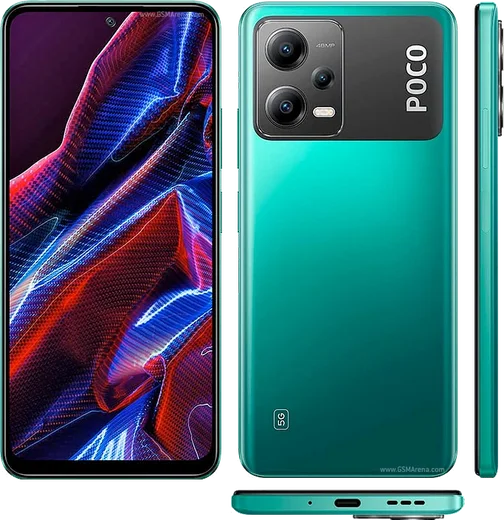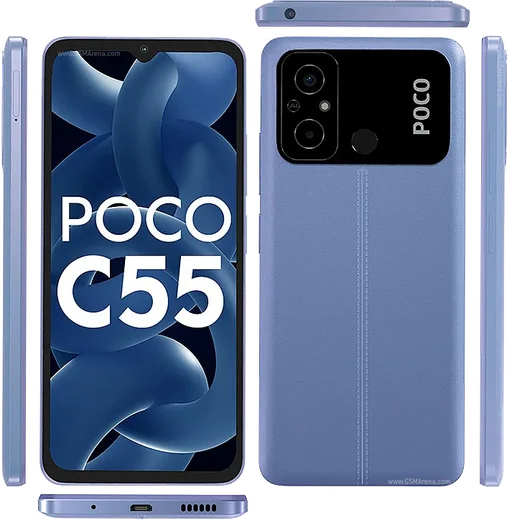
WhatsApp on Poco X5
Poco Android

WhatsApp for Poco X5

Snapdragon 695, 6.67-inch AMOLED 120Hz, 33W

WhatsApp Messenger 4.7 · 64.2M reviews Free · Android · ~40 MB · by WhatsApp LLC
Download WhatsApp

Ask a question / report a problem

You can ask any question about WhatsApp support on the Poco X5 — leave it below and we'll help.

Ask a question

Can the Poco X5 run WhatsApp?

Fully supported
  • Operating systemAndroid
  • ProcessorSnapdragon 695
  • WhatsApp versionLatest supported

Latest known WhatsApp problems on Poco X5

1

Why does the screen go black and audio play through the earpiece during WhatsApp voice messages on my Poco X5?

WhatsApp plays voice messages through the earpiece (and blanks the screen) when the proximity sensor thinks the phone is near your ear. If it triggers while the phone is on a table or in your hand, the sensor at the top of the screen is likely dirty or blocked, so wipe the area around the front camera and remove any thick screen protector covering it. Make sure you tap the play button rather than holding the phone up. If a protector overlaps the sensor strip, that is the most common cause on the Poco X5. See how others solved this on Reddit
2

My WhatsApp voice recordings stop or cut off when I move the Poco X5 away from my ear, how do I fix it?

WhatsApp uses the proximity sensor for raise-to-ear behavior, and a blocked or faulty sensor on the Poco X5 can interrupt recording. Remove any thick screen protector covering the sensor strip near the front camera and clean that area. As a workaround, swipe the microphone icon up to lock hands-free recording so you do not need to hold the phone near your face. You can verify the sensor with a hardware test in Settings > About phone or a sensor-test app. See how others solved this on Reddit
3

WhatsApp photos and videos are not showing up in my Poco X5 gallery, where did they go?

This usually happens when Media visibility is off, so the files exist but are hidden from the MIUI/HyperOS Gallery. Open WhatsApp > Settings > Chats and turn on Media visibility. For a specific chat, open it, tap the contact/group name, and set Media visibility to On. If photos still do not appear, restart the phone so the media scanner re-indexes the WhatsApp Media folders. See how others solved this on Reddit
4

The in-app camera in WhatsApp looks terrible and grainy on my Poco X5, can I improve photo quality?

WhatsApp's built-in camera uses a low-quality stream and heavy compression, so it always looks worse than the stock camera. Instead, shoot with the HyperOS Camera app, then in WhatsApp tap the attach (paperclip or +) icon > Gallery and pick the photo. To keep more detail, raise WhatsApp > Settings > Storage and data > Media upload quality to HD, or send the image as a Document to avoid compression entirely. See how others solved this on Reddit
5

How do I transfer my WhatsApp chat history to my new Poco X5 from another Android phone?

Use Google Drive backup with the same Google account on both phones. On the old phone open WhatsApp > Settings > Chats > Chat backup and back up to Google Drive, then on the Poco X5 install WhatsApp, verify the same phone number, and tap Restore when prompted. If restore shows nothing, confirm both phones are signed into the identical Google account and that the backup actually finished before you reset the old device. See how others solved this on Reddit
6

WhatsApp notifications are not showing on my Poco X5 lock screen, how do I make them appear?

HyperOS restricts background apps by default, which can block notifications. Go to Settings > Apps > Manage apps > WhatsApp, enable Autostart, and set battery saver/restrictions to No restrictions. In the same WhatsApp app info screen open Notifications and make sure Lock screen notifications are allowed. Also check Settings > Notifications & Control center (and Lock screen settings) so message content can display on the lock screen. See how others solved this on Reddit

Ask a question / report a problem

You can ask any question about WhatsApp support on the Poco X5 — leave it below and we'll help.

Ask a question

Watch: setting up WhatsApp

Prefer to watch? This short walkthrough shows the whole installation and number-verification flow.

How to install WhatsApp on Poco X5 — video walkthrough

How to install WhatsApp on Poco X5

1

Choose how to download

On your Poco X5 you can get the official app two ways: from the Google Play Store — the easiest option, since it keeps WhatsApp updated automatically — or directly from the official website. You can download an APK file, by clicking a link “Download WhatsApp directly”.

2

Open WhatsApp

Launch WhatsApp from your home screen or app drawer and accept the Terms of Service to start setup.

3

Verify your phone number

Enter your phone number. If your Poco X5 uses dual SIM, pick the line you want WhatsApp tied to, then enter the 6-digit code it sends by SMS — it usually fills in automatically.

4

Restore chats and finish setup

Restore your chat history from Google Drive (use the same Google account), add your name and photo, and tap Allow for notifications so messages and calls arrive reliably.

Stay safe: only ever install WhatsApp from the official Android source. The Download button above already points there — modified copies (GB/Plus/Aero WhatsApp) can get your number banned.

Comments (8)

No registration needed. No email required.
G
greg90May 9, 2026

wow even my grandma could do this 🙏

AppWhatsOfficialMay 10, 2026

Great to hear it worked out!

G
gabe23May 3, 2026

ok so verified my number on the Poco X5 with no trouble 🙏

B
bea.pFeb 14, 2026

wow installé sur le poco x5 de ma mère sans probleme

Z
zoe_officialSep 29, 2025

Ugh i been trying since morning pleaseee how to install on poco x5

AppWhatsOfficialOct 2, 2025

Relax, it is simpler than it looks. Press Download, install, then verify with the SMS code. You got this! You got this!

J
jay.dAug 16, 2025

Sorry but does it work on older android versions anyone

AppWhatsOfficialAug 20, 2025

Of course, older phones can work as long as the app is still offered to them. Updating the OS where possible helps a lot.

P
phonefanMay 27, 2025

No registration needed, love that :)

M
maxx.pNov 13, 2024

does it work on older android versions anyone

AppWhatsOfficialNov 15, 2024

If the store lets you install it, you are supported. Very old systems may eventually lose support though. Feel free to ask if you get stuck.

L
leo.cAug 3, 2024

Guys no problems installing on my Poco X5 :)