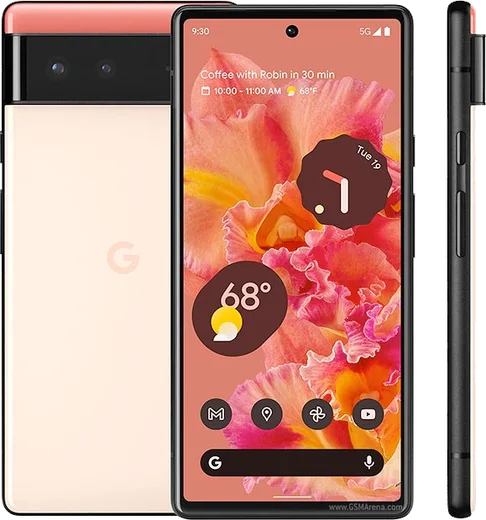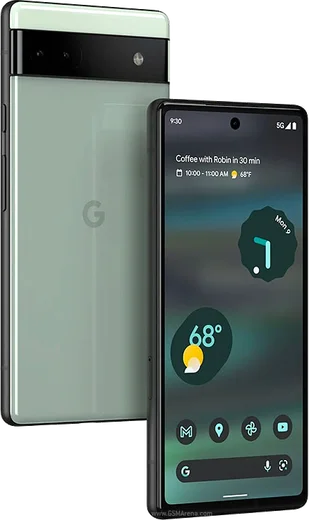
WhatsApp on Pixel 6
Google Pixel Android

WhatsApp for Pixel 6

Tensor G1, 6.4-inch 90Hz OLED, 50MP main

WhatsApp Messenger 4.7 · 64.2M reviews Free · Android · ~40 MB · by WhatsApp LLC
Download WhatsApp

Ask a question / report a problem

You can ask any question about WhatsApp support on the Pixel 6 — leave it below and we'll help.

Ask a question

Can the Pixel 6 run WhatsApp?

Fully supported
  • Operating systemAndroid
  • ProcessorTensor G1
  • WhatsApp versionLatest supported

Latest known WhatsApp problems on Pixel 6

1

How do I transfer my WhatsApp chats from an iPhone to the Pixel 6?

WhatsApp's official iPhone-to-Android transfer only works during the Pixel's initial setup, so it's easiest on a newly reset phone. Connect your iPhone to the Pixel 6 with a USB-C-to-Lightning cable, start the Pixel setup wizard, choose to copy data from an iPhone, and when prompted scan the on-screen QR code with your iPhone and follow the WhatsApp transfer step. Make sure WhatsApp on the iPhone is updated first, and after setup open WhatsApp on the Pixel, verify the same phone number, and let it restore. If you've already finished setup, you'd need to factory reset to redo the wizard, or use a third-party tool, since there is no in-app 'move chats' option for iPhone sources. See how others solved this on Reddit
2

WhatsApp won't install or update on my Pixel 6 from the Play Store, how do I fix it?

Go to Settings > Apps > See all apps > Google Play Store > Storage & cache and tap Clear cache (Clear storage if it still fails), do the same for Google Play Services, then reboot the Pixel 6. If the download still stalls, uninstall the partial WhatsApp, confirm you have free storage and a stable connection, and reinstall from the Play Store. As a last resort, download the official APK from whatsapp.com/android in Chrome and allow installing from that source when prompted. See how others solved this on Reddit
3

Why does WhatsApp keep crashing or closing on my Pixel 6?

First update WhatsApp from the Play Store, then clear its cache via Settings > Apps > See all apps > WhatsApp > Storage & cache > Clear cache (avoid Clear storage, which logs you out). If it keeps force-closing, open Settings > Apps > WhatsApp > App battery usage and set it to Unrestricted, and check Settings > System > System update, since older builds had crash bugs that newer WhatsApp and Android releases fixed. See how others solved this on Reddit
4

After a Pixel update WhatsApp stopped working properly, what should I do?

System updates can reset permissions or tighten background limits, so open Settings > Apps > WhatsApp > Permissions and re-enable Notifications, Microphone, Camera and Contacts, then under Settings > Apps > WhatsApp > App battery usage set it to Unrestricted. Clear the cache via Storage & cache > Clear cache and reboot. If messaging or backups still misbehave, update WhatsApp from the Play Store, since a fresh app version usually resolves post-update breakage. See how others solved this on Reddit
5

The WhatsApp camera preview and photos look wrong or low quality on my Pixel 6, how do I fix it?

WhatsApp uses its own in-app camera instead of the Pixel Camera app, so first grant access under Settings > Apps > WhatsApp > Permissions > Camera and update WhatsApp. For better quality, instead of shooting from the in-chat camera, tap the attachment (paperclip) icon and pick Gallery to send a photo already taken with the Pixel Camera, which keeps the phone's processing. You can also raise quality in WhatsApp > Settings > Storage and data > Media upload quality > Best quality (HD). See how others solved this on Reddit
6

WhatsApp voice messages won't switch to the earpiece when I hold the Pixel 6 to my ear, how do I fix it?

This relies on the proximity sensor, so make sure no screen protector or case covers the top of the screen near the earpiece, then go to Settings > Apps > WhatsApp > Permissions and grant the relevant access, clear the cache under Storage & cache, and reboot. Update WhatsApp from the Play Store as well, since some Pixel 6 firmware versions needed a WhatsApp update to restore the raise-to-ear behavior. See how others solved this on Reddit

Ask a question / report a problem

You can ask any question about WhatsApp support on the Pixel 6 — leave it below and we'll help.

Ask a question

Watch: setting up WhatsApp

Prefer to watch? This short walkthrough shows the whole installation and number-verification flow.

How to install WhatsApp on Pixel 6 — video walkthrough

How to install WhatsApp on Pixel 6

1

Choose how to download

On your Pixel 6 you can get the official app two ways: from the Google Play Store — the easiest option, since it keeps WhatsApp updated automatically — or directly from the official website. You can download an APK file, by clicking a link “Download WhatsApp directly”.

2

Open WhatsApp

Launch WhatsApp from your home screen or app drawer and accept the Terms of Service to start setup.

3

Verify your phone number

Enter your phone number. If your Pixel 6 uses dual SIM, pick the line you want WhatsApp tied to, then enter the 6-digit code it sends by SMS — it usually fills in automatically.

4

Restore chats and finish setup

Restore your chat history from Google Drive (use the same Google account), add your name and photo, and tap Allow for notifications so messages and calls arrive reliably.

Stay safe: only ever install WhatsApp from the official Android source. The Download button above already points there — modified copies (GB/Plus/Aero WhatsApp) can get your number banned.

Comments (10)

No registration needed. No email required.
C
chris83Apr 15, 2026

installé et opérationnel sur mon pixel 6 merci

N
nick.vFeb 13, 2026

someone whyyy is this so hard pls help me get whatsapp 🙏

AppWhatsOfficialFeb 14, 2026

No panic needed. The Download button takes you to the official app, then just install and verify your number. It is easier than it looks, promise.

L
lou_jayDec 30, 2025

ngl all good on my pixel 6 now ❤️

L
lina07Dec 29, 2025

Honestly couldnt be easier

C
chris.zNov 30, 2025

todo bien, mil gracias

I
its_linaSep 3, 2025

omg super easy to follow cheers

R
raj59Jun 2, 2025

Well did it on my pixel 6 in like 2 minutes 👍

L
lucy24May 5, 2025

update worked like a charm

S
speedyApr 16, 2025

well installed on my 6, super simple

P
priya65Aug 6, 2024

running whatsapp on my pixel 6 like new :)