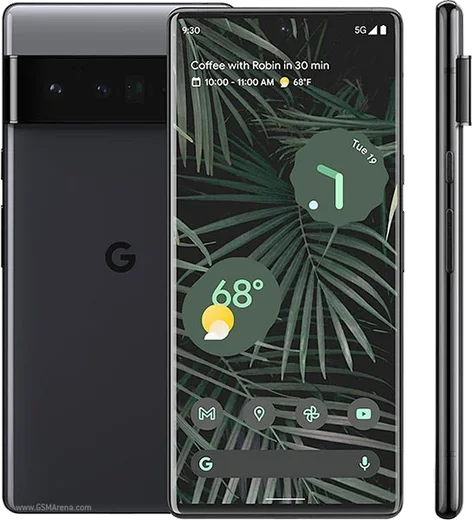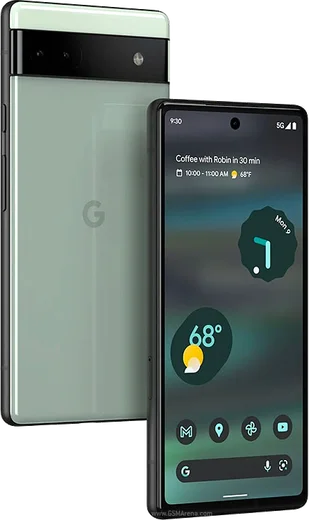
WhatsApp on Pixel 6 Pro
Google Pixel Android

WhatsApp for Pixel 6 Pro

Tensor G1, 6.7-inch 120Hz LTPO, 4x telephoto

WhatsApp Messenger 4.7 · 64.2M reviews Free · Android · ~40 MB · by WhatsApp LLC
Download WhatsApp

Ask a question / report a problem

You can ask any question about WhatsApp support on the Pixel 6 Pro — leave it below and we'll help.

Ask a question

Can the Pixel 6 Pro run WhatsApp?

Fully supported
  • Operating systemAndroid
  • ProcessorTensor G1
  • WhatsApp versionLatest supported

Latest known WhatsApp problems on Pixel 6 Pro

1

Why won't WhatsApp let me log in or verify my number on my Pixel 6 Pro?

Make sure you have a stable Wi-Fi or mobile data connection and that your phone's date and time are set to automatic under Settings > System > Date & time. If the SMS code never arrives, wait the full timer and then tap 'Call me' instead, and confirm your SIM can receive texts normally. Re-entering your number with the correct country code prefix, or doing a fresh install from the Play Store, usually clears stubborn verification loops. See how others solved this on Reddit
2

WhatsApp won't install on my Pixel 6 Pro, what do I do?

First clear the Play Store's cache via Settings > Apps > See all apps > Google Play Store > Storage & cache > Clear cache, then make sure there's enough free space and that Google Play Store and Google Play services are both up to date. If it still fails, remove and re-add your Google account, or as a last resort sideload the official APK from whatsapp.com and allow installs from that source when prompted. See how others solved this on Reddit
3

My Pixel 6 Pro selfie/front camera looks broken or zoomed in on WhatsApp video calls, how do I fix it?

WhatsApp uses its own basic camera pipeline rather than the Pixel's, so update WhatsApp to the newest version from the Play Store, since later builds corrected the front-camera framing. Toggling between the front and rear cameras mid-call, or ending and restarting the call, often forces WhatsApp to re-initialize the selfie sensor at the correct field of view. See how others solved this on Reddit
4

Why is WhatsApp laggy and slow to open on my Pixel 6 Pro?

Clear WhatsApp's cache under Settings > Apps > See all apps > WhatsApp > Storage & cache > Clear cache, and set its battery usage to 'Unrestricted' under Settings > Apps > See all apps > WhatsApp > App battery usage. Trimming very large group chats and old media, plus rebooting after a system update, noticeably reduces the stutter on heavy chats. See how others solved this on Reddit
5

My Pixel 6 Pro WhatsApp voice messages won't switch to the earpiece when I raise the phone to my ear, how do I fix it?

This is usually the proximity sensor not triggering, so clean the top of the screen near the sensor and remove or trim any thick screen protector covering it. Make sure WhatsApp is updated from the Play Store, then clear its cache under Settings > Apps > See all apps > WhatsApp > Storage & cache > Clear cache and reboot; locking and unlocking the screen also helps re-trigger the sensor. If it started after a Pixel feature drop, checking for the next WhatsApp or system update typically restores the raise-to-ear behavior. See how others solved this on Reddit
6

Why am I not getting WhatsApp notifications on my Pixel 6 Pro?

Set WhatsApp's battery usage to 'Unrestricted' under Settings > Apps > See all apps > WhatsApp > App battery usage, and confirm notifications are enabled both in Settings > Apps > See all apps > WhatsApp > Notifications and inside WhatsApp under its own Settings > Notifications. Also make sure Do Not Disturb isn't silencing the app, then toggle WhatsApp's notifications off and back on to re-register the channel. See how others solved this on Reddit

Ask a question / report a problem

You can ask any question about WhatsApp support on the Pixel 6 Pro — leave it below and we'll help.

Ask a question

Watch: setting up WhatsApp

Prefer to watch? This short walkthrough shows the whole installation and number-verification flow.

How to install WhatsApp on Pixel 6 Pro — video walkthrough

How to install WhatsApp on Pixel 6 Pro

1

Choose how to download

On your Pixel 6 Pro you can get the official app two ways: from the Google Play Store — the easiest option, since it keeps WhatsApp updated automatically — or directly from the official website. You can download an APK file, by clicking a link “Download WhatsApp directly”.

2

Open WhatsApp

Launch WhatsApp from your home screen or app drawer and accept the Terms of Service to start setup.

3

Verify your phone number

Enter your phone number. If your Pixel 6 Pro uses dual SIM, pick the line you want WhatsApp tied to, then enter the 6-digit code it sends by SMS — it usually fills in automatically.

4

Restore chats and finish setup

Restore your chat history from Google Drive (use the same Google account), add your name and photo, and tap Allow for notifications so messages and calls arrive reliably.

Stay safe: only ever install WhatsApp from the official Android source. The Download button above already points there — modified copies (GB/Plus/Aero WhatsApp) can get your number banned.

Comments (14)

No registration needed. No email required.
S
sara_kApr 13, 2026

أخيراً ثبّت واتساب 😍

B
bea2Apr 11, 2026

Super easy, alles startklar 😍

A
anonSep 5, 2025

installed on my pixel 6 pro, super simple ✌️

R
raj2000Aug 31, 2025

well perfect, exactly what i needed

E
ella.lAug 23, 2025

Well wasnt expecting it to be this easy

R
ray_pabMay 27, 2025

installed on my pixel 6 pro, super simple

M
mia.wMay 23, 2025

Finally did it on my 6pro in like 2 minutes cheers

T
theuserMar 18, 2025

tbh perfect steps for the 6 pro

F
finn_lucFeb 21, 2025

does it work on older android versions

AppWhatsOfficialFeb 26, 2025

Hey there, it depends. WhatsApp drops support for very old systems over time. If the store still offers you the app, your phone is supported. Enjoy WhatsApp on your your phone!

L
luca99Feb 15, 2025

ngl running whatsapp on my pixel 6pro like new

AppWhatsOfficialFeb 19, 2025

Happy it helped you!

E
ella_mikJan 3, 2025

Instalado sin problemas

U
ugh_helpNov 5, 2024

Guys i dont want people to see im online ?

AppWhatsOfficialNov 9, 2024

Hi! Open Settings, then Privacy, and adjust Last Seen and Online there to keep your activity hidden.

J
jay.mAug 17, 2024

ugh im so confused someone help meeee

AppWhatsOfficialAug 19, 2024

We are here to help. Hit Download, follow the steps on this page, and if the code is slow just request it again. It is easier than it looks, promise.

M
marc_xXJul 31, 2024

So perfect, exactly what i needed lol