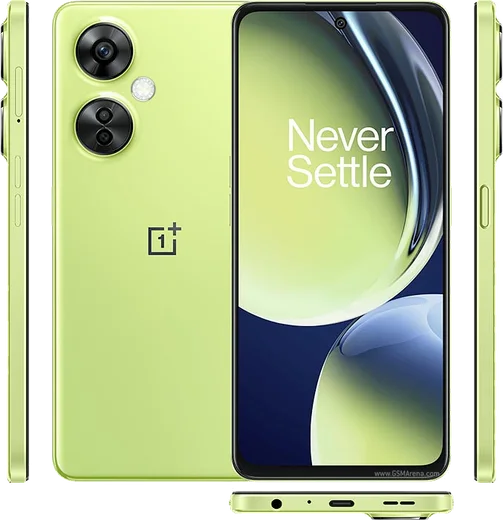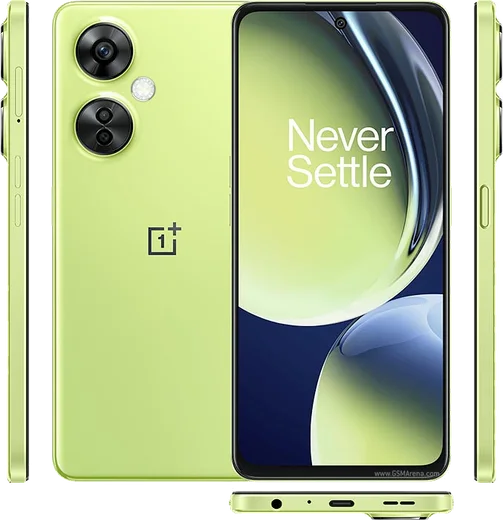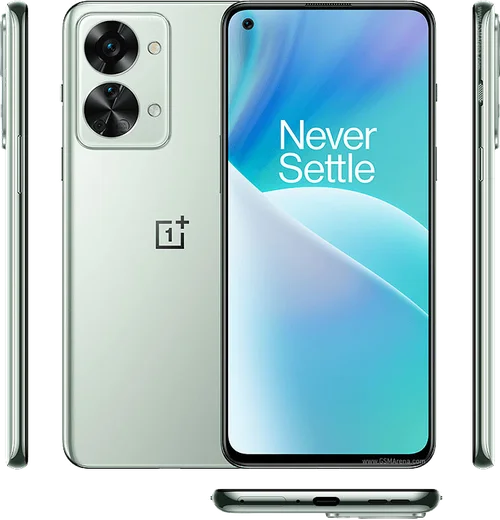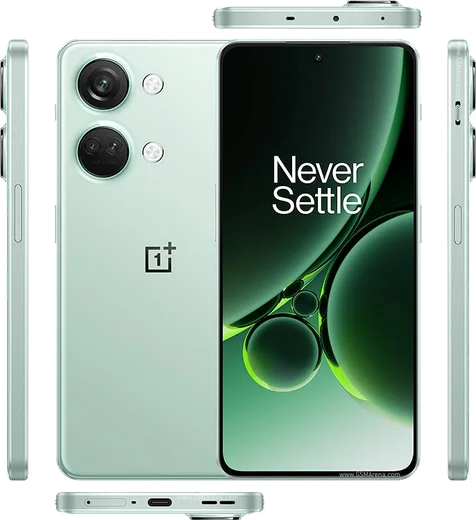
WhatsApp on Nord CE 3 Lite
OnePlus Android

WhatsApp for Nord CE 3 Lite

Snapdragon 695, 6.72-inch 120Hz LCD, 108MP cam

WhatsApp Messenger 4.7 · 64.2M reviews Free · Android · ~40 MB · by WhatsApp LLC
Download WhatsApp

Ask a question / report a problem

You can ask any question about WhatsApp support on the Nord CE 3 Lite — leave it below and we'll help.

Ask a question

Can the Nord CE 3 Lite run WhatsApp?

Fully supported
  • Operating systemAndroid
  • ProcessorSnapdragon 695
  • WhatsApp versionLatest supported

Latest known WhatsApp problems on Nord CE 3 Lite

1

Why is WhatsApp not working at all on my OnePlus Nord CE 3 Lite?

This usually happens when OxygenOS's aggressive battery management freezes WhatsApp in the background. Go to Settings > Apps > App management > WhatsApp > Battery usage and set it to 'Don't restrict' (and enable 'Allow background activity'). Then make sure WhatsApp is updated to the latest version from the Google Play Store, since outdated builds can stop syncing. If it still fails, clear WhatsApp's cache under Settings > Apps > App management > WhatsApp > Storage usage > Clear cache and reboot. See how others solved this on Reddit
2

Why do I only get WhatsApp messages late, when I open the app on my Nord CE 3 Lite?

Delayed messages are caused by OxygenOS killing WhatsApp's background connection to save power. Go to Settings > Apps > App management > WhatsApp > Battery usage and choose 'Don't restrict' plus 'Allow background activity'. Then disable 'Sleep standby optimization' under Settings > Battery > More settings. Locking WhatsApp in the Recent apps list (open Recents, tap the app's menu or hold the card, and tap the lock icon) also stops the system from clearing it. See how others solved this on Reddit
3

Why do I get no WhatsApp notifications unless I'm connected to WiFi on my Nord CE 3 Lite?

When this only happens on mobile data, OxygenOS is restricting WhatsApp's background data. Go to Settings > Apps > App management > WhatsApp > Data usage and enable both 'Mobile data' and 'Background data', and turn off 'Disable data when Data Saver is on'. Also check that Data Saver isn't blocking WhatsApp under Settings > Connection & sharing > Data usage > Data Saver. Finally confirm notifications are allowed under Settings > Notification & status bar > Manage notifications > WhatsApp. See how others solved this on Reddit
4

Why won't the camera load inside WhatsApp on my Nord CE 3 Lite after a security update?

After an OxygenOS security patch, WhatsApp's camera permission can get reset or the camera process can get stuck. Go to Settings > Apps > App management > WhatsApp > Permissions and re-grant 'Camera', then clear WhatsApp's cache under Storage usage > Clear cache. If it still shows a black screen, reboot the phone to release the camera from any app holding it, and update WhatsApp from the Play Store. See how others solved this on Reddit
5

Why don't WhatsApp calls show on my lock screen on the Nord CE 3 Lite?

Incoming WhatsApp calls fail to wake the screen when full-screen notifications are blocked. Go to Settings > Apps > Special app access > Display over other apps and enable it for WhatsApp, then open Settings > Notification & status bar > Manage notifications > WhatsApp > Calls and turn on lock-screen notifications and 'Banners'/heads-up display. Also set WhatsApp's Battery usage to 'Don't restrict' so calls aren't suppressed in the background. See how others solved this on Reddit
6

Why does my Nord CE 3 Lite hang or freeze when a WhatsApp notification arrives?

Brief freezes on incoming WhatsApp notifications are usually tied to a corrupted notification cache or a heavy custom notification tone. Clear WhatsApp's cache under Settings > Apps > App management > WhatsApp > Storage usage > Clear cache, and switch to a default short notification sound in WhatsApp > Settings > Notifications. If it persists, update both OxygenOS (Settings > About device > Up to date / Software update) and WhatsApp, since older system builds had notification-handling bugs. See how others solved this on Reddit

Ask a question / report a problem

You can ask any question about WhatsApp support on the Nord CE 3 Lite — leave it below and we'll help.

Ask a question

Watch: setting up WhatsApp

Prefer to watch? This short walkthrough shows the whole installation and number-verification flow.

How to install WhatsApp on Nord CE 3 Lite — video walkthrough

How to install WhatsApp on Nord CE 3 Lite

1

Choose how to download

On your Nord CE 3 Lite you can get the official app two ways: from the Google Play Store — the easiest option, since it keeps WhatsApp updated automatically — or directly from the official website. You can download an APK file, by clicking a link “Download WhatsApp directly”.

2

Open WhatsApp

Launch WhatsApp from your home screen or app drawer and accept the Terms of Service to start setup.

3

Verify your phone number

Enter your phone number. If your Nord CE 3 Lite uses dual SIM, pick the line you want WhatsApp tied to, then enter the 6-digit code it sends by SMS — it usually fills in automatically.

4

Restore chats and finish setup

Restore your chat history from Google Drive (use the same Google account), add your name and photo, and tap Allow for notifications so messages and calls arrive reliably.

Stay safe: only ever install WhatsApp from the official Android source. The Download button above already points there — modified copies (GB/Plus/Aero WhatsApp) can get your number banned.

Comments (8)

No registration needed. No email required.
L
lucy15Apr 14, 2026

Wow got my Nord CE 3 Lite sorted thanks to you 🔥

T
tina.yFeb 22, 2026

couldnt install whatsapp on my Nord CE 3 Lite until i found this

M
ms_beaApr 25, 2025

man finally a guide that makes sense 👌

AppWhatsOfficialApr 27, 2025

Glad we could help!

I
im_rayJan 8, 2025

Hey my phone is a few years old will it work thanks

AppWhatsOfficialJan 12, 2025

Happy to help, if the store lets you install it, you are supported. Very old systems may eventually lose support though.

M
mr_danOct 25, 2024

had whatsapp on my nord ce 3 Lite in no time 🎉

B
ben_kevSep 30, 2024

quick q where do i change my profile photo

AppWhatsOfficialOct 2, 2024

In Settings tap your profile at the top, then the camera icon lets you pick or take a new picture. Happy chatting!

I
im_omarSep 24, 2024

guys omggg i cant install it someone heeelp

AppWhatsOfficialSep 27, 2024

No panic needed. The Download button takes you to the official app, then just install and verify your number. You got this!

J
joe.xSep 7, 2024

mein nord ce 3 lite hat endlich whatsapp, klasse