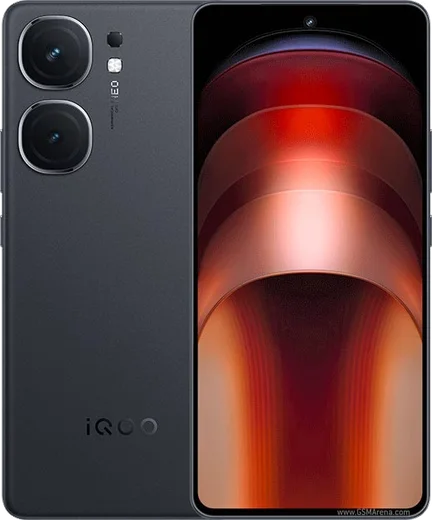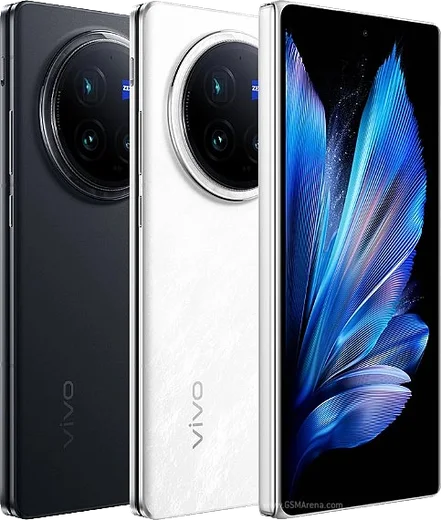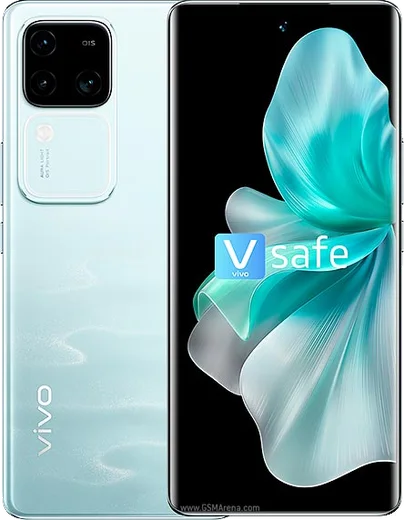
WhatsApp on Vivo iQOO Neo 9 Pro
Vivo Android

WhatsApp for Vivo iQOO Neo 9 Pro

Snapdragon 8 Gen 2, 6.78-inch AMOLED, 5160mAh, 120W charging

WhatsApp Messenger 4.7 · 64.2M reviews Free · Android · ~40 MB · by WhatsApp LLC
Download WhatsApp

Ask a question / report a problem

You can ask any question about WhatsApp support on the Vivo iQOO Neo 9 Pro — leave it below and we'll help.

Ask a question

Can the Vivo iQOO Neo 9 Pro run WhatsApp?

Fully supported
  • Operating systemAndroid
  • ProcessorSnapdragon 8 Gen 2
  • WhatsApp versionLatest supported

Latest known WhatsApp problems on Vivo iQOO Neo 9 Pro

1

Why don't WhatsApp notifications show the message content or sender preview on my iQOO Neo 9 Pro?

This is a Funtouch OS privacy setting, not a WhatsApp bug. Go to Settings > Notification & status bar > Lock screen notifications and switch it from Hide notification content to Show all content. Then open Settings > Notification & status bar > Manage notifications > WhatsApp and make sure Allow notifications and the lock-screen/preview toggles are on. Finally, inside WhatsApp go to Settings > Notifications and enable Use high priority notifications so previews appear at the top of the screen. See how others solved this on Reddit
2

WhatsApp notifications arrive late or only when I open the app on my iQOO Neo 9 Pro. How do I fix the delay?

Funtouch OS aggressively kills background apps to save battery, which delays push notifications. Go to Settings > Battery > High background power consumption, remove WhatsApp from the list, then open Settings > Apps > Manage apps > WhatsApp > Power usage management (or Battery) and choose Don't restrict / Allow background activity. Also open Settings > Apps > Auto start and enable WhatsApp, and lock WhatsApp in the recent-apps tray by long-pressing its card and tapping the lock icon so the system won't clear it. See how others solved this on Reddit
3

WhatsApp video calls and constant chatting drain my iQOO Neo 9 Pro battery fast. How can I improve screen-on time?

The high refresh rate display is a major drain during long WhatsApp sessions, so go to Settings > Display & brightness > Screen refresh rate and choose Smart switch or Standard (60Hz). Lower screen brightness or use auto-brightness, and in WhatsApp turn on Settings > Storage and data > Use less data for calls to reduce CPU and radio load. Enabling dark mode in WhatsApp (Settings > Chats > Theme > Dark) also saves power on the AMOLED panel. See how others solved this on Reddit
4

WhatsApp media and chat backups are eating storage on my iQOO Neo 9 Pro. How do I free up space?

Open WhatsApp > Settings > Storage and data > Manage storage to find and delete large files and forwarded videos in bulk. Then turn off auto-download under Settings > Storage and data > Media auto-download for mobile data, Wi-Fi, and roaming so new media stops piling up. To keep backups off the device, go to WhatsApp Settings > Chats > Chat backup and back up to Google Drive rather than only to local storage. See how others solved this on Reddit
5

Should I worry about WhatsApp performance on the iQOO Neo 9 Pro compared to OnePlus or Poco phones?

WhatsApp itself runs the same across these phones; the real difference owners report is Funtouch OS notification and background handling, which you can fully fix in settings. Set WhatsApp to Don't restrict under Settings > Apps > Manage apps > WhatsApp > Power usage management, enable it in Settings > Apps > Auto start, lock it in recents, and keep it updated from the Play Store. With those tweaks the Neo 9 Pro's Snapdragon chip handles WhatsApp chats, calls, and media as smoothly as any rival device. See how others solved this on Reddit

Ask a question / report a problem

You can ask any question about WhatsApp support on the Vivo iQOO Neo 9 Pro — leave it below and we'll help.

Ask a question

Watch: setting up WhatsApp

Prefer to watch? This short walkthrough shows the whole installation and number-verification flow.

How to install WhatsApp on Vivo iQOO Neo 9 Pro — video walkthrough

How to install WhatsApp on Vivo iQOO Neo 9 Pro

1

Choose how to download

On your Vivo iQOO Neo 9 Pro you can get the official app two ways: from the Google Play Store — the easiest option, since it keeps WhatsApp updated automatically — or directly from the official website. You can download an APK file, by clicking a link “Download WhatsApp directly”.

2

Open WhatsApp

Launch WhatsApp from your home screen or app drawer and accept the Terms of Service to start setup.

3

Verify your phone number

Enter your phone number. If your Vivo iQOO Neo 9 Pro uses dual SIM, pick the line you want WhatsApp tied to, then enter the 6-digit code it sends by SMS — it usually fills in automatically.

4

Restore chats and finish setup

Restore your chat history from Google Drive (use the same Google account), add your name and photo, and tap Allow for notifications so messages and calls arrive reliably.

Stay safe: only ever install WhatsApp from the official Android source. The Download button above already points there — modified copies (GB/Plus/Aero WhatsApp) can get your number banned.

Comments (15)

No registration needed. No email required.
J
just_amyApr 24, 2026

worked like a charm lol

O
omar4Apr 20, 2026

Yo my iQOO Neo 9 Pro has whatsapp now thanks to this

Y
yuki29Jan 19, 2026

hey help meee i pressed everything and nothing 😭

AppWhatsOfficialJan 20, 2026

Hey, no need to stress! Tap the green Download button at the top, follow the steps, and you will have WhatsApp in a minute. It is easier than it looks, promise.

M
mike_katJan 10, 2026

bookmarking this site for sure ✌️

R
raj.rNov 29, 2025

Uff muy fácil, lo hice en 2 minutos

I
its_chrisOct 27, 2025

Pls help i dont want people to see im online

AppWhatsOfficialOct 30, 2025

Thanks for asking, in Privacy settings you can set Last Seen and Online to Nobody, so no one sees when you are active. Glad to help.

H
heeeelpAug 29, 2025

تم التثبيت بدون مشاكل 🙏

M
mr_jessAug 26, 2025

so restarted the phone and then it installed thx

A
anonAug 15, 2025

Well much better then the other sites

L
lurkerJul 29, 2025

man verified my number on the vivo iqoo neo 9 pro with no trouble :)

R
rob_kJul 27, 2025

hat super funktioniert, danke danke

A
andy00Jun 27, 2025

So two thumbs up :)

R
randomuserOct 13, 2024

finally got whatsapp running on my iqooneo9pro

R
raj52Sep 21, 2024

Tbh this worked great on my Vivo iQOO Neo 9 Pro

M
mr_tomSep 1, 2024

So got my vivo iqoo neo 9 pro sorted thanks to you