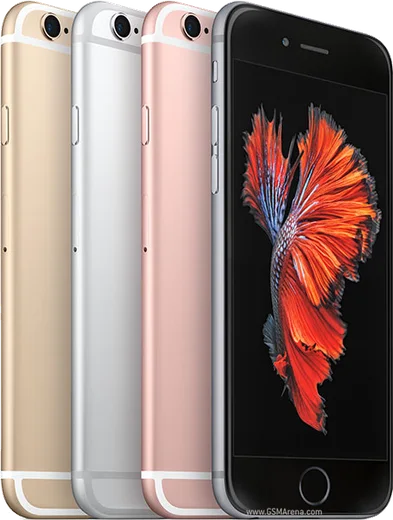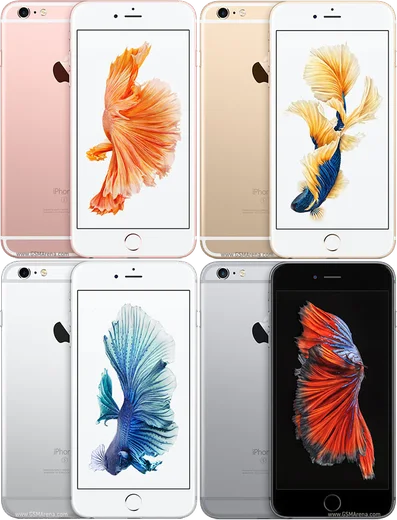
Apple iOS

WhatsApp for iPhone 6

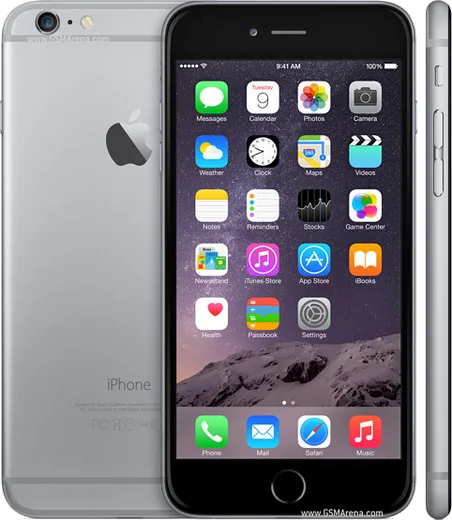
Apple A8, 4.7-inch Retina HD display

WhatsApp Messenger 4.7 · 64.2M reviews Free · iOS · ~40 MB · by WhatsApp LLC
Download WhatsApp

Ask a question / report a problem

You can ask any question about WhatsApp support on the iPhone 6 — leave it below and we'll help.

Ask a question

Can the iPhone 6 run WhatsApp?

Not supported
  • Operating systemiOS
  • ProcessorApple A8
  • WhatsApp versionNot supported

Latest known WhatsApp problems on iPhone 6

1

Why am I getting no WhatsApp notifications at all on my iPhone 6?

Open iOS Settings, scroll to WhatsApp, tap Notifications and make sure Allow Notifications is on with Lock Screen, Notification Center and Banners all enabled. Then inside WhatsApp go to Settings, Notifications and confirm Show Notifications is on for messages and groups, and check that Do Not Disturb (in Control Center or Settings, Do Not Disturb) isn't silently muting everything. See how others solved this on Reddit
2

WhatsApp only shows some notifications and misses others, how do I fix it?

This is usually caused by iOS restricting WhatsApp's background activity, so go to Settings, General, Background App Refresh and make sure it's enabled for WhatsApp. Also turn off Low Power Mode in Settings, Battery, since when it's on the iPhone 6 aggressively throttles background fetch, which can delay or drop alerts until you open the app. See how others solved this on Reddit
3

My WhatsApp notifications are badly delayed on my iPhone 6, sometimes by hours, what causes this?

Delayed push usually points to a weak or sleeping network connection, so test on both Wi-Fi and cellular, and in Settings, WhatsApp make sure Cellular Data is allowed. Reset push by toggling Allow Notifications off and on in Settings, WhatsApp, Notifications, then restart the iPhone to re-establish its push connection. If it's still slow, reinstalling WhatsApp forces a fresh notification registration. See how others solved this on Reddit
4

Suddenly I get no WhatsApp notifications and the in-app notification settings won't change, how do I reset this?

When the in-app toggles seem stuck, fully reset the OS-level permission: in Settings, WhatsApp, Notifications turn Allow Notifications off, force-close WhatsApp by double-pressing the Home button and swiping it away, then turn the permission back on. If that fails, delete and reinstall WhatsApp (your chats restore from your iCloud backup), which forces a fresh notification registration. See how others solved this on Reddit
5

WhatsApp messages and calls aren't coming through until I open the app, how do I get real-time alerts?

If messages only appear once you open WhatsApp, push is being blocked at the system level. Make sure Background App Refresh is on for WhatsApp under Settings, General, and confirm WhatsApp isn't restricted under Settings, Screen Time, Content & Privacy Restrictions or App Limits. Also check Do Not Disturb is off, and that you're on the latest iOS available for the iPhone 6, since outdated software can break the persistent push connection. See how others solved this on Reddit
6

What general iOS settings should I check when WhatsApp notifications stop working on iPhone?

Check the layers iOS uses in order: the system permission in Settings, WhatsApp, Notifications; the in-app toggle under WhatsApp Settings, Notifications; and Do Not Disturb in Control Center or Settings. Also verify the specific chat isn't muted (open the conversation, tap the contact or group name and check Mute is off) and that the notification sound isn't set to None. See how others solved this on Reddit

Ask a question / report a problem

You can ask any question about WhatsApp support on the iPhone 6 — leave it below and we'll help.

Ask a question

Watch: setting up WhatsApp

Prefer to watch? This short walkthrough shows the whole installation and number-verification flow.

How to install WhatsApp on iPhone 6 — video walkthrough

How to install WhatsApp on iPhone 6

1

Open the App Store

Unlock your iPhone 6 and tap the blue App Store icon on the Home Screen. WhatsApp is not preinstalled on any iPhone, so you install it from here.

2

Search for WhatsApp Messenger

Tap the Search tab at the bottom right, type WhatsApp Messenger, and confirm the publisher shows as WhatsApp Inc. so you don't download a copycat app.

3

Download and install

Tap Get, then authenticate with Face ID or Touch ID (or your Apple Account password). The app downloads to your Home Screen in a few seconds.

4

Verify your phone number

Open WhatsApp, accept the terms, and enter your phone number. If your iPhone 6 uses dual SIM, pick the line you want WhatsApp tied to, then enter the 6-digit code it sends by SMS — it usually fills in automatically.

5

Restore chats and finish setup

Sign in to iCloud with the same Apple Account to restore an existing chat backup, add your name and photo, and tap Allow for notifications so messages and calls arrive reliably.

Stay safe: only ever install WhatsApp from the official iOS source. The Download button above already points there — modified copies (GB/Plus/Aero WhatsApp) can get your number banned.

Comments (10)

No registration needed. No email required.
L
lil_priyaMar 7, 2026

easy install on my iPhone 6 👌

D
droiduserSep 27, 2025

Man very clear steps thanks again

K
kev.hAug 20, 2025

anyone pls i cant download it heeeelp me

AppWhatsOfficialAug 21, 2025

Take a breath, we got you. Press Download above, then Install, then verify your number. That is all it takes. It is easier than it looks, promise.

S
sara.cJul 12, 2025

the video helped me understand 👍

N
not_kaiMay 29, 2025

Installed in 2 min :)

N
newbieMay 19, 2025

Wow no problems installing on my iphone 6

X
xX_tinaFeb 12, 2025

Hé merci, mon iphone 6 a whatsapp maintenant 🙏

H
helpmeFeb 8, 2025

Tbh thank u, whatsapp installed on my iPhone 6

W
whatsappfanJan 7, 2025

Omg works like a charm on the iPhone 6 lol

N
not_rajDec 2, 2024

ehi semplicissimo, tutto pronto