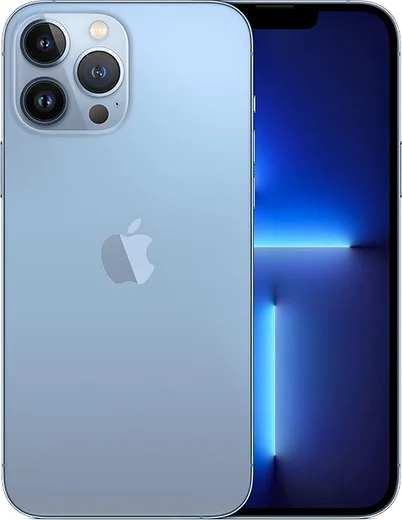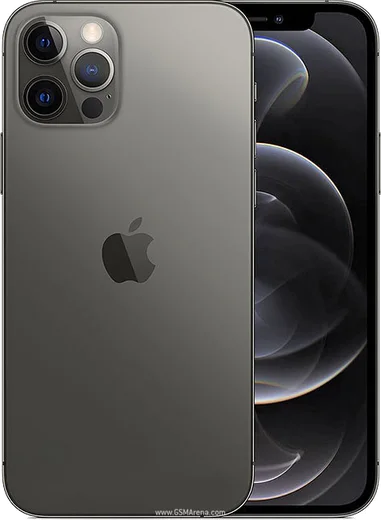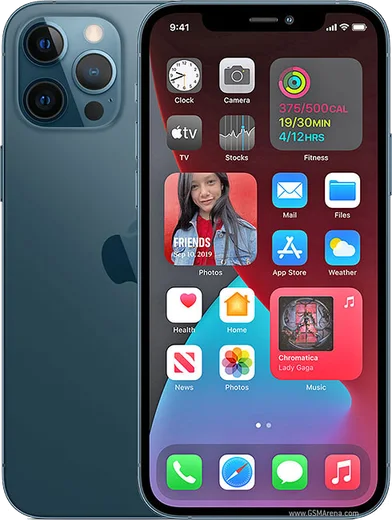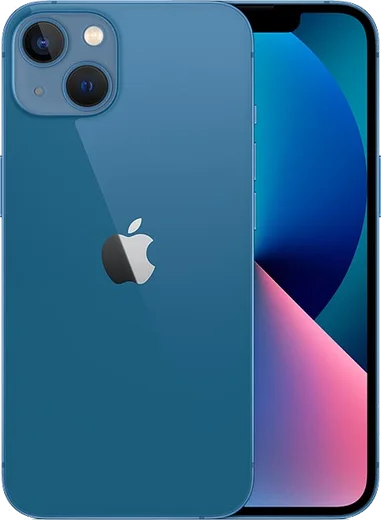
WhatsApp on iPhone 13 Pro Max
Apple iOS

WhatsApp for iPhone 13 Pro Max

Apple A15 Bionic, 6.7-inch ProMotion OLED display

WhatsApp Messenger 4.7 · 64.2M reviews Free · iOS · ~40 MB · by WhatsApp LLC
Download WhatsApp

Ask a question / report a problem

You can ask any question about WhatsApp support on the iPhone 13 Pro Max — leave it below and we'll help.

Ask a question

Can the iPhone 13 Pro Max run WhatsApp?

Fully supported
  • Operating systemiOS
  • ProcessorApple A15 Bionic
  • WhatsApp versionLatest supported

Latest known WhatsApp problems on iPhone 13 Pro Max

1

WhatsApp won't open or keeps crashing on my iPhone 13 Pro Max — how do I fix it?

First force-close WhatsApp by swiping up from the bottom of the screen and flicking the app card away, then reopen it; if it still won't launch, open the App Store and update WhatsApp, since launch crashes are usually fixed in a newer build. If the problem persists, restart the phone and make sure iOS is current under Settings > General > Software Update, then as a last resort delete and reinstall WhatsApp (your chats restore from the iCloud backup during setup). See how others solved this on Reddit
2

WhatsApp messages arrive late on my iPhone 13 Pro Max unless I have the app open — why?

This is almost always a background-delivery setting. Go to Settings > WhatsApp and turn on Background App Refresh and Notifications (with banners and sounds), then confirm the global toggle at Settings > General > Background App Refresh is set to Wi-Fi & Cellular. Also turn off Low Power Mode in Settings > Battery, since it throttles background activity and is a common cause of the delayed-message behavior. See how others solved this on Reddit
3

WhatsApp keeps showing a connectivity error on my iPhone 13 Pro Max after the iOS 18 update — what should I do?

Toggle Airplane Mode on and off from Control Center to force the network to reconnect, then test on both Wi-Fi and cellular to isolate where it fails. If it only struggles on Wi-Fi, go to Settings > Wi-Fi, tap the (i) next to your network and turn off Private Wi-Fi Address. If the issue continues after updating WhatsApp, reset connections via Settings > General > Transfer or Reset iPhone > Reset > Reset Network Settings. See how others solved this on Reddit
4

WhatsApp is eating up the 256GB storage on my iPhone 13 Pro Max — how do I free space without losing chats?

Open WhatsApp > Settings > Storage and Data > Manage Storage to see your largest chats and bulk-delete forwarded videos, GIFs and photos you don't need. To stop the buildup, go to WhatsApp > Settings > Storage and Data and turn off Media Auto-Download for Photos, Audio, Video and Documents, and disable Save to Camera Roll in WhatsApp > Settings > Chats so media isn't duplicated into your Photos library. See how others solved this on Reddit
5

WhatsApp video calls keep dropping or showing a black screen on my iPhone 13 Pro Max — how do I fix it?

Confirm WhatsApp has Camera, Microphone and Local Network access enabled in Settings > WhatsApp, along with Background App Refresh. A weak connection is the usual cause, so switch between Wi-Fi and cellular and update WhatsApp from the App Store. If the video stays black, restart the phone to clear the camera process other apps may be holding. See how others solved this on Reddit
6

How do I move my existing WhatsApp chats and media from an old iPhone 13 Pro to my iPhone 13 Pro Max?

On the old phone, first back everything up via WhatsApp > Settings > Chats > Chat Backup > Back Up Now so your latest messages are in iCloud. Then on the iPhone 13 Pro Max, sign in to the same Apple ID, install WhatsApp from the App Store, and verify the same phone number; when prompted during setup, tap Restore Chat History to pull the backup down. Both phones must use the same iCloud account and phone number for the restore to appear. See how others solved this on Reddit

Ask a question / report a problem

You can ask any question about WhatsApp support on the iPhone 13 Pro Max — leave it below and we'll help.

Ask a question

Watch: setting up WhatsApp

Prefer to watch? This short walkthrough shows the whole installation and number-verification flow.

How to install WhatsApp on iPhone 13 Pro Max — video walkthrough

How to install WhatsApp on iPhone 13 Pro Max

1

Open the App Store

Unlock your iPhone 13 Pro Max and tap the blue App Store icon on the Home Screen. WhatsApp is not preinstalled on any iPhone, so you install it from here.

2

Search for WhatsApp Messenger

Tap the Search tab at the bottom right, type WhatsApp Messenger, and confirm the publisher shows as WhatsApp Inc. so you don't download a copycat app.

3

Download and install

Tap Get, then authenticate with Face ID or Touch ID (or your Apple Account password). The app downloads to your Home Screen in a few seconds.

4

Verify your phone number

Open WhatsApp, accept the terms, and enter your phone number. If your iPhone 13 Pro Max uses dual SIM, pick the line you want WhatsApp tied to, then enter the 6-digit code it sends by SMS — it usually fills in automatically.

5

Restore chats and finish setup

Sign in to iCloud with the same Apple Account to restore an existing chat backup, add your name and photo, and tap Allow for notifications so messages and calls arrive reliably.

Stay safe: only ever install WhatsApp from the official iOS source. The Download button above already points there — modified copies (GB/Plus/Aero WhatsApp) can get your number banned.

Comments (14)

No registration needed. No email required.
A
alex_ashApr 9, 2026

sorry but how do i restore my old messages pls

AppWhatsOfficialApr 12, 2026

No worries, yes, as long as you had a backup. Use the same number and choose Restore during setup to bring your messages back. Reach out anytime.

D
dan21Mar 1, 2026

well did it without any help, very simple 🔥

AppWhatsOfficialMar 3, 2026

Love to hear it!

L
lina.sJan 10, 2026

Honestly whatsapp is working on my iphone 13promax now thx

A
alex_beaNov 15, 2025

Ngl smooth install on the iphone 13promax 💯

A
andy07Oct 22, 2025

ngl this fixed whatsapp on my 13 pro max :)

O
oldschoolAug 25, 2025

Yo cheers for the clear instructions :)

F
finn_ytMay 31, 2025

franchement enfin whatsapp installé

A
aliMay 31, 2025

والله شكراً، صار عندي واتساب 🙏

B
big_tinaMay 4, 2025

Pls help stuck on a black screen after install anyone

AppWhatsOfficialMay 7, 2025

Thanks for asking, restart the phone, and if the black screen stays, clear the app data and install the latest build again.

Y
yuki48Dec 12, 2024

Honestly this actually works unlike others

J
just_jayNov 28, 2024

enfin super guide merci

L
lou.uOct 3, 2024

yo smooth install on the iPhone 13 Pro Max thx

T
techguyJul 26, 2024

guys been at this for hours pls someone help me

AppWhatsOfficialJul 27, 2024

We are here to help. Hit Download, follow the steps on this page, and if the code is slow just request it again.

M
mike.jJul 22, 2024

Yo the iphone 13 Pro Max steps actually work unlike other sites