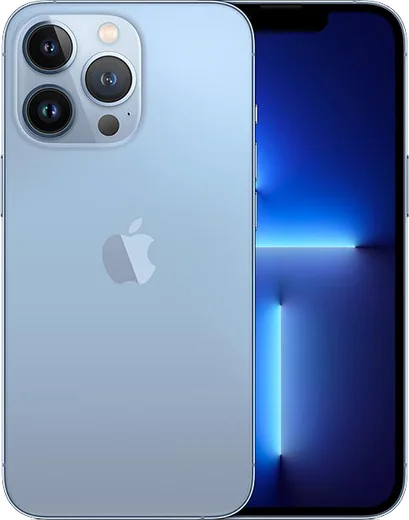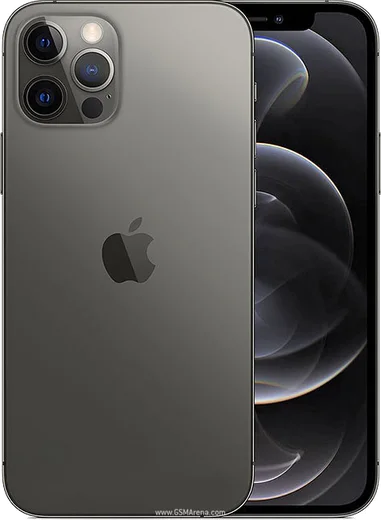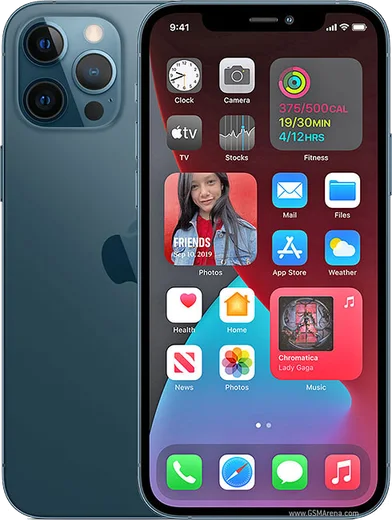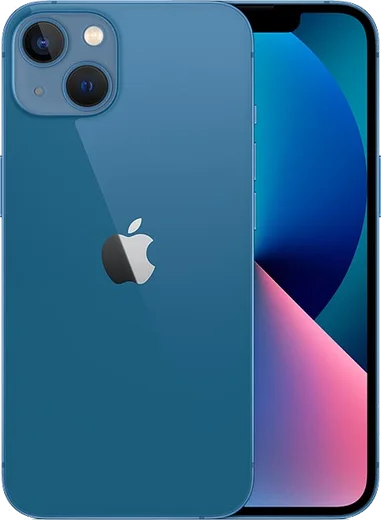
WhatsApp on iPhone 13 Pro
Apple iOS

WhatsApp for iPhone 13 Pro

Apple A15 Bionic, 6.1-inch 120Hz ProMotion OLED

WhatsApp Messenger 4.7 · 64.2M reviews Free · iOS · ~40 MB · by WhatsApp LLC
Download WhatsApp

Ask a question / report a problem

You can ask any question about WhatsApp support on the iPhone 13 Pro — leave it below and we'll help.

Ask a question

Can the iPhone 13 Pro run WhatsApp?

Fully supported
  • Operating systemiOS
  • ProcessorApple A15 Bionic
  • WhatsApp versionLatest supported

Latest known WhatsApp problems on iPhone 13 Pro

1

Why won't WhatsApp open on my iPhone 13 Pro? It just crashes or shows a black screen

First force-close WhatsApp: swipe up from the bottom edge of the screen, pause in the middle to open the app switcher, then flick the WhatsApp card away. Reopen it. If it still won't launch, go to Settings > General > iPhone Storage > WhatsApp and tap Offload App, then reinstall it from the App Store — this clears a corrupt cache without deleting your chats, which stay in your iCloud backup. Also make sure you're on the latest iOS under Settings > General > Software Update, since outdated WhatsApp or iOS versions are a common cause of launch crashes. See how others solved this on Reddit
2

WhatsApp messages arrive late on my iPhone 13 Pro unless I open the app

This is almost always a background or notification restriction. Go to Settings > WhatsApp and make sure Notifications, Background App Refresh, and Cellular Data are all turned on. Then in Settings > General > Background App Refresh, confirm the master setting is on (Wi-Fi & Cellular Data). Finally, turn off Low Power Mode (Settings > Battery) and check that no Focus mode is silencing WhatsApp, since iOS suspends apps to save power and delays their push notifications when these are restricted. See how others solved this on Reddit
3

Will WhatsApp stop working on my iPhone 13 Pro?

No. WhatsApp's 2025 cutoff only affected older iPhones that can't update past iOS 15 (such as the iPhone 5s and 6). The iPhone 13 Pro runs iOS 17 and 18 and well beyond, so it remains fully supported for the foreseeable future. Just keep both iOS (Settings > General > Software Update) and WhatsApp (App Store) up to date to avoid any forced-update prompts. See how others solved this on Reddit
4

WhatsApp video calls keep failing or freezing on my iPhone 13 Pro

Check that WhatsApp has both Camera and Microphone access in Settings > WhatsApp (toggle both on), since a revoked permission can let a call connect but then freeze. Video calls also need a stable connection, so compare Wi-Fi versus cellular, and toggle Airplane Mode on and off to reset the radios if calls keep dropping. If it persists, update WhatsApp in the App Store and restart the phone, as a stuck call session can block new video calls. See how others solved this on Reddit
5

Can I use two WhatsApp accounts on my iPhone 13 Pro?

WhatsApp's built-in account switcher rolled out on Android first and is not reliably available on iPhone yet. The supported workaround on iOS is to install WhatsApp Business from the App Store alongside the regular WhatsApp app and register your second number there, giving you two separate accounts on one device. Avoid third-party 'dual app' or cloned clients, since WhatsApp can ban numbers used with unofficial software. See how others solved this on Reddit
6

Videos I record look great but lose quality when I send them through WhatsApp on my iPhone 13 Pro

WhatsApp heavily compresses videos sent as a normal chat attachment, which is what's degrading your iPhone 13 Pro footage. To keep full quality, send the clip as a Document instead: in the chat tap the plus (+) icon, choose Document, then browse to the video in Files and send it — this transfers it uncompressed. For very large files, sharing the original via iCloud link or AirDrop preserves resolution better than sending through the chat. See how others solved this on Reddit

Ask a question / report a problem

You can ask any question about WhatsApp support on the iPhone 13 Pro — leave it below and we'll help.

Ask a question

Watch: setting up WhatsApp

Prefer to watch? This short walkthrough shows the whole installation and number-verification flow.

How to install WhatsApp on iPhone 13 Pro — video walkthrough

How to install WhatsApp on iPhone 13 Pro

1

Open the App Store

Unlock your iPhone 13 Pro and tap the blue App Store icon on the Home Screen. WhatsApp is not preinstalled on any iPhone, so you install it from here.

2

Search for WhatsApp Messenger

Tap the Search tab at the bottom right, type WhatsApp Messenger, and confirm the publisher shows as WhatsApp Inc. so you don't download a copycat app.

3

Download and install

Tap Get, then authenticate with Face ID or Touch ID (or your Apple Account password). The app downloads to your Home Screen in a few seconds.

4

Verify your phone number

Open WhatsApp, accept the terms, and enter your phone number. If your iPhone 13 Pro uses dual SIM, pick the line you want WhatsApp tied to, then enter the 6-digit code it sends by SMS — it usually fills in automatically.

5

Restore chats and finish setup

Sign in to iCloud with the same Apple Account to restore an existing chat backup, add your name and photo, and tap Allow for notifications so messages and calls arrive reliably.

Stay safe: only ever install WhatsApp from the official iOS source. The Download button above already points there — modified copies (GB/Plus/Aero WhatsApp) can get your number banned.

Comments (13)

No registration needed. No email required.
M
mia_officialJun 18, 2026

hey danke, mein 13pro hat jetzt whatsapp

N
nina.mApr 10, 2026

i NEED this app pleaseeee how do i do it 😭

AppWhatsOfficialApr 13, 2026

Hey, no need to stress! Tap the green Download button at the top, follow the steps, and you will have WhatsApp in a minute. You will be set up on your phone in no time.

D
dan_officialMar 17, 2026

Honestly no registration needed, love that 🎉

T
tina_kJan 19, 2026

pls help i lost my old chats can i get them back ?

AppWhatsOfficialJan 22, 2026

Thanks for asking, yes, as long as you had a backup. Use the same number and choose Restore during setup to bring your messages back. Hope that helps!

J
just_tanSep 21, 2025

des étapes super claires pour le iphone 13pro

E
eeeeeemmmmmaaaaaAug 12, 2025

Guys no play store on my phone, will this work

AppWhatsOfficialAug 13, 2025

Happy to help, sure. Turn on unknown sources for your browser and grab the official APK, the guide explains how. Hope that helps!

E
eeeeeemmmmmaaaaaJun 30, 2025

all set up and chatting now 🎉

M
moMay 29, 2025

أخيراً اشتغل تمام شكراً

N
nightowlMay 21, 2025

wow perfect steps for the 13 pro

C
chris40Feb 24, 2025

tbh perfect steps for the iphone 13 pro

J
just_saraFeb 1, 2025

Pls help the download is very slow is that normal

AppWhatsOfficialFeb 7, 2025

It depends on your connection. Try switching to wifi if you can, and the download should finish in under a minute on most networks.

J
jay46Jan 7, 2025

set up whatsapp on my dads iPhone 13 Pro no problem

L
lou.xDec 19, 2024

hi safe to install or no

AppWhatsOfficialDec 22, 2024

Thanks for asking, totally safe. We only link to the genuine WhatsApp, so there is no risk of malware as long as you use the button above. Glad to help.