WhatsApp on Huawei P30 Pro
Huawei HarmonyOS

WhatsApp for Huawei P30 Pro

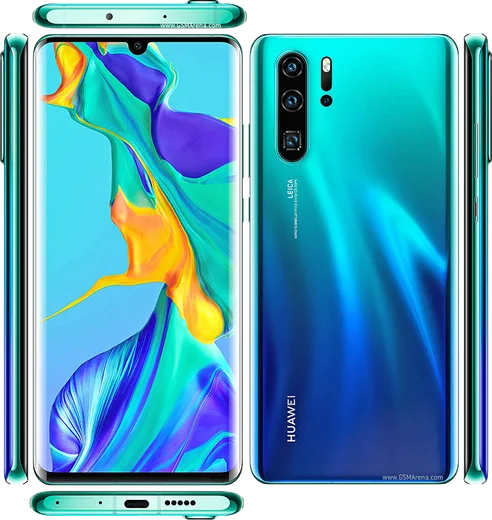
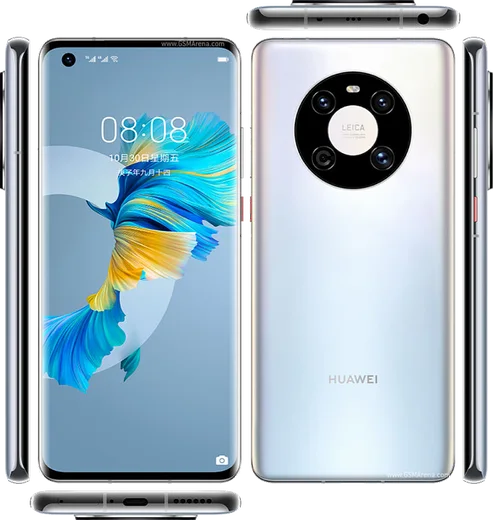
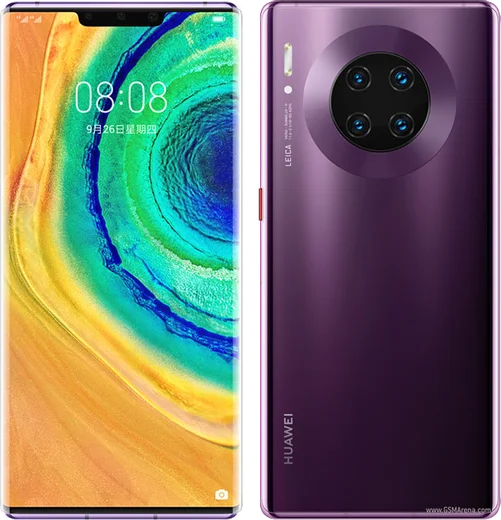
Kirin 980, 6.47-inch curved OLED, 5x periscope zoom

WhatsApp Messenger 4.7 · 64.2M reviews Free · HarmonyOS · ~40 MB · by WhatsApp LLC
Download WhatsApp

Ask a question / report a problem

You can ask any question about WhatsApp support on the Huawei P30 Pro — leave it below and we'll help.

Ask a question

Can the Huawei P30 Pro run WhatsApp?

Fully supported
  • Operating systemHarmonyOS
  • ProcessorKirin 980
  • WhatsApp versionLatest supported

Latest known WhatsApp problems on Huawei P30 Pro

1

Why doesn't my Huawei P30 Pro show WhatsApp notifications until I open the app?

Huawei's aggressive power management closes WhatsApp in the background, which kills its push connection. Go to Settings > Battery > App launch, find WhatsApp, turn off "Manage automatically," then in the pop-up enable Auto-launch, Secondary launch, and Run in background and tap OK. Also open Settings > Battery and make sure no Power Saving mode is active, since those modes throttle background data. See how others solved this on Reddit
2

WhatsApp notifications stopped pushing on my Huawei P30 Pro after a system update

Updates often reset Huawei's power and notification settings, so re-grant WhatsApp's permissions. Check Settings > Notifications > WhatsApp and confirm "Allow notifications," plus Banners, Lock screen, and Sounds are all on. Then go to Settings > Battery > App launch, set WhatsApp to manual, and re-enable Auto-launch, Secondary launch, and Run in background. If it still fails, clearing the cache via Settings > Apps > WhatsApp > Storage can restore the push connection. See how others solved this on Reddit
3

How do I stop my Huawei P30 Pro from cleaning WhatsApp out of memory and blocking notifications?

Lock WhatsApp in the recents view so the system won't clear it: open recent apps, then swipe down on the WhatsApp card (or tap the lock icon) to pin it. Then go to Settings > Battery > App launch, turn off "Manage automatically" for WhatsApp, and enable all three options (Auto-launch, Secondary launch, Run in background) so the app stays connected when the screen is off. See how others solved this on Reddit
4

My Huawei P30 Pro shows WhatsApp messages very late instead of in real time

Delayed messages usually mean the phone is suspending WhatsApp's background activity to save power. Disable any Power Saving or Ultra Power Saving mode under Settings > Battery, then go to Settings > Battery > App launch, set WhatsApp to manual, and enable Run in background. Also check Settings > Apps > WhatsApp > Mobile data and confirm "Background data" and "Unrestricted data usage" are allowed. See how others solved this on Reddit
5

WhatsApp calls keep dropping on my Huawei P30 Pro and I miss notifications

Both issues come from the phone killing WhatsApp's background process mid-connection. In Settings > Battery > App launch, set WhatsApp to manual and enable Auto-launch, Secondary launch, and Run in background, then lock the app in recents. Also confirm WhatsApp has Microphone and Notification permissions under Settings > Apps > WhatsApp > Permissions so calls and alerts stay active. See how others solved this on Reddit
6

Why don't WhatsApp notifications reach my Huawei watch when paired with my P30 Pro?

The watch only mirrors alerts the phone actually displays, so if the P30 Pro suppresses WhatsApp the watch gets nothing. First fix the phone: enable WhatsApp under Settings > Notifications and turn on Run in background in Settings > Battery > App launch. Then open the Huawei Health app, go to your watch's settings > Notifications, and make sure WhatsApp is toggled on in the app list. See how others solved this on Reddit

Ask a question / report a problem

You can ask any question about WhatsApp support on the Huawei P30 Pro — leave it below and we'll help.

Ask a question

Watch: setting up WhatsApp

Prefer to watch? This short walkthrough shows the whole installation and number-verification flow.

How to install WhatsApp on Huawei P30 Pro — video walkthrough

How to install WhatsApp on Huawei P30 Pro

1

Open Huawei AppGallery

On your Huawei P30 Pro, tap the AppGallery icon — Huawei's own app store. Newer Huawei phones ship without Google Play, so AppGallery is where you get WhatsApp.

2

Search for WhatsApp

Search WhatsApp Messenger in AppGallery and confirm it's published by WhatsApp LLC. If it isn't offered in your region, use Petal Search to download the official app.

3

Install the app

Tap Install. AppGallery downloads and installs WhatsApp; if prompted, allow installing the app so it can finish.

4

Verify your phone number

Open WhatsApp, accept the terms, and enter your phone number. On a dual-SIM Huawei P30 Pro, pick the line you want WhatsApp tied to, then enter the 6-digit code it sends by SMS.

5

Allow notifications and background activity

Add your name and photo, tap Allow for notifications, then open Settings > Battery and let WhatsApp auto-launch and run in the background so messages arrive on time on HarmonyOS.

Stay safe: only ever install WhatsApp from the official HarmonyOS source. The Download button above already points there — modified copies (GB/Plus/Aero WhatsApp) can get your number banned.

Comments (6)

No registration needed. No email required.
U
ugh_helpMay 18, 2026

So respect, this helped alot 👌

N
nick_tomNov 25, 2025

Finally my Huawei P30 Pro has whatsapp now thanks to this 🎉

J
joe_louJul 18, 2025

Por fin el mejor sitio, funcionó a la primera en mi P30 Pro 🎉

J
jay.wOct 29, 2024

plz heeeelp me how to download on my p30pro :(

AppWhatsOfficialNov 2, 2024

You are almost there! Tap Download, allow the install, open WhatsApp and confirm your number.

N
newphoneSep 12, 2024

Omg verified my number on the Huawei P30 Pro with no trouble

G
gamerxAug 2, 2024

This actually works unlike others