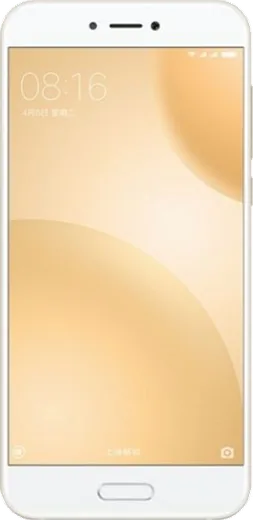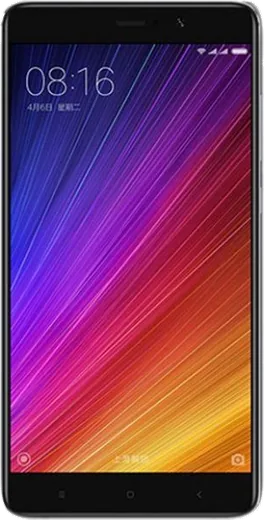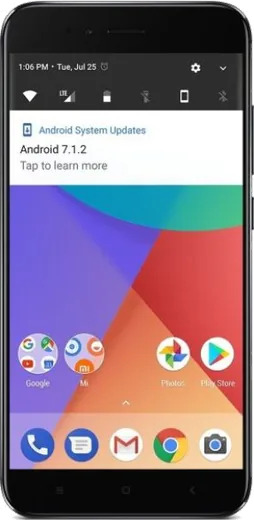
WhatsApp on Xiaomi Redmi 5
Xiaomi Android

WhatsApp for Xiaomi Redmi 5

Install the official WhatsApp on your Xiaomi Redmi 5 in a few simple steps.

WhatsApp Messenger 4.7 · 64.2M reviews Free · Android · ~40 MB · by WhatsApp LLC
Download WhatsApp

Ask a question / report a problem

You can ask any question about WhatsApp support on the Xiaomi Redmi 5 — leave it below and we'll help.

Ask a question

Can the Xiaomi Redmi 5 run WhatsApp?

Fully supported
  • Operating systemAndroid
  • WhatsApp versionLatest supported

Latest known WhatsApp problems on Xiaomi Redmi 5

1

WhatsApp message and call notifications don't show on my Xiaomi watch or band paired with the Redmi 5

The watch only mirrors alerts the phone actually posts, so first fix it on the Redmi 5: go to Settings > Apps > Manage apps > WhatsApp > Notifications and make sure all categories are enabled. Then open the companion app (Mi Fitness for Redmi/Xiaomi watches, or Zepp Life for Mi Bands), open your device's settings, tap App alerts (App notifications), and toggle WhatsApp on. Keep WhatsApp's screen open in the background once so MIUI doesn't kill the link. See how others solved this on Reddit
2

WhatsApp calls aren't notifying on my paired Xiaomi band even though chats work

Call alerts use a separate notification channel, so on the Redmi 5 open Settings > Apps > Manage apps > WhatsApp > Notifications and confirm the Calls category is on. Then in Mi Fitness/Zepp Life enable Incoming call alerts for the device. Finally, in Settings > Apps > Manage apps > WhatsApp set Battery saver to No restrictions and turn on Autostart, and do the same for the fitness app, so MIUI doesn't drop the background connection during a call. See how others solved this on Reddit
3

Can I actually reply to WhatsApp messages from a Xiaomi watch paired to my Redmi 5?

Replying from the watch only works if your specific Xiaomi watch model supports quick replies; many Mi Bands and basic watches can only display incoming messages, not send. Check your watch's notification settings in Mi Fitness for a Reply option. Either way, keep WhatsApp allowed to post notifications on the Redmi 5 (Settings > Apps > Manage apps > WhatsApp > Notifications) so the full message text passes through to the watch. See how others solved this on Reddit
4

WhatsApp group notifications keep getting missed on my Xiaomi band connected to the Redmi 5

First make sure the group itself isn't muted: open WhatsApp on the Redmi 5, open the group, tap its name, and check Mute notifications is off with Notifications enabled. Then in Settings > Apps > Manage apps > WhatsApp > Notifications confirm the Group notifications category is on. Finally, in Mi Fitness/Zepp Life the device's App alerts list must have WhatsApp toggled on for group messages to forward. See how others solved this on Reddit
5

WhatsApp stopped working on my Redmi 5 after a MIUI update

Updates often reset MIUI's background limits, so go to Settings > Apps > Manage apps > WhatsApp, set Battery saver to No restrictions, and turn on Autostart so it can receive messages while closed. If it still fails, clear WhatsApp's cache from that same app page and update WhatsApp from the Play Store, since an outdated build can break after a new MIUI version. See how others solved this on Reddit
6

WhatsApp alerts only reach my paired Xiaomi watch when I unlock the Redmi 5

This is MIUI's aggressive battery management cutting WhatsApp off in the background. On the Redmi 5 go to Settings > Apps > Manage apps > WhatsApp, set Battery saver to No restrictions, and turn on Autostart. Also lock WhatsApp in the recent-apps screen so it isn't cleared, and apply the same No restrictions/Autostart settings to Mi Fitness/Zepp Life so it keeps relaying alerts to the watch. See how others solved this on Reddit

Ask a question / report a problem

You can ask any question about WhatsApp support on the Xiaomi Redmi 5 — leave it below and we'll help.

Ask a question

Watch: setting up WhatsApp

Prefer to watch? This short walkthrough shows the whole installation and number-verification flow.

How to install WhatsApp on Xiaomi Redmi 5 — video walkthrough

How to install WhatsApp on Xiaomi Redmi 5

1

Choose how to download

On your Xiaomi Redmi 5 you can get the official app two ways: from the Google Play Store — the easiest option, since it keeps WhatsApp updated automatically — or directly from the official website. You can download an APK file, by clicking a link “Download WhatsApp directly”.

2

Open WhatsApp

Launch WhatsApp from your home screen or app drawer and accept the Terms of Service to start setup.

3

Verify your phone number

Enter your phone number. If your Xiaomi Redmi 5 uses dual SIM, pick the line you want WhatsApp tied to, then enter the 6-digit code it sends by SMS — it usually fills in automatically.

4

Restore chats and finish setup

Restore your chat history from Google Drive (use the same Google account), add your name and photo, and tap Allow for notifications so messages and calls arrive reliably.

Stay safe: only ever install WhatsApp from the official Android source. The Download button above already points there — modified copies (GB/Plus/Aero WhatsApp) can get your number banned.

Comments (7)

No registration needed. No email required.
S
saaaaamJan 30, 2026

Pleaseee my Redmi 5 wont install whatsapp i give up 🙏

AppWhatsOfficialFeb 3, 2026

Hey, no need to stress! Tap the green Download button at the top, follow the steps, and you will have WhatsApp in a minute.

O
omar_theDec 18, 2025

hey do i need to uninstall my old whatsapp first pls

AppWhatsOfficialDec 23, 2025

Good question, no need. Installing the latest version updates the existing app and keeps your chats. Just follow the steps above. Reach out anytime.

F
finn_greDec 14, 2025

Echt beste seite, hat sofort geklappt auf meinem Xiaomi Redmi 5 👍

O
omar.nDec 10, 2025

Sorry but why is it downloading so slowly anyone

AppWhatsOfficialDec 16, 2025

Hey there, a slow download is usually the network. A stable wifi connection will speed it up a lot.

I
im_benNov 21, 2025

ok so wasnt expecting it to be this easy 💯

N
nina.uDec 31, 2024

anyone? it says my number cant be verified

AppWhatsOfficialJan 2, 2025

Hey there, make sure the number and country code are correct, then ask for a new code. A quick restart of the phone often helps too.

X
xX_solAug 31, 2024

ok so installed on my Xiaomi Redmi 5, super simple

AppWhatsOfficialSep 2, 2024

Awesome, glad it worked!