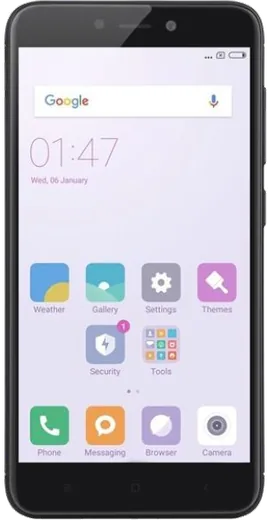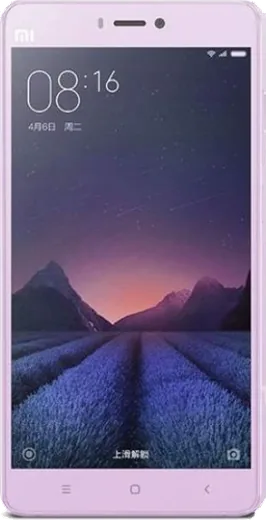
WhatsApp on Xiaomi Redmi 4 (4X)
Xiaomi Android

WhatsApp for Xiaomi Redmi 4 (4X)

Install the official WhatsApp on your Xiaomi Redmi 4 (4X) in a few simple steps.

WhatsApp Messenger 4.7 · 64.2M reviews Free · Android · ~40 MB · by WhatsApp LLC
Download WhatsApp

Ask a question / report a problem

You can ask any question about WhatsApp support on the Xiaomi Redmi 4 (4X) — leave it below and we'll help.

Ask a question

Can the Xiaomi Redmi 4 (4X) run WhatsApp?

Fully supported
  • Operating systemAndroid
  • WhatsApp versionLatest supported

Latest known WhatsApp problems on Xiaomi Redmi 4 (4X)

1

Why am I not getting WhatsApp notifications on my Redmi 4 (4X) until I open the app?

MIUI's aggressive battery saver kills WhatsApp in the background, so messages only arrive when you reopen it. Go to Settings > Apps > Manage apps > WhatsApp, turn on Autostart, then open Battery saver within that same screen and set it to No restrictions. Also lock WhatsApp in the recent-apps view (open recents, swipe down on the card or long-press it, then tap the lock) so MIUI stops clearing it from memory. See how others solved this on Reddit
2

WhatsApp call notifications don't ring or show up on my Redmi 4 (4X), how do I fix it?

Call alerts are blocked when WhatsApp loses its background and lock-screen permissions under MIUI. In Settings > Apps > Manage apps > WhatsApp > Other permissions, enable Display pop-up windows, Show on Lock screen, and Start in background, then confirm Autostart is on for the app. Inside WhatsApp itself, open Settings > Notifications and make sure the call notification tone and vibration are set. See how others solved this on Reddit
3

My Redmi 4 (4X) is running out of storage and WhatsApp won't load photos, what should I do?

The Redmi 4 stores all WhatsApp media plus a duplicate thumbnail cache, which fills the modest internal storage fast. Open WhatsApp > Settings > Storage and data > Manage storage to delete large files and forwarded videos, then go to Settings > Apps > Manage apps > Gallery and clear its cache so old thumbnails are freed. Setting WhatsApp's media auto-download to off in Settings > Storage and data also helps keep space free. See how others solved this on Reddit
4

My Redmi 4 (4X) is stuck on a blank or black screen and I can't open WhatsApp, how do I recover it?

A frozen MIUI build or a bad update can leave the phone hung on a blank screen before apps load. Force a restart by holding the Power button for 10-15 seconds, and if it keeps hanging, boot into recovery (hold Power + Volume Up) and choose Wipe cache to clear corrupted system data without erasing your files. Once it boots, reopen WhatsApp and let it sync; only do a full factory reset as a last resort after backing up your chats. See how others solved this on Reddit
5

Is the Redmi 4 (4X) still good for running WhatsApp in 2020 and beyond?

Yes, the Snapdragon 625 and large battery handle WhatsApp messaging, voice calls, and the occasional video call comfortably, so it remains a usable daily driver for chat. Keep WhatsApp updated from the Play Store, clear its cache periodically via Settings > Apps > Manage apps > WhatsApp > Clear data > Clear cache, and disable MIUI battery restrictions to avoid delayed notifications. With limited RAM, closing heavy background apps keeps WhatsApp responsive. See how others solved this on Reddit

Ask a question / report a problem

You can ask any question about WhatsApp support on the Xiaomi Redmi 4 (4X) — leave it below and we'll help.

Ask a question

Watch: setting up WhatsApp

Prefer to watch? This short walkthrough shows the whole installation and number-verification flow.

How to install WhatsApp on Xiaomi Redmi 4 (4X) — video walkthrough

How to install WhatsApp on Xiaomi Redmi 4 (4X)

1

Choose how to download

On your Xiaomi Redmi 4 (4X) you can get the official app two ways: from the Google Play Store — the easiest option, since it keeps WhatsApp updated automatically — or directly from the official website. You can download an APK file, by clicking a link “Download WhatsApp directly”.

2

Open WhatsApp

Launch WhatsApp from your home screen or app drawer and accept the Terms of Service to start setup.

3

Verify your phone number

Enter your phone number. If your Xiaomi Redmi 4 (4X) uses dual SIM, pick the line you want WhatsApp tied to, then enter the 6-digit code it sends by SMS — it usually fills in automatically.

4

Restore chats and finish setup

Restore your chat history from Google Drive (use the same Google account), add your name and photo, and tap Allow for notifications so messages and calls arrive reliably.

Stay safe: only ever install WhatsApp from the official Android source. The Download button above already points there — modified copies (GB/Plus/Aero WhatsApp) can get your number banned.

Comments (4)

No registration needed. No email required.
R
rosa30Jun 29, 2025

guys no problems installing on my xiaomi redmi 4 🔥

AppWhatsOfficialJul 2, 2025

Perfect, enjoy chatting!

A
amy1990Jan 23, 2025

ok so works like a charm on the Xiaomi Redmi 4 thx

M
ms_omarAug 19, 2024

Ahora mi Redmi 4 tiene whatsapp, genial

K
kate.dJul 17, 2024

someone i NEED this app pleaseeee how do i do it pls

AppWhatsOfficialJul 20, 2024

Take a breath, we got you. Press Download above, then Install, then verify your number. That is all it takes.