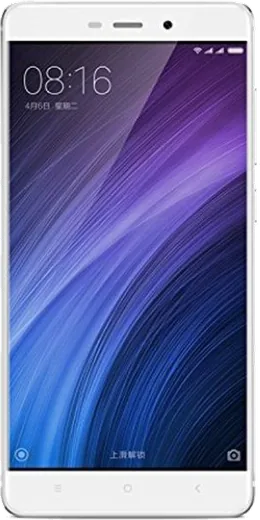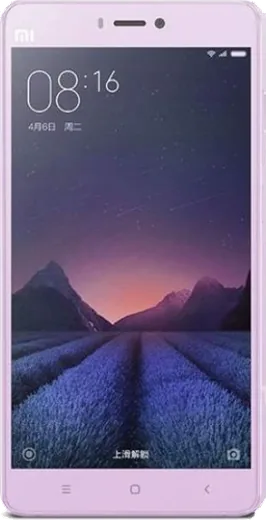
WhatsApp on Xiaomi Redmi 4
Xiaomi Android

WhatsApp for Xiaomi Redmi 4

Install the official WhatsApp on your Xiaomi Redmi 4 in a few simple steps.

WhatsApp Messenger 4.7 · 64.2M reviews Free · Android · ~40 MB · by WhatsApp LLC
Download WhatsApp

Ask a question / report a problem

You can ask any question about WhatsApp support on the Xiaomi Redmi 4 — leave it below and we'll help.

Ask a question

Can the Xiaomi Redmi 4 run WhatsApp?

Support ending soon
  • Operating systemAndroid
  • WhatsApp versionLatest supported

Latest known WhatsApp problems on Xiaomi Redmi 4

1

Why do I only get WhatsApp messages when I open the app on my Redmi 4?

MIUI's aggressive battery management closes WhatsApp in the background, so notifications only arrive when you manually open it. Go to Settings > Apps > Manage apps > WhatsApp > Battery saver and set it to No restrictions, then open Recents, long-press the WhatsApp card and tap the lock icon so it isn't cleared. Also enable Autostart for WhatsApp under Settings > Apps > Permissions > Autostart. See how others solved this on Reddit
2

WhatsApp stopped working after a MIUI update on my Redmi 4, how do I fix it?

MIUI updates often reset WhatsApp's permissions and re-enable battery restrictions, which breaks background syncing. Re-grant everything under Settings > Apps > Manage apps > WhatsApp by setting Battery saver to No restrictions and confirming Notifications are allowed, and turn Autostart back on under Settings > Apps > Permissions > Autostart. If it still misbehaves, clear the WhatsApp cache (not data) and reboot. See how others solved this on Reddit
3

Why are WhatsApp notifications delayed or silent on my Redmi 4?

Delayed notifications are almost always MIUI's memory management closing WhatsApp to save power. Set Battery saver to No restrictions for WhatsApp, enable Autostart under Settings > Apps > Permissions > Autostart, and lock the app in Recents so it survives memory cleanups. In WhatsApp itself, open Settings > Notifications and make sure a sound and high-priority popup are set for messages. See how others solved this on Reddit
4

WhatsApp calls don't ring on my Redmi 4 unless the app is already open, how do I fix it?

When WhatsApp is suspended in the background, MIUI blocks the incoming-call signal until you reopen the app. Set Settings > Apps > Manage apps > WhatsApp > Battery saver to No restrictions, enable Autostart under Settings > Apps > Permissions > Autostart, and in Manage apps > WhatsApp > Other permissions allow 'Display pop-up windows while running in the background'. This lets the call screen appear even when the phone is locked. See how others solved this on Reddit
5

My Redmi 4 keeps closing WhatsApp in the background, what settings stop this?

MIUI force-closes apps to free RAM, which stops messages from arriving in real time. Open Recents, long-press the WhatsApp card and tap the lock icon to keep it from being cleared, set its Battery saver to No restrictions, and enable Autostart under Settings > Apps > Permissions > Autostart. Reboot once so the changes take effect. See how others solved this on Reddit

Ask a question / report a problem

You can ask any question about WhatsApp support on the Xiaomi Redmi 4 — leave it below and we'll help.

Ask a question

Watch: setting up WhatsApp

Prefer to watch? This short walkthrough shows the whole installation and number-verification flow.

How to install WhatsApp on Xiaomi Redmi 4 — video walkthrough

How to install WhatsApp on Xiaomi Redmi 4

1

Choose how to download

On your Xiaomi Redmi 4 you can get the official app two ways: from the Google Play Store — the easiest option, since it keeps WhatsApp updated automatically — or directly from the official website. You can download an APK file, by clicking a link “Download WhatsApp directly”.

2

Open WhatsApp

Launch WhatsApp from your home screen or app drawer and accept the Terms of Service to start setup.

3

Verify your phone number

Enter your phone number. If your Xiaomi Redmi 4 uses dual SIM, pick the line you want WhatsApp tied to, then enter the 6-digit code it sends by SMS — it usually fills in automatically.

4

Restore chats and finish setup

Restore your chat history from Google Drive (use the same Google account), add your name and photo, and tap Allow for notifications so messages and calls arrive reliably.

Stay safe: only ever install WhatsApp from the official Android source. The Download button above already points there — modified copies (GB/Plus/Aero WhatsApp) can get your number banned.

Comments (5)

No registration needed. No email required.
T
theo_danMay 24, 2026

wow the Xiaomi Redmi 4 guide was spot on 🙏

H
helpmeJan 29, 2026

clear and to the point 👍

AppWhatsOfficialFeb 2, 2026

That is great to hear!

T
the_real_marcDec 28, 2025

Finally the Xiaomi Redmi 4 guide was spot on

S
sol_beaAug 16, 2025

HELP it just wont work on my Xiaomi Redmi 4 😭😭

AppWhatsOfficialAug 20, 2025

Hey, no need to stress! Tap the green Download button at the top, follow the steps, and you will have WhatsApp in a minute. You will be set up on your phone in no time.

R
raj.rAug 27, 2024

hé des étapes super claires pour le Redmi 4