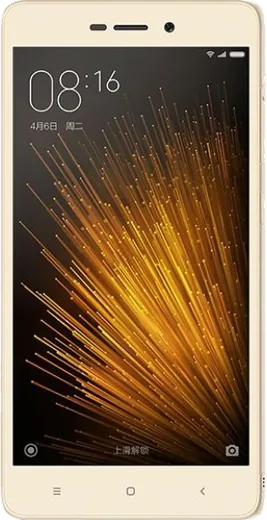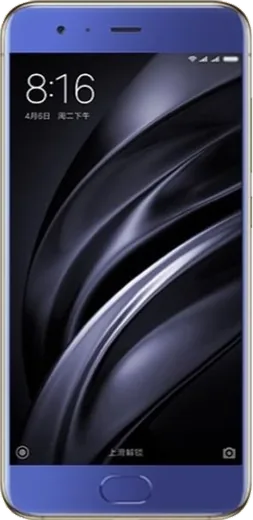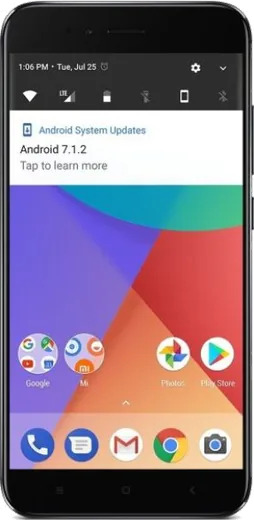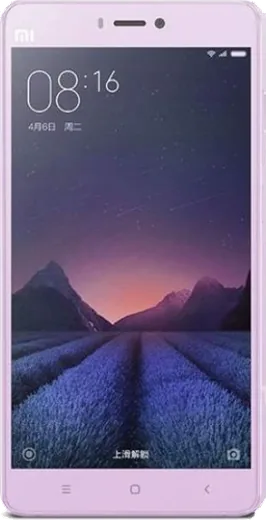
WhatsApp on Xiaomi Redmi 3x
Xiaomi Android

WhatsApp for Xiaomi Redmi 3x

Install the official WhatsApp on your Xiaomi Redmi 3x in a few simple steps.

WhatsApp Messenger 4.7 · 64.2M reviews Free · Android · ~40 MB · by WhatsApp LLC
Download WhatsApp

Ask a question / report a problem

You can ask any question about WhatsApp support on the Xiaomi Redmi 3x — leave it below and we'll help.

Ask a question

Can the Xiaomi Redmi 3x run WhatsApp?

Support ending soon
  • Operating systemAndroid
  • WhatsApp versionLatest supported

Latest known WhatsApp problems on Xiaomi Redmi 3x

1

How do I move my WhatsApp chat history from an iPhone to my Redmi 3x?

WhatsApp's official iOS-to-Android transfer tool requires a newer Android version than the Redmi 3x runs, so the cleanest route is to email yourself a chat export (open a chat, tap the three-dot menu, More, Export chat) or use a paid third-party PC transfer tool. There is no direct iCloud-to-Google-Drive bridge, because iOS backups live in iCloud and Android restores only from Google Drive, so on this older device a fresh start with exported chats is the realistic option. See how others solved this on Reddit
2

Why does cloned WhatsApp on my Redmi 3x always show a picker asking which version to open?

When you clone WhatsApp with MIUI Dual Apps, every WhatsApp link or share triggers a chooser because both copies register to handle the same actions. Go to Settings, Apps, Dual apps and turn off the second WhatsApp if you only use one number, or set a default per copy under Settings, Apps, Manage apps, WhatsApp, Open by default so the picker stops appearing for the version you actually use. See how others solved this on Reddit
3

WhatsApp notifications on my Redmi 3x are delayed or only arrive when I open the app, how do I fix it?

MIUI's aggressive battery management kills background apps, which is the usual cause of late WhatsApp messages. Go to Settings, Apps, Manage apps, WhatsApp, set Battery saver to No restrictions and enable Autostart, then lock WhatsApp in the recents screen (open recents and pull the app card down) so MIUI won't clear it. See how others solved this on Reddit
4

How can I cut down MIUI ads and data sharing on my Redmi 3x for more privacy?

WhatsApp chats are end-to-end encrypted, but MIUI's system apps and personalized ads collect usage data separately. Disable MSA under Settings, Passwords & security, Authorization & revocation, then go to Settings, Passwords & security, Privacy, Ad services and switch off personalized ad recommendations to limit what the system tracks. See how others solved this on Reddit
5

Is the Redmi 3x too old and slow to run WhatsApp reliably in 2026?

The Redmi 3x runs an old Android version that newer WhatsApp builds are dropping, so you may stop getting updates and eventually lose support. Keep the app updated through the Play Store while it still works, and if it lags clear only the cache under Settings, Apps, Manage apps, WhatsApp, Clear data, Clear cache (do not tap Clear all data, which erases your chats). Plan to migrate your number to a newer phone soon, since voice and video calls strain this hardware. See how others solved this on Reddit

Ask a question / report a problem

You can ask any question about WhatsApp support on the Xiaomi Redmi 3x — leave it below and we'll help.

Ask a question

Watch: setting up WhatsApp

Prefer to watch? This short walkthrough shows the whole installation and number-verification flow.

How to install WhatsApp on Xiaomi Redmi 3x — video walkthrough

How to install WhatsApp on Xiaomi Redmi 3x

1

Choose how to download

On your Xiaomi Redmi 3x you can get the official app two ways: from the Google Play Store — the easiest option, since it keeps WhatsApp updated automatically — or directly from the official website. You can download an APK file, by clicking a link “Download WhatsApp directly”.

2

Open WhatsApp

Launch WhatsApp from your home screen or app drawer and accept the Terms of Service to start setup.

3

Verify your phone number

Enter your phone number. If your Xiaomi Redmi 3x uses dual SIM, pick the line you want WhatsApp tied to, then enter the 6-digit code it sends by SMS — it usually fills in automatically.

4

Restore chats and finish setup

Restore your chat history from Google Drive (use the same Google account), add your name and photo, and tap Allow for notifications so messages and calls arrive reliably.

Stay safe: only ever install WhatsApp from the official Android source. The Download button above already points there — modified copies (GB/Plus/Aero WhatsApp) can get your number banned.

Comments (7)

No registration needed. No email required.
I
im_zoeJun 19, 2026

plz heeeelp me how to download on my 3x pls

AppWhatsOfficialJun 20, 2026

Take a breath, we got you. Press Download above, then Install, then verify your number. That is all it takes.

D
dan18Jan 1, 2026

yo simple and fast 🔥

M
mr_kevNov 28, 2025

Pls help no contacts appear in the app

AppWhatsOfficialDec 4, 2025

Contacts come from your phone address book. Save them with the country code and refresh the app to see them.

A
alex00May 26, 2025

well you guys are life savers

M
mia_nicMay 1, 2025

ça a marché tout de suite sur mon Redmi 3x 👍

R
ray.iApr 4, 2025

So did it on my redmi 3x in like 2 minutes 🔥

AppWhatsOfficialApr 8, 2025

Thanks for the feedback!

T
the_real_theoNov 5, 2024

The download is very slow is that normal

AppWhatsOfficialNov 9, 2024

A slow download is usually the network. A stable wifi connection will speed it up a lot. Feel free to ask if you get stuck.