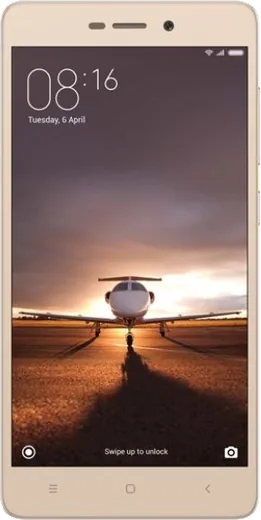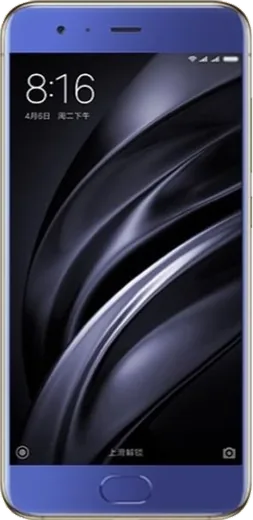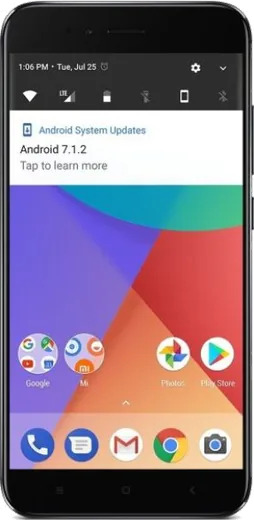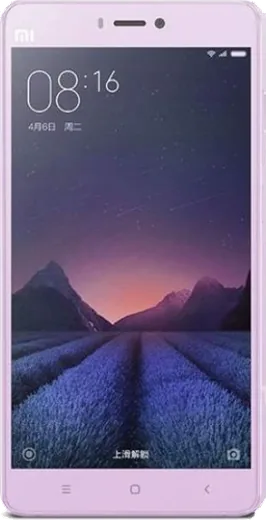
WhatsApp on Xiaomi Redmi 3s Prime
Xiaomi Android

WhatsApp for Xiaomi Redmi 3s Prime

Install the official WhatsApp on your Xiaomi Redmi 3s Prime in a few simple steps.

WhatsApp Messenger 4.7 · 64.2M reviews Free · Android · ~40 MB · by WhatsApp LLC
Download WhatsApp

Ask a question / report a problem

You can ask any question about WhatsApp support on the Xiaomi Redmi 3s Prime — leave it below and we'll help.

Ask a question

Can the Xiaomi Redmi 3s Prime run WhatsApp?

Support ending soon
  • Operating systemAndroid
  • WhatsApp versionLatest supported

Latest known WhatsApp problems on Xiaomi Redmi 3s Prime

1

Why don't I get WhatsApp call notifications on my Redmi 3s Prime even though the call still connects?

MIUI's aggressive battery saver kills WhatsApp in the background, so the call rings only after you open the app. Go to Settings > Apps > Manage apps > WhatsApp > Battery saver and set it to No restrictions, then under Autostart enable WhatsApp. Also open the recent-apps screen and lock WhatsApp (swipe down on its card or tap the lock icon) so MIUI stops clearing it from memory. See how others solved this on Reddit
2

Why do WhatsApp calls and message notifications only show up when I actually open the app on my Redmi 3s Prime?

This happens because MIUI restricts WhatsApp's background activity, delaying notifications until the app is in the foreground. Enable Autostart for WhatsApp in Settings > Apps > Permissions > Autostart, set its battery saver to No restrictions, and in WhatsApp itself go to Settings > Notifications and turn on all alerts. Turning off MIUI's Battery saver mode entirely also helps keep delivery instant. See how others solved this on Reddit
3

Why does WhatsApp show duplicate contact names on my Redmi 3s Prime?

Duplicate names appear when the same contact is saved in both your Google account and your phone's local or SIM storage, and WhatsApp reads both. Open the Contacts app, go to Settings > Merge duplicates (or Manage contacts) to combine them, and set a single default account so new contacts save in one place. After merging, clear WhatsApp's cache via Settings > Apps > Manage apps > WhatsApp > Clear data > Clear cache, then reopen WhatsApp to refresh the contact list. See how others solved this on Reddit
4

I get no WhatsApp notifications at all on my Redmi 3s Prime until I unlock the phone. How do I fix this?

MIUI's memory cleanup and notification restrictions are suppressing WhatsApp's background alerts. Go to Settings > Apps > Manage apps > WhatsApp > Notifications and enable all categories, then under Other permissions and Autostart allow background activity. Finally, in Settings > Battery & performance, disable any scheduled power saving and set WhatsApp's battery saver to No restrictions so notifications arrive while the screen is off. See how others solved this on Reddit
5

WhatsApp notifications are badly delayed on my Redmi 3s Prime. How can I make them arrive on time for good?

Delays come from MIUI stacking battery saver, autostart, and memory cleanup limits on WhatsApp at once, so you need to relax all of them. Set WhatsApp's battery saver to No restrictions, enable Autostart, and lock it in the recent-apps view so MIUI's memory cleanup leaves it running. Keeping the app off any data-saver restriction list ensures push messages come through immediately instead of in batches. See how others solved this on Reddit
6

Why don't incoming WhatsApp calls appear on my Redmi 3s Prime's lock screen?

WhatsApp needs lock-screen and pop-up display permissions that MIUI blocks by default, so the call rings without a full-screen UI. Go to Settings > Apps > Manage apps > WhatsApp > Other permissions and enable Display pop-up windows, Show on lock screen, and Display pop-up windows while running in background. Also confirm WhatsApp > Settings > Notifications has call alerts on so the incoming-call screen shows even when locked. See how others solved this on Reddit

Ask a question / report a problem

You can ask any question about WhatsApp support on the Xiaomi Redmi 3s Prime — leave it below and we'll help.

Ask a question

Watch: setting up WhatsApp

Prefer to watch? This short walkthrough shows the whole installation and number-verification flow.

How to install WhatsApp on Xiaomi Redmi 3s Prime — video walkthrough

How to install WhatsApp on Xiaomi Redmi 3s Prime

1

Choose how to download

On your Xiaomi Redmi 3s Prime you can get the official app two ways: from the Google Play Store — the easiest option, since it keeps WhatsApp updated automatically — or directly from the official website. You can download an APK file, by clicking a link “Download WhatsApp directly”.

2

Open WhatsApp

Launch WhatsApp from your home screen or app drawer and accept the Terms of Service to start setup.

3

Verify your phone number

Enter your phone number. If your Xiaomi Redmi 3s Prime uses dual SIM, pick the line you want WhatsApp tied to, then enter the 6-digit code it sends by SMS — it usually fills in automatically.

4

Restore chats and finish setup

Restore your chat history from Google Drive (use the same Google account), add your name and photo, and tap Allow for notifications so messages and calls arrive reliably.

Stay safe: only ever install WhatsApp from the official Android source. The Download button above already points there — modified copies (GB/Plus/Aero WhatsApp) can get your number banned.

Comments (6)

No registration needed. No email required.
L
lucy_tinMar 26, 2026

merci, mon xiaomi redmi 3s prime a whatsapp maintenant

N
nick89Nov 20, 2025

Guys im not getting the sms code

AppWhatsOfficialNov 25, 2025

Of course, if the SMS will not arrive, you can choose the call option to hear the code, just make sure your number is entered correctly. Glad to help.

T
theo21Oct 13, 2025

Ok so whatsapp is working on my 3s prime now lol

AppWhatsOfficialOct 15, 2025

Glad we could help!

H
helpmeJan 3, 2025

finally restarted the phone and then it installed

H
heeeelpNov 24, 2024

Well verified my number on the 3sprime with no trouble cheers

I
its_valJul 26, 2024

i tried everything pls help meee install whatsapp on Xiaomi Redmi 3s Prime :(

AppWhatsOfficialJul 30, 2024

No panic needed. The Download button takes you to the official app, then just install and verify your number.