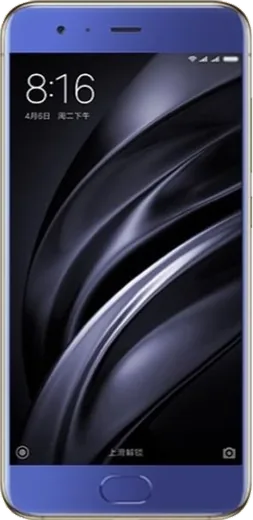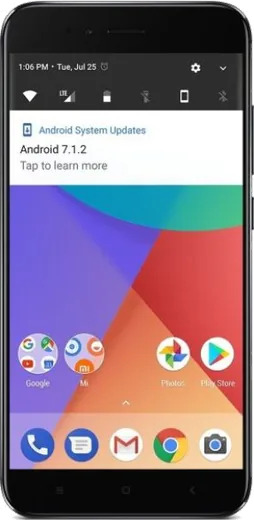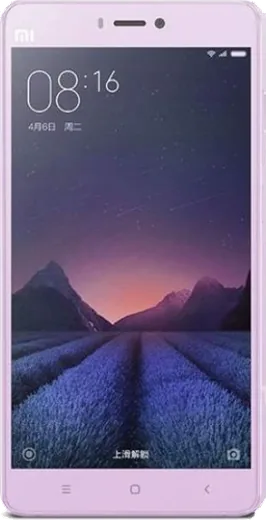
WhatsApp on Xiaomi Redmi 3
Xiaomi Android

WhatsApp for Xiaomi Redmi 3

Install the official WhatsApp on your Xiaomi Redmi 3 in a few simple steps.

WhatsApp Messenger 4.7 · 64.2M reviews Free · Android · ~40 MB · by WhatsApp LLC
Download WhatsApp

Ask a question / report a problem

You can ask any question about WhatsApp support on the Xiaomi Redmi 3 — leave it below and we'll help.

Ask a question

Can the Xiaomi Redmi 3 run WhatsApp?

Not supported
  • Operating systemAndroid
  • WhatsApp versionNot supported

Latest known WhatsApp problems on Xiaomi Redmi 3

1

WhatsApp stopped working on my Redmi 3 after a MIUI update - how do I fix it?

After a system update, MIUI often resets the background restrictions on WhatsApp, which kills it in the background. Go to Settings > Apps > Manage apps > WhatsApp > Battery saver and set it to No restrictions, then open Settings > Apps > Permissions > Autostart and toggle WhatsApp on. If WhatsApp freezes after the update, also clear its cache via Settings > Apps > Manage apps > WhatsApp > Clear data > Clear cache (use Clear cache, not Clear all data, so you don't lose chats). See how others solved this on Reddit
2

WhatsApp messages and notifications are delayed on my Redmi 3 - why?

MIUI's aggressive memory management is almost always the cause of delayed message delivery on Xiaomi phones. Lock WhatsApp in the recent apps screen (swipe up to recents, pull WhatsApp's card down and tap the lock icon), then enable Autostart under Settings > Apps > Permissions > Autostart and set its battery to No restrictions under Settings > Apps > Manage apps > WhatsApp > Battery saver. Also make sure background data isn't blocked under Settings > Apps > Manage apps > WhatsApp > Restrict data usage so it stays connected on mobile data and Wi-Fi. See how others solved this on Reddit
3

WhatsApp calls don't show on my Redmi 3 lock screen - how do I get the incoming call to appear?

Xiaomi blocks WhatsApp's full-screen call interface unless you grant the right permissions. Go to Settings > Apps > Manage apps > WhatsApp > Other permissions and enable both Display pop-up windows while running in the background and Show on lock screen. Then confirm notifications are allowed on the lock screen under Settings > Notifications & Control center > WhatsApp, and keep Autostart enabled so the app can wake for incoming calls. See how others solved this on Reddit
4

WhatsApp won't connect or send messages at all on my Redmi 3 - what should I check?

Start with the basics: make sure WhatsApp is updated from the Play Store and that the phone's date and time are set to automatic under Settings > Additional settings > Date & time, since a wrong clock breaks the secure connection. If it still won't connect, verify WhatsApp has unrestricted background data under Settings > Apps > Manage apps > WhatsApp > Restrict data usage (enable both Wi-Fi and mobile data), and toggle airplane mode on and off to refresh the network. See how others solved this on Reddit
5

The WhatsApp Images folder is missing from my Redmi 3 Gallery - where did my photos go?

Your media is still on the device; the folder is just hidden because newer WhatsApp versions store media in a private app directory that Xiaomi's Gallery doesn't always scan. In WhatsApp go to Settings > Chats and turn on Media visibility, then for individual chats open the chat's settings and enable Show media in gallery. If the folder still doesn't appear, use the Files (File Manager) app and browse to Android/media/com.whatsapp/WhatsApp/Media to find your images. See how others solved this on Reddit

Ask a question / report a problem

You can ask any question about WhatsApp support on the Xiaomi Redmi 3 — leave it below and we'll help.

Ask a question

Watch: setting up WhatsApp

Prefer to watch? This short walkthrough shows the whole installation and number-verification flow.

How to install WhatsApp on Xiaomi Redmi 3 — video walkthrough

How to install WhatsApp on Xiaomi Redmi 3

1

Choose how to download

On your Xiaomi Redmi 3 you can get the official app two ways: from the Google Play Store — the easiest option, since it keeps WhatsApp updated automatically — or directly from the official website. You can download an APK file, by clicking a link “Download WhatsApp directly”.

2

Open WhatsApp

Launch WhatsApp from your home screen or app drawer and accept the Terms of Service to start setup.

3

Verify your phone number

Enter your phone number. If your Xiaomi Redmi 3 uses dual SIM, pick the line you want WhatsApp tied to, then enter the 6-digit code it sends by SMS — it usually fills in automatically.

4

Restore chats and finish setup

Restore your chat history from Google Drive (use the same Google account), add your name and photo, and tap Allow for notifications so messages and calls arrive reliably.

Stay safe: only ever install WhatsApp from the official Android source. The Download button above already points there — modified copies (GB/Plus/Aero WhatsApp) can get your number banned.

Comments (5)

No registration needed. No email required.
P
phonefanSep 21, 2025

omg im not techy and i still managed

J
joe.nDec 22, 2024

The Xiaomi Redmi 3 guide was spot on lol

N
needwhatsappSep 27, 2024

uff ahora mi redmi 3 tiene whatsapp, genial 🎉

R
rosa_petSep 6, 2024

Pls help where do i change my profile photo

AppWhatsOfficialSep 12, 2024

Good question, open WhatsApp, go to Settings, tap your name at the top, then tap the camera icon to set a new photo. Glad to help.

M
marc99Aug 14, 2024

hey omggg i cant install it someone heeelp 🙏

AppWhatsOfficialAug 15, 2024

Breathe! Follow the steps above one by one, tap Download first, and you will be chatting in no time. You will be set up on your phone in no time.