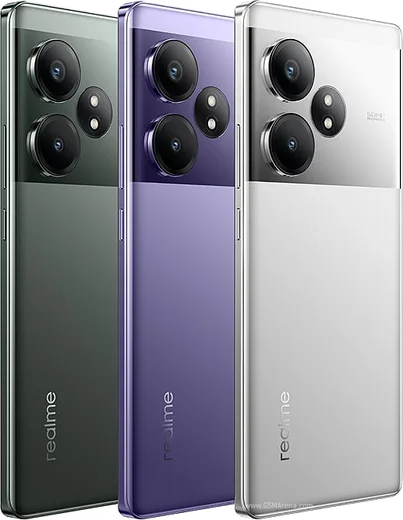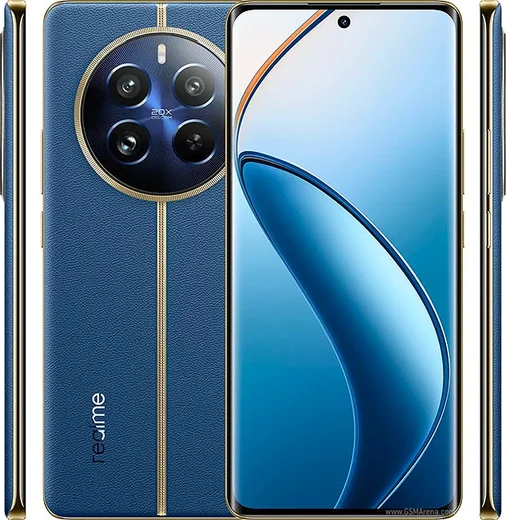
WhatsApp on Realme GT Neo 6
Realme Android

WhatsApp for Realme GT Neo 6

Snapdragon 8s Gen 3, 6.78-inch 6000-nit AMOLED 120Hz

WhatsApp Messenger 4.7 · 64.2M reviews Free · Android · ~40 MB · by WhatsApp LLC
Download WhatsApp

Ask a question / report a problem

You can ask any question about WhatsApp support on the Realme GT Neo 6 — leave it below and we'll help.

Ask a question

Can the Realme GT Neo 6 run WhatsApp?

Fully supported
  • Operating systemAndroid
  • ProcessorSnapdragon 8s Gen 3
  • WhatsApp versionLatest supported

Latest known WhatsApp problems on Realme GT Neo 6

1

Why are WhatsApp notifications delayed or not showing on my Realme GT Neo 6?

Realme UI's aggressive battery management freezes WhatsApp in the background, so messages only arrive when you open the app. Go to Settings > Apps > App management > WhatsApp > Battery usage and enable "Allow background activity" and "Allow auto launch." Then open Settings > Battery and turn off "Sleep standby optimization." Finally, open Recent apps, long-press the WhatsApp card, and tap the lock icon so the system stops clearing it from memory. See how others solved this on Reddit
2

WhatsApp notifications only come through when I unlock the phone on my GT Neo 6 — how do I fix it?

Realme UI restricts background sync and lock-screen notification delivery to save power, so messages queue until you wake the phone. Go to Settings > Notifications & status bar > Manage notifications > WhatsApp and enable "Allow notifications," "Lock screen," and "Banners," and set the importance to High. Then go to Settings > Apps > App management > WhatsApp > Battery usage and turn on "Allow background activity" so WhatsApp keeps syncing while the screen is off. See how others solved this on Reddit
3

WhatsApp notifications stopped working after a Realme UI update — what should I do?

System updates often reset per-app background permissions on Realme devices. Reapply them under Settings > Apps > App management > WhatsApp > Battery usage by enabling "Allow background activity" and "Allow auto launch." Then clear the WhatsApp cache via Settings > Apps > App management > WhatsApp > Storage usage > Clear cache. If notifications still fail, reinstall WhatsApp from the Play Store so its notification channels are rebuilt. See how others solved this on Reddit
4

My Realme GT Neo 6 gets hot and the battery drains fast during long WhatsApp video calls — what helps?

Long WhatsApp video calls combined with the high-brightness, high-refresh display drive up heat and battery drain. In WhatsApp, open Settings > Storage and data and enable "Use less data for calls" to lighten the load. On the phone, set the refresh rate to "Auto select" under Settings > Display & brightness > Screen refresh rate, and turn on Settings > Battery > Power saving mode during long sessions to reduce heat. See how others solved this on Reddit
5

WhatsApp won't sync in the background on my GT Neo 6 imported from China — what's wrong?

China-region Realme phones ship without Google Play Services, which WhatsApp relies on for push notifications. Install the Google Play Store and Google Play Services, sign in to a Google account, then reinstall WhatsApp. Also enable "Allow auto launch" and "Allow background activity" under Settings > Apps > App management > WhatsApp > Battery usage. Without working Play Services, messages only arrive while the app is open. See how others solved this on Reddit

Ask a question / report a problem

You can ask any question about WhatsApp support on the Realme GT Neo 6 — leave it below and we'll help.

Ask a question

Watch: setting up WhatsApp

Prefer to watch? This short walkthrough shows the whole installation and number-verification flow.

How to install WhatsApp on Realme GT Neo 6 — video walkthrough

How to install WhatsApp on Realme GT Neo 6

1

Choose how to download

On your Realme GT Neo 6 you can get the official app two ways: from the Google Play Store — the easiest option, since it keeps WhatsApp updated automatically — or directly from the official website. You can download an APK file, by clicking a link “Download WhatsApp directly”.

2

Open WhatsApp

Launch WhatsApp from your home screen or app drawer and accept the Terms of Service to start setup.

3

Verify your phone number

Enter your phone number. If your Realme GT Neo 6 uses dual SIM, pick the line you want WhatsApp tied to, then enter the 6-digit code it sends by SMS — it usually fills in automatically.

4

Restore chats and finish setup

Restore your chat history from Google Drive (use the same Google account), add your name and photo, and tap Allow for notifications so messages and calls arrive reliably.

Stay safe: only ever install WhatsApp from the official Android source. The Download button above already points there — modified copies (GB/Plus/Aero WhatsApp) can get your number banned.

Comments (13)

No registration needed. No email required.
B
budgetkingApr 3, 2026

guys bookmarking this site for sure 🙏

AppWhatsOfficialApr 6, 2026

Love to hear it!

S
sara_k62Mar 29, 2026

والله شكراً، صار عندي واتساب شكراً

J
jess_ellMar 15, 2026

So great stuff, much appreciated 👌

J
just_tomJan 15, 2026

omg whatsapp works fine on my Realme GT Neo 6

N
nick_petNov 1, 2025

couldnt install whatsapp on my GT Neo 6 until i found this

T
techguyAug 11, 2025

couldnt be easier lol

A
anonMar 28, 2025

thank u, whatsapp installed on my gt neo 6 🔥

L
lou_gabMar 8, 2025

Ok so took me 5 min total cheers

Y
yuki.vJan 26, 2025

Update my new gt neo 6 is all set up now

G
greg.nJan 5, 2025

enfin whatsapp installé

G
gabe_ivaDec 3, 2024

Been at this for hours pls someone help me pls

AppWhatsOfficialDec 6, 2024

No panic needed. The Download button takes you to the official app, then just install and verify your number. Reply here if you get stuck.

N
newbieNov 7, 2024

clear steps for the gt neo 6, cheers

A
amy31Aug 10, 2024

Hey alles läuft, vielen dank