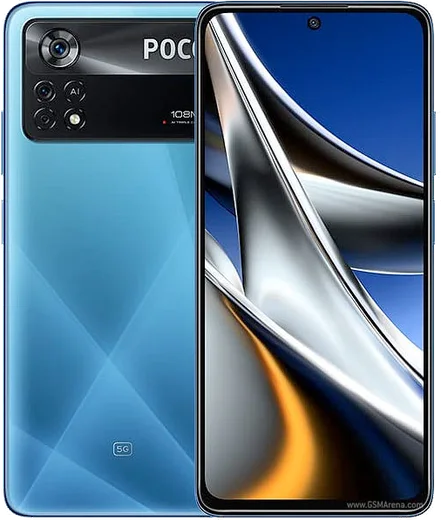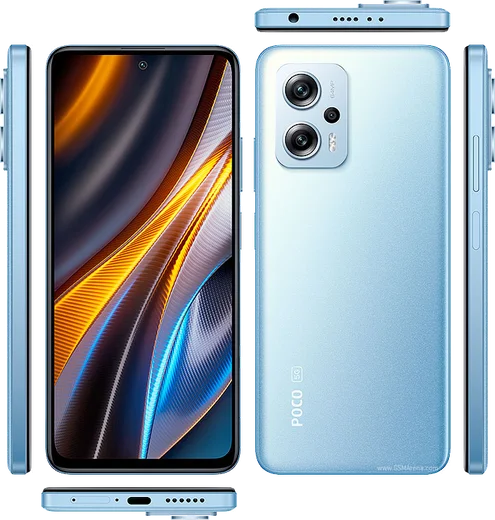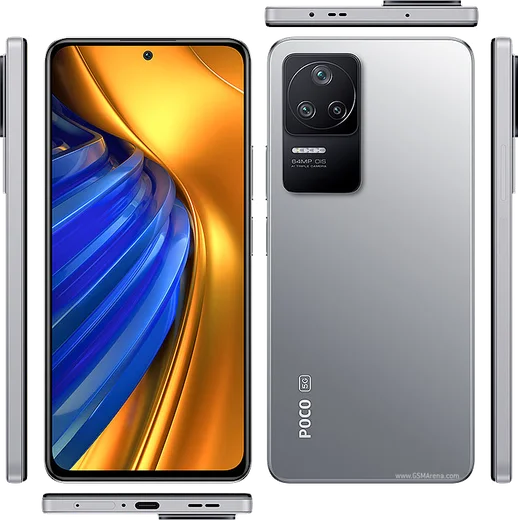
WhatsApp on Poco X4 Pro
Poco Android

WhatsApp for Poco X4 Pro

Snapdragon 695, 6.67-inch AMOLED 120Hz, 108MP

WhatsApp Messenger 4.7 · 64.2M reviews Free · Android · ~40 MB · by WhatsApp LLC
Download WhatsApp

Ask a question / report a problem

You can ask any question about WhatsApp support on the Poco X4 Pro — leave it below and we'll help.

Ask a question

Can the Poco X4 Pro run WhatsApp?

Fully supported
  • Operating systemAndroid
  • ProcessorSnapdragon 695
  • WhatsApp versionLatest supported

Latest known WhatsApp problems on Poco X4 Pro

1

WhatsApp photos not showing in my Gallery on the Poco X4 Pro - how do I fix it?

MIUI/HyperOS often hides the WhatsApp media folder, so first make sure media visibility is on: open WhatsApp, tap the three dots, Settings, Chats, and enable Media visibility. If photos still won't appear, go to Settings, Apps, Manage apps, WhatsApp, Permissions, and confirm Files and media access is granted. Then open the Files app, enable 'Show hidden files', and check that there isn't a .nomedia file inside the WhatsApp Images folder, since that stops Gallery from re-indexing those photos. See how others solved this on Reddit
2

WhatsApp on my Poco X4 Pro stops working until I reboot the phone - why?

This is almost always MIUI/HyperOS battery management killing WhatsApp's background connection. Go to Settings, Apps, Manage apps, WhatsApp, tap Battery saver and set it to 'No restrictions', then enable Autostart on the same app page. Next open Recent apps, swipe down on the WhatsApp card (or long-press it) and tap the lock icon so the system can't clear it. This keeps messages arriving without needing a daily reboot. See how others solved this on Reddit
3

WhatsApp notifications aren't showing on the lock screen of my Poco X4 Pro - how do I get them back?

Check both WhatsApp and the system settings: in Settings, Apps, Manage apps, WhatsApp, Notifications, make sure notifications are enabled and that the Messages and Group categories are turned on. Then go to Settings, Notifications & Control Center, Lock screen notifications, and confirm WhatsApp is allowed to show on the lock screen; if you only see a dot with no text, switch the lock-screen format to show notification content. See how others solved this on Reddit
4

WhatsApp keeps crashing on my Poco X4 Pro - what should I do?

Start by clearing only the cache, which doesn't touch your chats: Settings, Apps, Manage apps, WhatsApp, Clear data, then choose Clear cache and reopen the app. If it still crashes, update WhatsApp from the Play Store (or reinstall the latest version from whatsapp.com) and make sure HyperOS is current via Settings, About phone, check for updates, since an outdated app or system version is the usual cause. See how others solved this on Reddit
5

WhatsApp contacts aren't showing up properly on my Poco X4 Pro - how do I fix it?

Grant WhatsApp contacts access in Settings, Apps, Manage apps, WhatsApp, Permissions, Contacts, and set it to Allow. Then open WhatsApp, go to the chats screen, tap the new-chat icon and pull down to refresh the contacts list. Also make sure your contacts are saved to your Google account rather than just the SIM, and that numbers are stored in full international format (with country code), since that is what WhatsApp matches against. See how others solved this on Reddit
6

WhatsApp calls don't display on the lock screen of my Poco X4 Pro - how do I enable them?

HyperOS blocks the full-screen call interface unless you allow it: go to Settings, Apps, Manage apps, WhatsApp, Permissions, and enable 'Display pop-up windows while running in the background'. On the same WhatsApp app page, turn on Autostart and set Battery saver to 'No restrictions' so incoming calls can wake the screen and ring on the lock screen instead of silently going to a missed call. See how others solved this on Reddit

Ask a question / report a problem

You can ask any question about WhatsApp support on the Poco X4 Pro — leave it below and we'll help.

Ask a question

Watch: setting up WhatsApp

Prefer to watch? This short walkthrough shows the whole installation and number-verification flow.

How to install WhatsApp on Poco X4 Pro — video walkthrough

How to install WhatsApp on Poco X4 Pro

1

Choose how to download

On your Poco X4 Pro you can get the official app two ways: from the Google Play Store — the easiest option, since it keeps WhatsApp updated automatically — or directly from the official website. You can download an APK file, by clicking a link “Download WhatsApp directly”.

2

Open WhatsApp

Launch WhatsApp from your home screen or app drawer and accept the Terms of Service to start setup.

3

Verify your phone number

Enter your phone number. If your Poco X4 Pro uses dual SIM, pick the line you want WhatsApp tied to, then enter the 6-digit code it sends by SMS — it usually fills in automatically.

4

Restore chats and finish setup

Restore your chat history from Google Drive (use the same Google account), add your name and photo, and tap Allow for notifications so messages and calls arrive reliably.

Stay safe: only ever install WhatsApp from the official Android source. The Download button above already points there — modified copies (GB/Plus/Aero WhatsApp) can get your number banned.

Comments (11)

No registration needed. No email required.
N
nightowlApr 29, 2026

sorry but why is it downloading so slowly anyone

AppWhatsOfficialApr 30, 2026

Good question, a slow download is usually the network. A stable wifi connection will speed it up a lot. Hope that helps!

B
ben_proNov 17, 2025

Wow très simple, fait en 2 minutes 👍

E
eeeeeemmmmmaaaaaOct 12, 2025

Yo quick and painless lol

L
leo_rosAug 15, 2025

Super guide merci 💯

Y
yuki99May 26, 2025

Wow got my x4 pro sorted thanks to you 👍

K
kate_zoeApr 28, 2025

yo perfect steps for the x4 pro :)

J
joe.dMar 16, 2025

Ok so simple and fast

G
greg92Mar 14, 2025

Someone omggg i cant install it someone heeelp pls

AppWhatsOfficialMar 18, 2025

You are almost there! Tap Download, allow the install, open WhatsApp and confirm your number. Reply here if you get stuck.

I
ivan.fFeb 12, 2025

Well whatsapp finally on my Poco X4 Pro

T
tan.oNov 20, 2024

Honestly the x4 pro guide was spot on

N
nick69Oct 5, 2024

Man my new Poco X4 Pro is all set up now lol