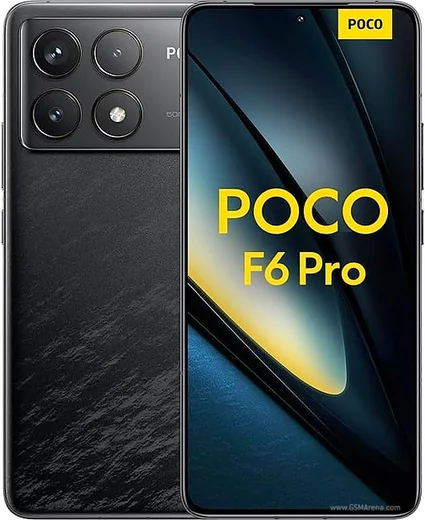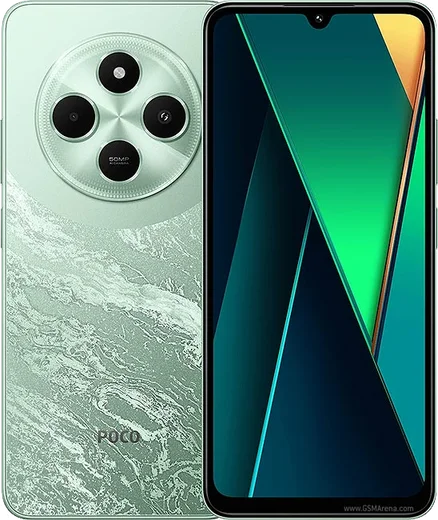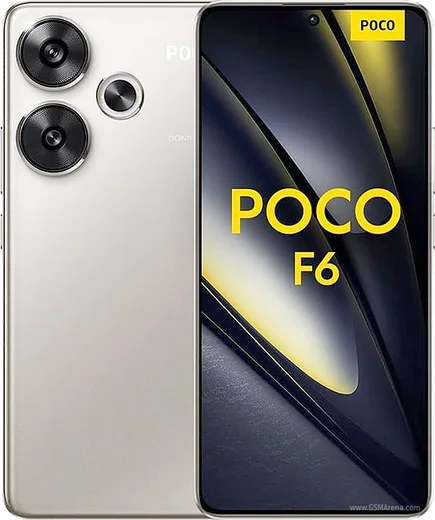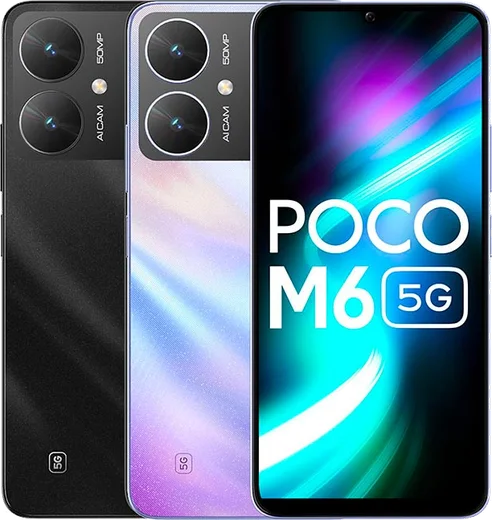
WhatsApp on Poco F6 Pro
Poco Android

WhatsApp for Poco F6 Pro

Snapdragon 8 Gen 2, 6.67-inch 1.5K AMOLED 120Hz

WhatsApp Messenger 4.7 · 64.2M reviews Free · Android · ~40 MB · by WhatsApp LLC
Download WhatsApp

Ask a question / report a problem

You can ask any question about WhatsApp support on the Poco F6 Pro — leave it below and we'll help.

Ask a question

Can the Poco F6 Pro run WhatsApp?

Fully supported
  • Operating systemAndroid
  • ProcessorSnapdragon 8 Gen 2
  • WhatsApp versionLatest supported

Latest known WhatsApp problems on Poco F6 Pro

1

Why aren't WhatsApp photos and videos showing up in my Poco F6 Pro gallery?

On HyperOS the WhatsApp media folder sometimes isn't indexed by the Gallery. First, in WhatsApp go to Settings > Chats and turn on 'Media visibility'. Then open Settings > Apps > Manage apps > WhatsApp > Permissions and confirm Storage/Files access is granted. If photos still don't appear, the Gallery index is stale, so go to Settings > Apps > Manage apps > Gallery > Clear cache and let it rescan (avoid 'Clear data', which resets album settings). See how others solved this on Reddit
2

Why are my WhatsApp notifications not showing on the lock screen of my Poco F6 Pro?

HyperOS restricts background apps by default, which can block WhatsApp notifications. Open Settings > Apps > Manage apps > WhatsApp > Notifications and make sure notifications are enabled and set to show on the lock screen. Then, on the same WhatsApp app-info page, set Battery saver to 'No restrictions' and turn on 'Autostart' so WhatsApp can run in the background and deliver pushes reliably. See how others solved this on Reddit
3

Why does WhatsApp on my Poco F6 Pro make no sound for notifications?

On HyperOS the notification channel can default to silent or lose its tone after an update. In WhatsApp go to Settings > Notifications and pick a sound under 'Message notifications'. Then confirm it at the system level under Settings > Apps > Manage apps > WhatsApp > Notifications: open the 'Messages' channel, make sure 'Sound' is on and re-select a ringtone. Finally, check that Do Not Disturb isn't active. See how others solved this on Reddit
4

Why doesn't WhatsApp wake my Poco F6 Pro screen when a message arrives?

HyperOS battery optimization can stop WhatsApp from turning on the display for new messages. Go to Settings > Apps > Manage apps > WhatsApp, set Battery saver to 'No restrictions', and enable 'Autostart'. Then, in WhatsApp > Settings > Notifications, turn on 'Use high priority notifications' so the screen lights up when a message arrives. See how others solved this on Reddit
5

Why is WhatsApp ignoring mute mode on my Poco F6 Pro and still making sounds for muted chats?

After some WhatsApp or HyperOS updates the per-chat mute setting can desync from the system notification channel, so muted chats keep buzzing. Re-mute the chat (open it, tap the contact or group name, and select 'Mute notifications'). If it persists, open Settings > Apps > Manage apps > WhatsApp > Notifications and turn off the channel for that conversation. Clearing WhatsApp's cache under Manage apps > WhatsApp > Clear cache can also reset the mute state. See how others solved this on Reddit
6

Why did my WhatsApp media suddenly disappear from my Poco F6 Pro?

This usually happens when a HyperOS storage cleanup or a moved WhatsApp folder breaks the media path, so the files are still on the device but unlinked. Use a file manager to check Internal storage > Android > media > com.whatsapp > WhatsApp > Media. If the files are there, clear the Gallery cache under Settings > Apps > Manage apps > Gallery so it re-indexes them. To prevent it recurring, keep WhatsApp out of any 'deep clean' storage sweeps and confirm chat backups are running under WhatsApp > Settings > Chats > Chat backup. See how others solved this on Reddit

Ask a question / report a problem

You can ask any question about WhatsApp support on the Poco F6 Pro — leave it below and we'll help.

Ask a question

Watch: setting up WhatsApp

Prefer to watch? This short walkthrough shows the whole installation and number-verification flow.

How to install WhatsApp on Poco F6 Pro — video walkthrough

How to install WhatsApp on Poco F6 Pro

1

Choose how to download

On your Poco F6 Pro you can get the official app two ways: from the Google Play Store — the easiest option, since it keeps WhatsApp updated automatically — or directly from the official website. You can download an APK file, by clicking a link “Download WhatsApp directly”.

2

Open WhatsApp

Launch WhatsApp from your home screen or app drawer and accept the Terms of Service to start setup.

3

Verify your phone number

Enter your phone number. If your Poco F6 Pro uses dual SIM, pick the line you want WhatsApp tied to, then enter the 6-digit code it sends by SMS — it usually fills in automatically.

4

Restore chats and finish setup

Restore your chat history from Google Drive (use the same Google account), add your name and photo, and tap Allow for notifications so messages and calls arrive reliably.

Stay safe: only ever install WhatsApp from the official Android source. The Download button above already points there — modified copies (GB/Plus/Aero WhatsApp) can get your number banned.

Comments (15)

No registration needed. No email required.
C
chris.eMay 2, 2026

So thank u, whatsapp installed on my f6 pro 👌

R
ray73Apr 29, 2026

guys does it work on older android versions thanks

AppWhatsOfficialMay 4, 2026

Hey there, older phones can work as long as the app is still offered to them. Updating the OS where possible helps a lot. Happy chatting!

A
alex_proApr 17, 2026

Hi does whatsapp support the poco f6 pro

AppWhatsOfficialApr 19, 2026

Thanks for asking, absolutely, the your phone is supported. Follow the steps above and you will be chatting in minutes. Hope that helps!

L
lucy_greNov 1, 2025

omg im so confused someone help meeee pls

AppWhatsOfficialNov 4, 2025

You are almost there! Tap Download, allow the install, open WhatsApp and confirm your number. You got this!

C
chris_solAug 23, 2025

man the f6pro steps actually work unlike other sites lol

G
guest_userJun 7, 2025

did it without any help, very simple thx

A
anonJun 2, 2025

Man wasnt expecting it to be this easy thanks again

A
ahmed78Apr 10, 2025

أخيراً تمام، واتساب يشتغل شكراً

N
needwhatsappApr 9, 2025

uff funcionó perfecto, gracias

M
marc_realDec 19, 2024

Pls help it crashes right after the splash screen

AppWhatsOfficialDec 24, 2024

Happy to help, sorry to hear that. Please clear the app cache in Settings, make sure your system software is updated, then reinstall the latest version. Feel free to ask if you get stuck.

M
ms_leoNov 22, 2024

tbh my f6pro has whatsapp now thanks to this

Z
zoe99Oct 18, 2024

beste seite, sofort geklappt 😍

R
ray.kOct 11, 2024

Yo best guide for the F6 Pro by far thanks again

K
kate_ytSep 22, 2024

My phone is a few years old will it work thanks

AppWhatsOfficialSep 26, 2024

Hey there, if the store lets you install it, you are supported. Very old systems may eventually lose support though. Let us know if you need anything else.

M
mia_andAug 14, 2024

the video helped me understand thx