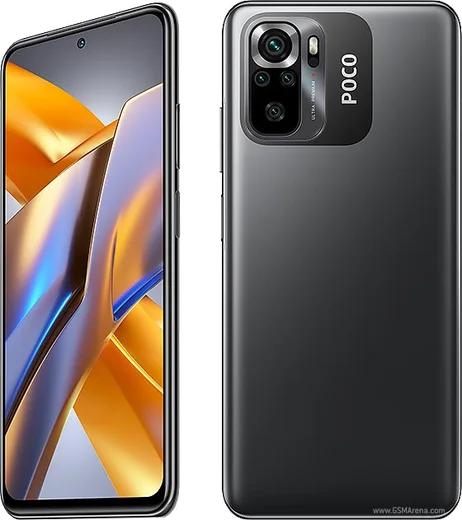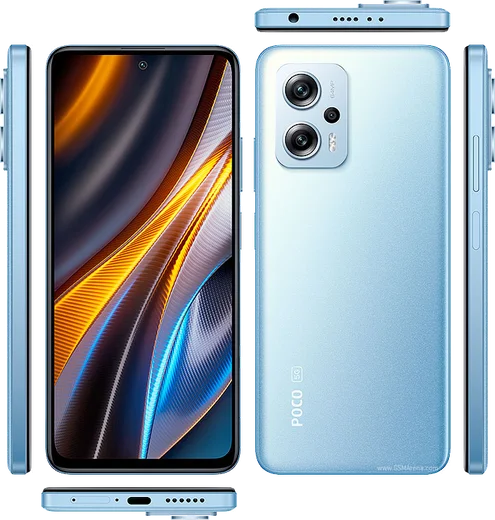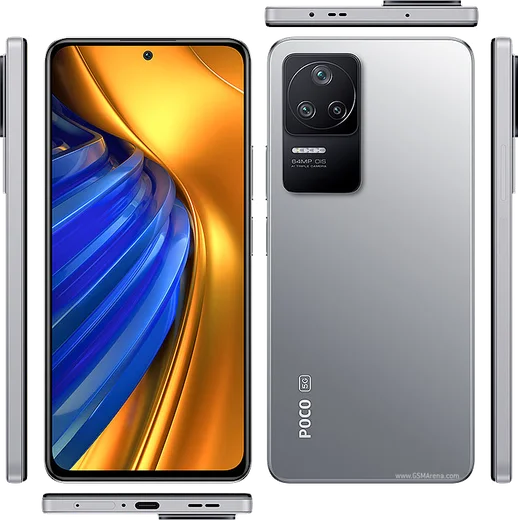
WhatsApp on Poco F3
Poco Android

WhatsApp for Poco F3

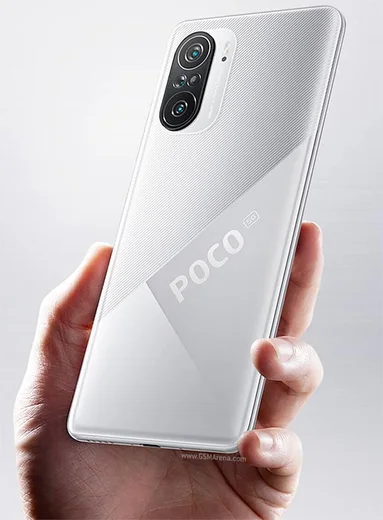
Snapdragon 870, 6.67-inch AMOLED 120Hz, 33W

WhatsApp Messenger 4.7 · 64.2M reviews Free · Android · ~40 MB · by WhatsApp LLC
Download WhatsApp

Ask a question / report a problem

You can ask any question about WhatsApp support on the Poco F3 — leave it below and we'll help.

Ask a question

Can the Poco F3 run WhatsApp?

Fully supported
  • Operating systemAndroid
  • ProcessorSnapdragon 870
  • WhatsApp versionLatest supported

Latest known WhatsApp problems on Poco F3

1

Why does WhatsApp give no sound for notifications on my Poco F3?

First check the notification channel itself: open Settings > Notifications & Control Center > App notifications > WhatsApp > Messages and make sure the channel is on with a ringtone/sound selected (MIUI can silence a channel even when the app is allowed). Also confirm a sound is set inside WhatsApp under Settings > Notifications. Then rule out MIUI killing the app in the background by going to Settings > Apps > Manage apps > WhatsApp > Battery saver and choosing No restrictions, and make sure Do Not Disturb or Silent mode isn't active in Settings > Sound & vibration. See how others solved this on Reddit
2

How do I transfer my WhatsApp chats from an iPhone 6s to my Poco F3?

There is no automatic iCloud-to-Android sync, so use WhatsApp's official Move to Android tool. Start the Poco F3 fresh (or reset it during initial setup), and when WhatsApp setup prompts you, connect the iPhone to the Poco with a USB-C to Lightning cable and follow the on-screen Move chats from iPhone steps. Note the iPhone needs iOS 15.5+ (a 6s on its latest iOS update qualifies). Paid tools like MobileTrans can also copy chats, but the official cable method preserves messages and media most reliably for free. See how others solved this on Reddit
3

How can I fix WhatsApp crashing or freezing on my Poco F3?

Start by clearing only the cache: Settings > Apps > Manage apps > WhatsApp > Clear data > Clear cache (do not pick Clear all data, which deletes chats). Then update WhatsApp from the Play Store, since freezes are often fixed in newer builds. If it still crashes, set WhatsApp's Battery saver to No restrictions (Settings > Apps > Manage apps > WhatsApp > Battery saver) and turn on Autostart in Settings > Apps > Permissions > Autostart. As a last resort, back up your chats to Google Drive in WhatsApp > Settings > Chats > Chat backup, then reinstall. See how others solved this on Reddit
4

Why do WhatsApp notifications stop on my Poco F3 when the screen is locked?

MIUI aggressively kills background apps, so first set WhatsApp's Battery saver to No restrictions in Settings > Apps > Manage apps > WhatsApp > Battery saver, and enable Autostart under Settings > Apps > Permissions > Autostart. You can also lock WhatsApp in recent apps so MIUI won't clear it: open the recents view, swipe down on the WhatsApp card, and tap the padlock. This lets the app keep receiving messages while the screen is off. See how others solved this on Reddit
5

Why does my Poco F3 always show a WhatsApp unread badge even when there are no new messages?

A stuck badge is usually a cached notification state. First open WhatsApp and read or swipe away any lingering chats, then clear the app cache via Settings > Apps > Manage apps > WhatsApp > Clear data > Clear cache (cache only). If the phantom count remains, toggle the badge off and back on under Settings > Notifications & Control Center > App notifications > WhatsApp > Show notification badge, or restart the phone to force the launcher to refresh. See how others solved this on Reddit

Ask a question / report a problem

You can ask any question about WhatsApp support on the Poco F3 — leave it below and we'll help.

Ask a question

Watch: setting up WhatsApp

Prefer to watch? This short walkthrough shows the whole installation and number-verification flow.

How to install WhatsApp on Poco F3 — video walkthrough

How to install WhatsApp on Poco F3

1

Choose how to download

On your Poco F3 you can get the official app two ways: from the Google Play Store — the easiest option, since it keeps WhatsApp updated automatically — or directly from the official website. You can download an APK file, by clicking a link “Download WhatsApp directly”.

2

Open WhatsApp

Launch WhatsApp from your home screen or app drawer and accept the Terms of Service to start setup.

3

Verify your phone number

Enter your phone number. If your Poco F3 uses dual SIM, pick the line you want WhatsApp tied to, then enter the 6-digit code it sends by SMS — it usually fills in automatically.

4

Restore chats and finish setup

Restore your chat history from Google Drive (use the same Google account), add your name and photo, and tap Allow for notifications so messages and calls arrive reliably.

Stay safe: only ever install WhatsApp from the official Android source. The Download button above already points there — modified copies (GB/Plus/Aero WhatsApp) can get your number banned.

Comments (8)

No registration needed. No email required.
T
theuserMar 20, 2026

Pls help should i remove the old version before this ?

AppWhatsOfficialMar 21, 2026

Happy to help, you can keep the old one. Installing the newest build simply updates it and your chats stay put.

I
im_amySep 2, 2025

whatsapp finally on my f3

C
chris_mikMar 4, 2025

plz heeeelp me how to download on my poco f3 😩

AppWhatsOfficialMar 5, 2025

Relax, it is simpler than it looks. Press Download, install, then verify with the SMS code. You got this!

R
rosa64Nov 29, 2024

Does this cost money pls

AppWhatsOfficialDec 4, 2024

Sure, no payment needed at all. WhatsApp is free, you just need an internet connection. Glad to help.

L
luca8Nov 26, 2024

Finally restarted the phone and then it installed 🔥

N
noah92Nov 23, 2024

Wow très simple, fait en 2 minutes sur mon poco f3

N
nina2000Aug 25, 2024

Hey wont this give me a virus ?

AppWhatsOfficialAug 31, 2024

Sure, totally safe. We only link to the genuine WhatsApp, so there is no risk of malware as long as you use the button above. Enjoy WhatsApp on your your phone!

O
omar1Jul 15, 2024

Ok so did this on my poco f3 and it just worked 🙏