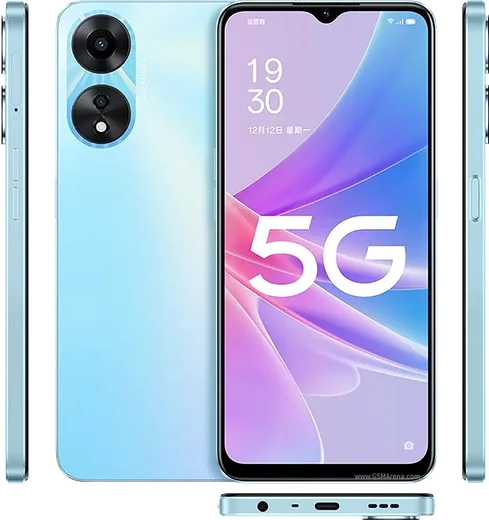
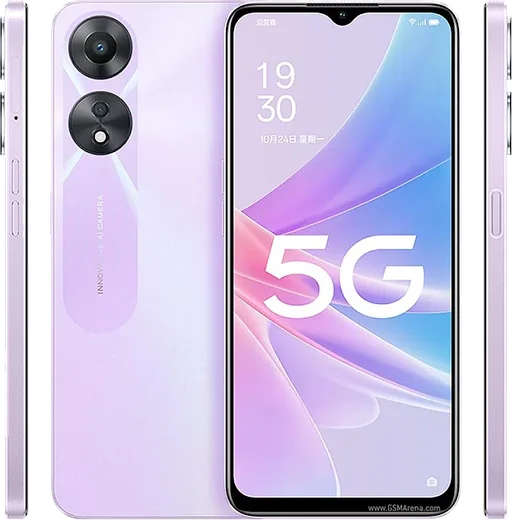
Oppo Android

WhatsApp for Oppo Reno 8

Dimensity 1300, 6.43-inch AMOLED, 80W SuperVOOC

WhatsApp Messenger 4.7 · 64.2M reviews Free · Android · ~40 MB · by WhatsApp LLC
Download WhatsApp

Ask a question / report a problem

You can ask any question about WhatsApp support on the Oppo Reno 8 — leave it below and we'll help.

Ask a question

Can the Oppo Reno 8 run WhatsApp?

Fully supported
  • Operating systemAndroid
  • ProcessorDimensity 1300
  • WhatsApp versionLatest supported

Latest known WhatsApp problems on Oppo Reno 8

1

WhatsApp notifications are delayed or don't show up on my Oppo Reno 8

ColorOS aggressively kills background apps to save battery, which is the usual cause. Go to Settings > Battery > App battery management, tap WhatsApp and set it to Allow background activity, and turn off Sleep standby optimisation. Then long-press the WhatsApp icon > App info > Notifications and make sure Allow notifications and all notification categories are enabled. See how others solved this on Reddit
2

WhatsApp calls don't show on the lock screen of my Oppo Reno 8

ColorOS blocks the full-screen call popup unless WhatsApp has the right permissions. Go to Settings > Apps > App management > WhatsApp > Permissions and enable Display over other apps (floating windows), then under Settings > Battery > App battery management allow background activity and enable Auto-launch. In WhatsApp itself, open Settings > Notifications and confirm call notifications are on. See how others solved this on Reddit
3

Photos and media in WhatsApp fail with 'Download failed' on my Oppo Reno 8

This is almost always a date/time mismatch or a storage/permission issue. Set Settings > Additional settings > Date & time to Automatic so WhatsApp's certificate check passes, then clear WhatsApp's cache via Settings > Apps > App management > WhatsApp > Storage usage > Clear cache (not Clear data). If it persists, confirm WhatsApp has Files and media (or Photos and videos) permission and that you have free internal storage. See how others solved this on Reddit
4

I can't share or send photos in WhatsApp on my Oppo Reno 8

WhatsApp needs photo and media access that ColorOS may have restricted. Go to Settings > Apps > App management > WhatsApp > Permissions and grant Photos and videos (or Files and media), choosing Allow all instead of Ask every time. Then clear the WhatsApp cache under Storage usage and restart the phone; if sharing from the Gallery still fails, update WhatsApp from the Play Store. See how others solved this on Reddit
5

How do I move my WhatsApp chats from an old iPhone to my Oppo Reno 8?

Use WhatsApp's official 'Move to Android' tool rather than a backup, since iPhone backups live in iCloud and Android uses Google Drive. On a freshly set-up Oppo (do this during initial setup or after a factory reset), scan the QR code that appears using your iPhone, connect the two phones with a USB-C to Lightning cable, and follow the on-screen transfer steps. Both phones must use the same phone number, and keep WhatsApp updated on both before starting. See how others solved this on Reddit
6

My WhatsApp chat list doesn't update with the latest message on my Oppo Reno 8

When the chat list stops refreshing or shows old previews, it's usually a display/sync glitch worsened by ColorOS background limits. First update WhatsApp to the latest Play Store version, since this is a known bug fixed in newer releases. If it continues, force-stop WhatsApp via Settings > Apps > App management > WhatsApp > Force stop, clear cache under Storage usage, reopen it, and allow background activity in App battery management so it can sync in real time. See how others solved this on Reddit

Ask a question / report a problem

You can ask any question about WhatsApp support on the Oppo Reno 8 — leave it below and we'll help.

Ask a question

Watch: setting up WhatsApp

Prefer to watch? This short walkthrough shows the whole installation and number-verification flow.

How to install WhatsApp on Oppo Reno 8 — video walkthrough

How to install WhatsApp on Oppo Reno 8

1

Choose how to download

On your Oppo Reno 8 you can get the official app two ways: from the Google Play Store — the easiest option, since it keeps WhatsApp updated automatically — or directly from the official website. You can download an APK file, by clicking a link “Download WhatsApp directly”.

2

Open WhatsApp

Launch WhatsApp from your home screen or app drawer and accept the Terms of Service to start setup.

3

Verify your phone number

Enter your phone number. If your Oppo Reno 8 uses dual SIM, pick the line you want WhatsApp tied to, then enter the 6-digit code it sends by SMS — it usually fills in automatically.

4

Restore chats and finish setup

Restore your chat history from Google Drive (use the same Google account), add your name and photo, and tap Allow for notifications so messages and calls arrive reliably.

Stay safe: only ever install WhatsApp from the official Android source. The Download button above already points there — modified copies (GB/Plus/Aero WhatsApp) can get your number banned.

Comments (7)

No registration needed. No email required.
X
xX_saraMay 22, 2026

Omg whatsapp works fine on my 8 lol

K
kev.cFeb 18, 2026

guys easy install on my oppo reno 8 thanks again

C
coolcatDec 20, 2025

Ok so downloaded and installed on my reno 8 ❤️

M
maxx11Nov 22, 2025

omg help meee i pressed everything and nothing 😭 😩

AppWhatsOfficialNov 23, 2025

You are almost there! Tap Download, allow the install, open WhatsApp and confirm your number.

M
marc00May 22, 2025

honestly did it on my 8 in like 2 minutes thanks again

A
alex_solOct 25, 2024

ehi ottima guida grazie 🙏

L
luca6Jul 24, 2024

Honestly couldnt install whatsapp on my Oppo Reno 8 until i found this