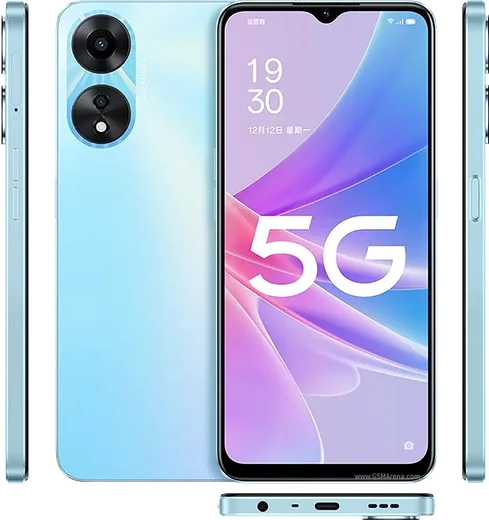
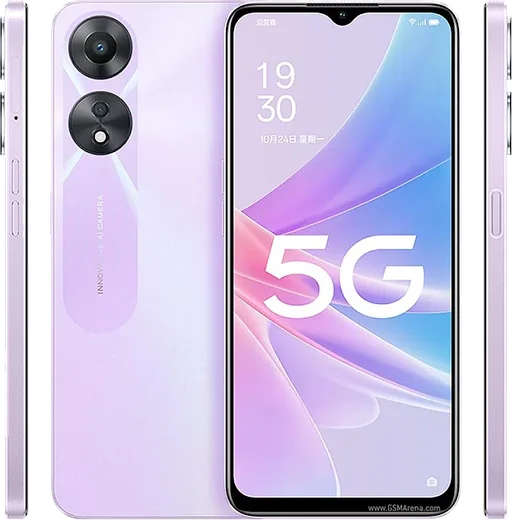
Oppo Android

WhatsApp for Oppo Reno 7

Snapdragon 680, 6.43-inch AMOLED, 33W charging

WhatsApp Messenger 4.7 · 64.2M reviews Free · Android · ~40 MB · by WhatsApp LLC
Download WhatsApp

Ask a question / report a problem

You can ask any question about WhatsApp support on the Oppo Reno 7 — leave it below and we'll help.

Ask a question

Can the Oppo Reno 7 run WhatsApp?

Fully supported
  • Operating systemAndroid
  • ProcessorSnapdragon 680
  • WhatsApp versionLatest supported

Latest known WhatsApp problems on Oppo Reno 7

1

Why are my WhatsApp notifications delayed or not showing on my Oppo Reno 7?

ColorOS aggressively restricts background apps to save battery, which is the most common cause of missing or delayed WhatsApp alerts. Go to Settings > Battery, open the menu for App battery management (sometimes under Power saving or a three-dot menu), find WhatsApp, and set it to Allow background activity and Allow auto-launch while turning off any sleep/optimization restrictions. Then open Settings > Apps > App management > WhatsApp > Notifications and make sure notifications are allowed for all categories. See how others solved this on Reddit
2

Why can't I use Maps or receive WhatsApp messages while on a phone call on my Oppo Reno 7?

Losing data during a regular cellular call almost always means VoLTE (Voice over LTE) is off or unsupported on your line, so the phone drops to a 2G/3G voice connection that can't carry data at the same time. Go to Settings > Mobile network > your SIM > and turn on VoLTE / VoLTE HD calling (your carrier and plan must support it). With VoLTE active, the call uses 4G/5G and data keeps working, so Maps and WhatsApp stay live during calls. If your carrier doesn't offer VoLTE, the phone simply can't do voice and data together on that network. See how others solved this on Reddit
3

WhatsApp is draining my Oppo Reno 7 battery fast - how do I fix it?

Heavy WhatsApp battery use is often caused by media auto-download and constant background syncing. In WhatsApp go to Settings > Storage and data > Media auto-download and turn everything to No media (or uncheck the options) for mobile data, Wi-Fi, and roaming. Then in ColorOS under Settings > Battery > App battery management, keep WhatsApp on Allow background activity (needed for notifications) but make sure it is not pinned to High background power use, and check Battery usage details after a day to confirm the drain has dropped. See how others solved this on Reddit
4

I can't share or send photos in WhatsApp on my Oppo Reno 7 - what's wrong?

This is almost always a permissions issue after a ColorOS or WhatsApp update. Go to Settings > Apps > App management > WhatsApp > Permissions and make sure Photos and videos (or Files and media) is set to Allow, not Ask every time or Don't allow. If sharing still fails, clear WhatsApp's cache via Settings > Apps > App management > WhatsApp > Storage usage > Clear cache, then restart the phone. See how others solved this on Reddit
5

How do I move my WhatsApp chats from an old iPhone to my Oppo Reno 7?

WhatsApp has an official iOS-to-Android transfer, but it only works during the first-time setup of WhatsApp on the Oppo. On a factory-fresh phone (or after uninstalling and reinstalling WhatsApp), install WhatsApp from the Play Store, verify your number, and when prompted choose Move chats from iPhone, then scan the QR code with your iPhone. Both phones must be connected with a USB-C to Lightning cable during the transfer. Note that iCloud backups don't restore directly to Android, so the cable-based transfer is the only reliable method. See how others solved this on Reddit
6

Why doesn't my WhatsApp chat list update with the latest message on my Oppo Reno 7?

When the chat list freezes or doesn't reorder after a new message, it's typically a stale app cache or a blocked background refresh under ColorOS. First clear the cache in Settings > Apps > App management > WhatsApp > Storage usage > Clear cache, then make sure background activity is allowed in Settings > Battery > App battery management. If it persists, update WhatsApp from the Play Store, since this kind of bug is usually fixed in newer builds. See how others solved this on Reddit

Ask a question / report a problem

You can ask any question about WhatsApp support on the Oppo Reno 7 — leave it below and we'll help.

Ask a question

Watch: setting up WhatsApp

Prefer to watch? This short walkthrough shows the whole installation and number-verification flow.

How to install WhatsApp on Oppo Reno 7 — video walkthrough

How to install WhatsApp on Oppo Reno 7

1

Choose how to download

On your Oppo Reno 7 you can get the official app two ways: from the Google Play Store — the easiest option, since it keeps WhatsApp updated automatically — or directly from the official website. You can download an APK file, by clicking a link “Download WhatsApp directly”.

2

Open WhatsApp

Launch WhatsApp from your home screen or app drawer and accept the Terms of Service to start setup.

3

Verify your phone number

Enter your phone number. If your Oppo Reno 7 uses dual SIM, pick the line you want WhatsApp tied to, then enter the 6-digit code it sends by SMS — it usually fills in automatically.

4

Restore chats and finish setup

Restore your chat history from Google Drive (use the same Google account), add your name and photo, and tap Allow for notifications so messages and calls arrive reliably.

Stay safe: only ever install WhatsApp from the official Android source. The Download button above already points there — modified copies (GB/Plus/Aero WhatsApp) can get your number banned.

Comments (7)

No registration needed. No email required.
D
dan.aFeb 3, 2026

Uff instalado y funcionando en mi oppo reno 7

J
just_lucaOct 11, 2025

Update thank u, whatsapp installed on my Oppo Reno 7 ❤️

P
phonefanAug 12, 2025

guys SOS i cant figure out how to install whatsapp heeelp 😭😭

AppWhatsOfficialAug 14, 2025

We are here to help. Hit Download, follow the steps on this page, and if the code is slow just request it again.

K
kate1990Jul 5, 2025

Honestly best guide for the Oppo Reno 7 by far 😍

T
tina_rajMar 24, 2025

Finally took me 5 min total cheers

M
mmmaaaxxxMar 10, 2025

Finally smooth and simple, no issues

E
ella.wMar 2, 2025

Yo got my 7 sorted thanks to you