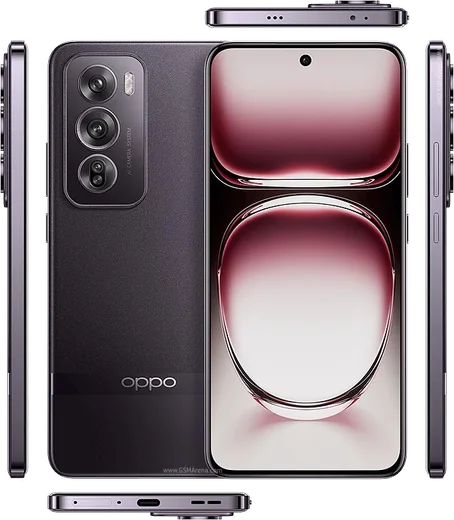
WhatsApp on Oppo Reno 12 Pro
Oppo Android

WhatsApp for Oppo Reno 12 Pro

Dimensity 7300-Energy, 6.7-inch 120Hz AMOLED, 80W

WhatsApp Messenger 4.7 · 64.2M reviews Free · Android · ~40 MB · by WhatsApp LLC
Download WhatsApp

Ask a question / report a problem

You can ask any question about WhatsApp support on the Oppo Reno 12 Pro — leave it below and we'll help.

Ask a question

Can the Oppo Reno 12 Pro run WhatsApp?

Fully supported
  • Operating systemAndroid
  • ProcessorDimensity 7300-Energy
  • WhatsApp versionLatest supported

Latest known WhatsApp problems on Oppo Reno 12 Pro

1

How do I transfer my WhatsApp chats from my old iPhone to the Oppo Reno 12 Pro?

WhatsApp has a built-in iOS-to-Android transfer. On the Reno 12 Pro, install WhatsApp and start the setup, verify the same phone number, and when prompted to 'Move chats from iOS' a QR code appears. Open the camera on your iPhone (which must already have WhatsApp installed and updated) and scan that QR code, then keep both phones unlocked, connected to power, and joined by a USB-C cable as instructed. Note this transfer needs the official cable connection, not Wi-Fi, and it cannot pull from an iCloud backup. If it fails, the only fallback is to start fresh on Android, since iCloud chat backups can't be restored onto ColorOS. See how others solved this on Reddit
2

My WhatsApp chat list isn't updating with the latest sent message on my Reno 12 Pro - how do I fix it?

This is usually ColorOS suspending WhatsApp in the background. Go to Settings > Battery > Power saving options (or App battery management), find WhatsApp and allow background activity / set it to not be optimized. Then long-press the WhatsApp icon, open App info, and make sure background activity is permitted. It also helps to lock WhatsApp in the Recent apps tray so ColorOS keeps it running. Once it can run in the background, the conversation list reorders correctly as new messages arrive. See how others solved this on Reddit
3

WhatsApp notifications are delayed or not showing on my Oppo Reno 12 Pro - what settings do I change?

ColorOS power management is the main culprit. Open Settings > Battery > App battery management, find WhatsApp and allow background activity plus disable battery optimization for it. Then go to Settings > Apps > WhatsApp > Notifications and make sure all categories are enabled, and in Settings > Battery turn off 'Sleep standby optimization'. Locking WhatsApp in the Recent apps tray also stops ColorOS from killing it overnight. See how others solved this on Reddit
4

WhatsApp keeps showing an 'App Maintenance' or update error on my Reno 12 Pro - how do I get it working again?

This message usually means your WhatsApp version has expired or hit a temporary server-side maintenance window. First open the Play Store, search WhatsApp and tap Update to get the latest build. If no update appears, clear the app cache via Settings > Apps > WhatsApp > Storage usage > Clear cache (do not clear data, which deletes chats), then restart the phone. If it persists, wait a few hours, since WhatsApp occasionally runs scheduled maintenance that resolves on its own. See how others solved this on Reddit
5

WhatsApp calls don't show up on my Reno 12 Pro's lock screen - how do I make them ring full-screen?

Go to Settings > Apps > WhatsApp > Notifications and make sure the Calls category is enabled with lock-screen and banner/pop-up alerts turned on. Then open Settings > Battery > App battery management, select WhatsApp and allow background activity while disabling optimization, since ColorOS otherwise blocks the incoming-call screen. Finally check Settings > Apps > Special app access > Display over other apps (or App permissions) and grant WhatsApp that permission so the call interface can appear over the lock screen. See how others solved this on Reddit

Ask a question / report a problem

You can ask any question about WhatsApp support on the Oppo Reno 12 Pro — leave it below and we'll help.

Ask a question

Watch: setting up WhatsApp

Prefer to watch? This short walkthrough shows the whole installation and number-verification flow.

How to install WhatsApp on Oppo Reno 12 Pro — video walkthrough

How to install WhatsApp on Oppo Reno 12 Pro

1

Choose how to download

On your Oppo Reno 12 Pro you can get the official app two ways: from the Google Play Store — the easiest option, since it keeps WhatsApp updated automatically — or directly from the official website. You can download an APK file, by clicking a link “Download WhatsApp directly”.

2

Open WhatsApp

Launch WhatsApp from your home screen or app drawer and accept the Terms of Service to start setup.

3

Verify your phone number

Enter your phone number. If your Oppo Reno 12 Pro uses dual SIM, pick the line you want WhatsApp tied to, then enter the 6-digit code it sends by SMS — it usually fills in automatically.

4

Restore chats and finish setup

Restore your chat history from Google Drive (use the same Google account), add your name and photo, and tap Allow for notifications so messages and calls arrive reliably.

Stay safe: only ever install WhatsApp from the official Android source. The Download button above already points there — modified copies (GB/Plus/Aero WhatsApp) can get your number banned.

Comments (11)

No registration needed. No email required.
G
guest_userApr 27, 2026

works like a charm on the 12pro ✌️

S
sooo_confusedApr 18, 2026

hey i NEED this app pleaseeee how do i do it

AppWhatsOfficialApr 21, 2026

Take a breath, we got you. Press Download above, then Install, then verify your number. That is all it takes. Reply here if you get stuck.

J
justmeApr 13, 2026

yo my whatsapp had stopped working but this fixed it

A
andy.sMar 13, 2026

Le meilleur site, marché du premier coup 🙏

T
theo.xFeb 19, 2026

ok so couldnt install whatsapp on my Oppo Reno 12 Pro until i found this 🎉

S
sara_nicOct 20, 2025

finally whatsapp works fine on my Oppo Reno 12 Pro :)

AppWhatsOfficialOct 21, 2025

Thanks for sharing!

J
jess38Sep 4, 2025

whatsapp works fine on my 12 pro

R
rosa.lJul 12, 2025

ça a marché tout de suite sur mon oppo reno 12 pro

T
the_real_chrisFeb 15, 2025

Well quick and painless

I
im_theoDec 2, 2024

Ok so took me 5 min total

P
phoneaddictSep 2, 2024

Quick q where do i change my profile photo anyone

AppWhatsOfficialSep 3, 2024

Head to Settings, tap your name, then the camera icon to choose your profile photo. Feel free to ask if you get stuck.