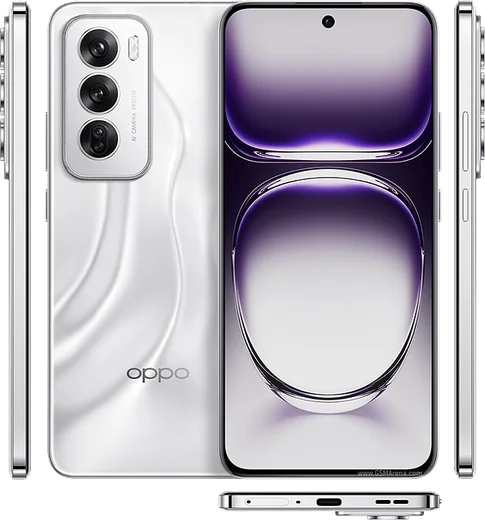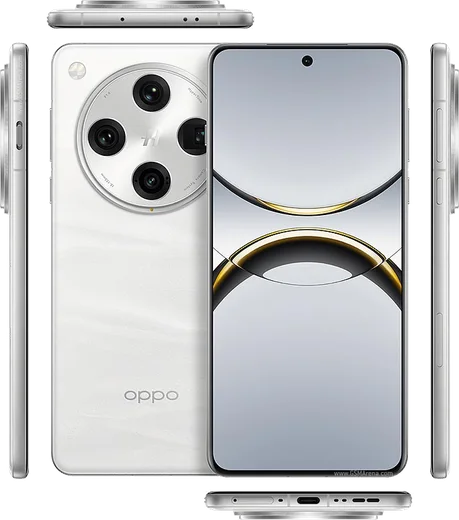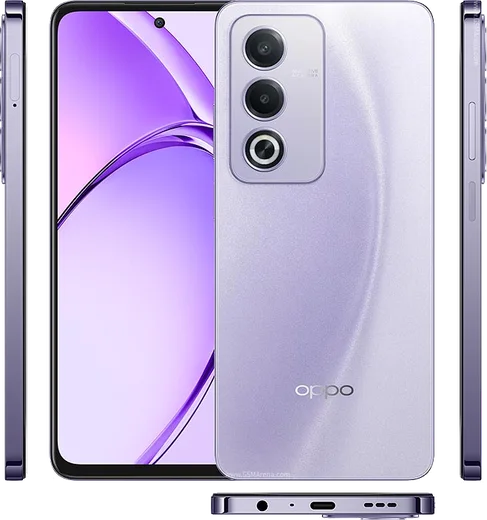
WhatsApp on Oppo Reno 12
Oppo Android

WhatsApp for Oppo Reno 12

Dimensity 7300-Energy, 6.7-inch AMOLED, 5000mAh

WhatsApp Messenger 4.7 · 64.2M reviews Free · Android · ~40 MB · by WhatsApp LLC
Download WhatsApp

Ask a question / report a problem

You can ask any question about WhatsApp support on the Oppo Reno 12 — leave it below and we'll help.

Ask a question

Can the Oppo Reno 12 run WhatsApp?

Fully supported
  • Operating systemAndroid
  • ProcessorDimensity 7300-Energy
  • WhatsApp versionLatest supported

Latest known WhatsApp problems on Oppo Reno 12

1

How do I transfer my WhatsApp chats from my old iPhone to the Oppo Reno 12?

WhatsApp's official iOS-to-Android move only works while the Oppo is factory-fresh, so do it during first-time setup: when ColorOS shows the Android setup wizard, open WhatsApp on the iPhone (Settings > Chats > Move Chats to Android), then scan the QR code shown on the Oppo and connect the two phones with a USB-C cable (use a Lightning-to-USB-C adapter if your iPhone has a Lightning port). If your Reno 12 is already set up, the only reliable way is to back up first, then factory reset it (Settings > System settings > Back up and reset > Erase all data) and run the move during the initial setup wizard, since the official transfer can't be triggered afterward. See how others solved this on Reddit
2

Why are my WhatsApp notifications delayed or not showing on the Oppo Reno 12?

ColorOS aggressively freezes background apps to save battery, which delays or silences WhatsApp pushes. Go to Settings > Battery > App battery management, select WhatsApp and choose Allow background activity / Don't optimize (some builds label this Unrestricted). Then in Settings > Apps > App management > WhatsApp > Notifications confirm every category and lock-screen alerts are enabled. Finally, open Recent apps, swipe down on the WhatsApp card (or tap the menu) and tap Lock so the system can't clear it from memory. See how others solved this on Reddit
3

WhatsApp calls don't show up or ring on my Oppo Reno 12 lock screen — how do I fix it?

This is a permissions problem on ColorOS. Open Settings > Apps > App management > WhatsApp > Permissions and enable Display over other apps (floating windows) and Display on Lock screen. Then enable startup for WhatsApp under Settings > Apps > Startup manager (older builds call it Auto launch) so it can wake the screen for incoming calls. Lastly set WhatsApp to Allow background activity / Unrestricted under Settings > Battery > App battery management, otherwise the call arrives late or only as a missed call. See how others solved this on Reddit
4

Why won't my screen wake up when I get a WhatsApp call on the Oppo Reno 12?

If the call comes through but the screen stays dark, ColorOS has put WhatsApp into deep sleep. In Settings > Battery > App battery management, set WhatsApp to Unrestricted / Allow background activity and turn off any Sleep or pause-if-unused toggle for it. Also enable WhatsApp in Settings > Apps > Startup manager (Auto launch) and grant Display over other apps and Display on Lock screen under WhatsApp > Permissions, so the app is allowed to turn the display on for an incoming call. See how others solved this on Reddit
5

My WhatsApp chat list on the Oppo Reno 12 isn't updating with the latest message — what's wrong?

When the chat list shows stale previews even though the conversation itself is up to date, ColorOS is freezing the app process in the background. Open Recent apps and Lock the WhatsApp card, then set it to Allow background activity in Settings > Battery > App battery management. If the list is still stuck, Force stop WhatsApp via Settings > Apps > App management > WhatsApp > Force stop and reopen it, and make sure WhatsApp is updated to the latest version from the Play Store. See how others solved this on Reddit
6

WhatsApp keeps glitching or not working properly on my Oppo Reno 12 — how can I fix it?

Start by updating WhatsApp in the Play Store and clearing its cache via Settings > Apps > App management > WhatsApp > Storage usage > Clear cache (this won't delete your chats). If problems continue, set WhatsApp to Unrestricted under Settings > Battery > App battery management and confirm it has Startup/Auto launch and background-activity permission. As a last resort, back up your chats to Google Drive (WhatsApp > Settings > Chats > Chat backup), then uninstall and reinstall the app. See how others solved this on Reddit

Ask a question / report a problem

You can ask any question about WhatsApp support on the Oppo Reno 12 — leave it below and we'll help.

Ask a question

Watch: setting up WhatsApp

Prefer to watch? This short walkthrough shows the whole installation and number-verification flow.

How to install WhatsApp on Oppo Reno 12 — video walkthrough

How to install WhatsApp on Oppo Reno 12

1

Choose how to download

On your Oppo Reno 12 you can get the official app two ways: from the Google Play Store — the easiest option, since it keeps WhatsApp updated automatically — or directly from the official website. You can download an APK file, by clicking a link “Download WhatsApp directly”.

2

Open WhatsApp

Launch WhatsApp from your home screen or app drawer and accept the Terms of Service to start setup.

3

Verify your phone number

Enter your phone number. If your Oppo Reno 12 uses dual SIM, pick the line you want WhatsApp tied to, then enter the 6-digit code it sends by SMS — it usually fills in automatically.

4

Restore chats and finish setup

Restore your chat history from Google Drive (use the same Google account), add your name and photo, and tap Allow for notifications so messages and calls arrive reliably.

Stay safe: only ever install WhatsApp from the official Android source. The Download button above already points there — modified copies (GB/Plus/Aero WhatsApp) can get your number banned.

Comments (11)

No registration needed. No email required.
A
andy_xXMar 20, 2026

Anyone? my phone is a few years old will it work anyone

AppWhatsOfficialMar 22, 2026

Thanks for asking, it depends. WhatsApp drops support for very old systems over time. If the store still offers you the app, your phone is supported.

S
sam21Mar 13, 2026

so had whatsapp on my 12 in no time

T
tan62Mar 10, 2026

man the oppo reno 12 guide was spot on

K
kai39Mar 7, 2026

Guys my whole family is waiting pls help me install it 🙏

AppWhatsOfficialMar 9, 2026

Take a breath, we got you. Press Download above, then Install, then verify your number. That is all it takes.

I
im_tanOct 28, 2025

Ngl best guide for the reno 12 by far

N
nooooJun 19, 2025

Omg clear steps for the Reno 12, cheers 👌

P
pleaseeeApr 22, 2025

Guys download takes forever for me

AppWhatsOfficialApr 26, 2025

Hi! A slow download is usually the network. A stable wifi connection will speed it up a lot.

D
dan.qNov 18, 2024

wow installed on my Reno 12, super simple ✌️

A
amy_omaOct 19, 2024

Echt beste seite, sofort geklappt danke

P
phonefanAug 18, 2024

so you guys are life savers lol

R
rob92Jul 10, 2024

echt super easy, alles startklar