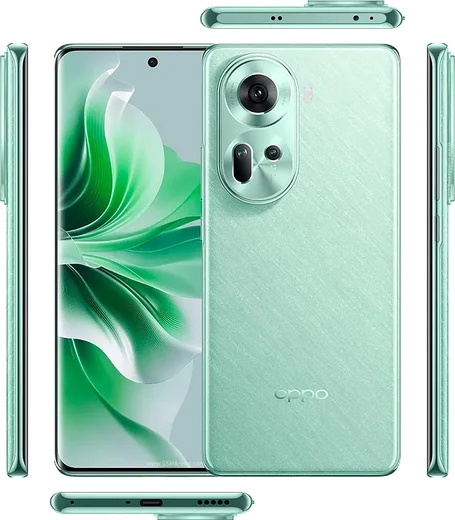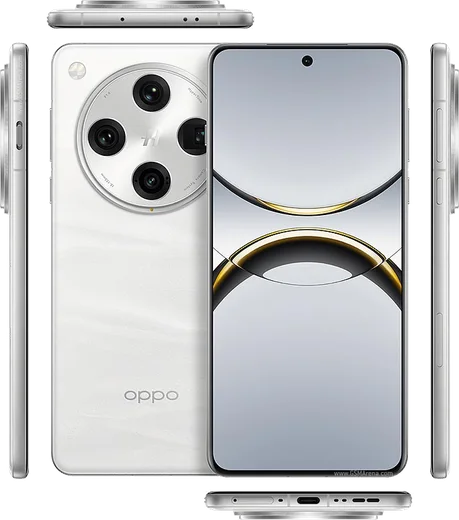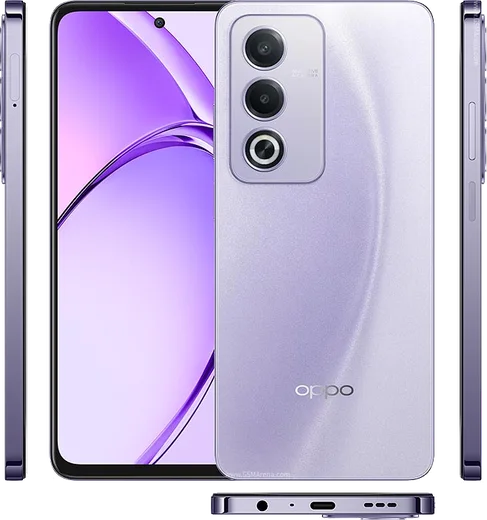
WhatsApp on Oppo Reno 11
Oppo Android

WhatsApp for Oppo Reno 11

Dimensity 7050, 6.7-inch 120Hz AMOLED, 67W charging

WhatsApp Messenger 4.7 · 64.2M reviews Free · Android · ~40 MB · by WhatsApp LLC
Download WhatsApp

Ask a question / report a problem

You can ask any question about WhatsApp support on the Oppo Reno 11 — leave it below and we'll help.

Ask a question

Can the Oppo Reno 11 run WhatsApp?

Fully supported
  • Operating systemAndroid
  • ProcessorDimensity 7050
  • WhatsApp versionLatest supported

Latest known WhatsApp problems on Oppo Reno 11

1

WhatsApp calls on my Oppo Reno 11 keep switching to speaker automatically

This is almost always a proximity-sensor issue. ColorOS uses the sensor near the earpiece to detect when the phone is at your ear, and if it is blocked or dirty the call flips to speaker. Wipe the top of the screen by the earpiece and remove any thick screen protector that covers that area. During a call, confirm the earpiece (not speaker) icon is selected on the WhatsApp call screen. To test the sensor, open the Settings search bar, type "proximity" or dial your phone maker's diagnostic test; if the sensor reads as stuck, restarting the phone usually recalibrates it. If it persists across all calls (not just WhatsApp), it points to a hardware sensor fault worth a service-center check. See how others solved this on Reddit
2

WhatsApp notifications are delayed or not showing on my Oppo Reno 11

ColorOS aggressively kills background apps to save battery, which silences WhatsApp until you open it. Go to Settings, Battery, App battery management, find WhatsApp and set it to Allow background activity (turn off any power-saving restriction). Then under Settings, Apps, App management, WhatsApp, Notifications, make sure notifications and all categories are enabled. Finally, open Recents, swipe down on the WhatsApp card and tap the lock icon so the system won't clear it from memory. See how others solved this on Reddit
3

WhatsApp calls don't appear on the lock screen of my Oppo Reno 11

This is a notification-display permission issue in ColorOS. Go to Settings, Apps, App management, WhatsApp, Notifications and enable Allow notifications plus the Calls category. Then in Settings, Notification & status bar, Lock screen notifications, confirm WhatsApp is allowed to show on the lock screen. Also turn off any Do Not Disturb schedule, since it can suppress incoming call banners. Granting WhatsApp Allow background activity (Settings, Battery, App battery management) helps the call ring through reliably. See how others solved this on Reddit
4

My WhatsApp chat list isn't updating with the latest message on my Oppo Reno 11

This usually means WhatsApp is being throttled in the background or the app cache is stale. First update WhatsApp from the Play Store, since older builds had a known chat-sorting bug. Then clear the cache via Settings, Apps, App management, WhatsApp, Storage usage, Clear cache (this does not delete your chats). Finally, disable battery restrictions for WhatsApp under Settings, Battery, App battery management by setting it to Allow background activity so new messages sync in real time. See how others solved this on Reddit
5

I can't see chat media or photos in WhatsApp on my Oppo Reno 11

WhatsApp needs media permission, and the Media visibility setting controls whether saved files appear in your gallery. Go to Settings, Apps, App management, WhatsApp, Permissions and grant Photos and videos (Files and media). Then in WhatsApp tap the three dots, Settings, Chats, and turn on Media visibility. If thumbnails still show as broken, clear the WhatsApp cache and reopen the chat to force a re-download. See how others solved this on Reddit
6

WhatsApp says I need the official app to log in on my Oppo Reno 11

This warning appears when WhatsApp detects a modified or unofficial APK, often installed from a non-Play-Store source. First back up your chats via WhatsApp Settings, Chats, Chat backup to Google Drive. Then uninstall the current app and reinstall it only from the Google Play Store (or the official whatsapp.com download) so you get the genuine signed build, and restore your backup when prompted during setup. See how others solved this on Reddit

Ask a question / report a problem

You can ask any question about WhatsApp support on the Oppo Reno 11 — leave it below and we'll help.

Ask a question

Watch: setting up WhatsApp

Prefer to watch? This short walkthrough shows the whole installation and number-verification flow.

How to install WhatsApp on Oppo Reno 11 — video walkthrough

How to install WhatsApp on Oppo Reno 11

1

Choose how to download

On your Oppo Reno 11 you can get the official app two ways: from the Google Play Store — the easiest option, since it keeps WhatsApp updated automatically — or directly from the official website. You can download an APK file, by clicking a link “Download WhatsApp directly”.

2

Open WhatsApp

Launch WhatsApp from your home screen or app drawer and accept the Terms of Service to start setup.

3

Verify your phone number

Enter your phone number. If your Oppo Reno 11 uses dual SIM, pick the line you want WhatsApp tied to, then enter the 6-digit code it sends by SMS — it usually fills in automatically.

4

Restore chats and finish setup

Restore your chat history from Google Drive (use the same Google account), add your name and photo, and tap Allow for notifications so messages and calls arrive reliably.

Stay safe: only ever install WhatsApp from the official Android source. The Download button above already points there — modified copies (GB/Plus/Aero WhatsApp) can get your number banned.

Comments (10)

No registration needed. No email required.
L
lucy92Jun 3, 2026

downloaded and installed on my oppo reno 11 🔥

A
ash_realMar 6, 2026

set up whatsapp on my dads Oppo Reno 11 no problem 🔥

S
speedyFeb 13, 2026

Tbh no problems installing on my reno 11 😍

H
helpmeFeb 6, 2026

yo good job whoever made this

K
kate75Nov 13, 2025

finally took me 5 min total lol

AppWhatsOfficialNov 17, 2025

Love to hear it!

T
tan70Oct 8, 2025

Wow installato sul 11 di mia madre senza problemi

O
omar21Jul 15, 2025

Anyone? i lost my old chats can i get them back

AppWhatsOfficialJul 17, 2025

Thanks for asking, yes, as long as you had a backup. Use the same number and choose Restore during setup to bring your messages back. Reach out anytime.

J
just_louJan 12, 2025

do i need to pay for the app ?

AppWhatsOfficialJan 18, 2025

Sure, whatsApp is 100% free to download and use. You only use your normal mobile data or wifi for messages and calls.

N
not_mikeAug 31, 2024

installé sur le Oppo Reno 11 de ma mère sans probleme

N
noobmasterAug 16, 2024

My whole family is waiting pls help me install it

AppWhatsOfficialAug 18, 2024

Relax, it is simpler than it looks. Press Download, install, then verify with the SMS code. You got this! You will be set up on your phone in no time.