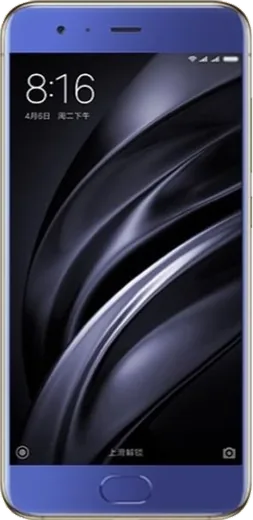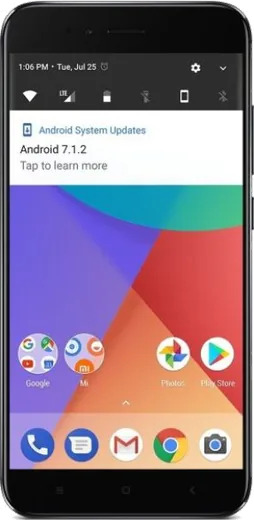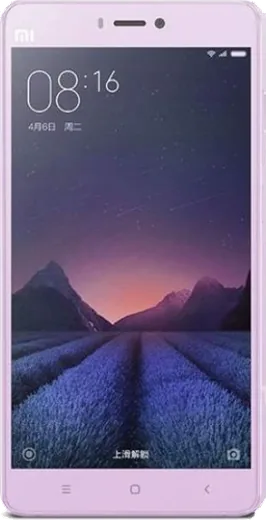
WhatsApp on Xiaomi Mi Max
Xiaomi Android

WhatsApp for Xiaomi Mi Max

Install the official WhatsApp on your Xiaomi Mi Max in a few simple steps.

WhatsApp Messenger 4.7 · 64.2M reviews Free · Android · ~40 MB · by WhatsApp LLC
Download WhatsApp

Ask a question / report a problem

You can ask any question about WhatsApp support on the Xiaomi Mi Max — leave it below and we'll help.

Ask a question

Can the Xiaomi Mi Max run WhatsApp?

Fully supported
  • Operating systemAndroid
  • WhatsApp versionLatest supported

Latest known WhatsApp problems on Xiaomi Mi Max

1

Why does WhatsApp keep crashing or closing on my Xiaomi Mi Max?

MIUI's aggressive memory management is usually the culprit, so go to Settings > Apps > Manage apps > WhatsApp > Battery saver and set it to No restrictions, then enable Autostart for WhatsApp on that same app page. Next, tap Clear data and choose Clear cache (not Clear all data) so you don't lose chats, and make sure WhatsApp is updated to the latest version from the Play Store. If it still crashes immediately on launch, uninstall and reinstall while keeping your local backup so chats restore. See how others solved this on Reddit
2

WhatsApp stopped working properly on my Mi Max after a MIUI update - how do I fix it?

MIUI updates often reset app permissions and battery rules, so re-grant everything under Settings > Apps > Manage apps > WhatsApp > Permissions (Contacts, Storage, Phone, and Notifications all allowed). Also set Battery saver to No restrictions and turn on Autostart for WhatsApp on the same app page, since the update likely re-locked it. Finally, clear the WhatsApp cache and reboot the phone to let the new build settle. See how others solved this on Reddit
3

I can't download photos or videos in WhatsApp on my Xiaomi Mi Max after updating MIUI - what's wrong?

This is almost always a storage permission issue introduced by the update, so go to Settings > Apps > Manage apps > WhatsApp > Permissions and make sure Files and media (Storage) is set to Allow. Then confirm you have free storage space on the phone, and in WhatsApp open Settings > Storage and data > Media auto-download and enable it for mobile data and Wi-Fi. If media still won't save, clear the WhatsApp cache and restart, which lets it rebuild the media folder. See how others solved this on Reddit
4

My WhatsApp contacts show wrong names or get replaced on my Mi Max - how do I fix it?

This usually happens when WhatsApp loses sync with your phonebook or a SIM/Google contacts merge goes wrong, so first confirm WhatsApp has Contacts permission under Settings > Apps > Manage apps > WhatsApp > Permissions. Then open WhatsApp, tap the new-chat icon and use the menu's refresh option to re-sync names from your phonebook. If names are still mixed up, open the Contacts app > Settings, run Merge duplicate contacts, and set your Google account as the default storage so WhatsApp reads a clean list. See how others solved this on Reddit
5

The WhatsApp chat widget won't stay on my Mi Max home screen or stops updating - how do I fix it?

MIUI kills background apps and widgets to save battery, so go to Settings > Apps > Manage apps > WhatsApp, enable Autostart, and set Battery saver to No restrictions so the widget can refresh. Also lock WhatsApp in the recent-apps view (open Recents, swipe down on the WhatsApp card and tap the lock icon) to stop the system from clearing it. After that, remove and re-add the widget from the home-screen widget menu so it re-registers. See how others solved this on Reddit

Ask a question / report a problem

You can ask any question about WhatsApp support on the Xiaomi Mi Max — leave it below and we'll help.

Ask a question

Watch: setting up WhatsApp

Prefer to watch? This short walkthrough shows the whole installation and number-verification flow.

How to install WhatsApp on Xiaomi Mi Max — video walkthrough

How to install WhatsApp on Xiaomi Mi Max

1

Choose how to download

On your Xiaomi Mi Max you can get the official app two ways: from the Google Play Store — the easiest option, since it keeps WhatsApp updated automatically — or directly from the official website. You can download an APK file, by clicking a link “Download WhatsApp directly”.

2

Open WhatsApp

Launch WhatsApp from your home screen or app drawer and accept the Terms of Service to start setup.

3

Verify your phone number

Enter your phone number. If your Xiaomi Mi Max uses dual SIM, pick the line you want WhatsApp tied to, then enter the 6-digit code it sends by SMS — it usually fills in automatically.

4

Restore chats and finish setup

Restore your chat history from Google Drive (use the same Google account), add your name and photo, and tap Allow for notifications so messages and calls arrive reliably.

Stay safe: only ever install WhatsApp from the official Android source. The Download button above already points there — modified copies (GB/Plus/Aero WhatsApp) can get your number banned.

Comments (10)

No registration needed. No email required.
A
alex43Jun 6, 2026

ok so bookmarking this site for sure

C
chris_pabMar 21, 2026

saved me so much time lol

H
halppFeb 22, 2026

Whatsapp is working on my xiaomi mi max now 🎉

K
kai.lFeb 21, 2026

omg the mi Max guide was spot on

P
phonefanOct 11, 2025

Pls help can i use the same number on two phones

AppWhatsOfficialOct 12, 2025

Thanks for asking, whatsApp supports linked devices now, so you can use your account on more than one phone. Open Linked Devices in Settings to add another. Glad to help.

A
amy07Sep 11, 2025

wow whatsapp works fine on my Xiaomi Mi Max

L
lou38Jun 13, 2025

ugh anyone pls i cant download it heeeelp me 😩

AppWhatsOfficialJun 15, 2025

We are here to help. Hit Download, follow the steps on this page, and if the code is slow just request it again. You will be set up on your phone in no time.

G
gamerxJun 6, 2025

Omg clear steps for the max, cheers 😍

B
big_saraMay 18, 2025

hé super guide merci

D
deni.pAug 15, 2024

echt danke, mein xiaomi mi max hat jetzt whatsapp