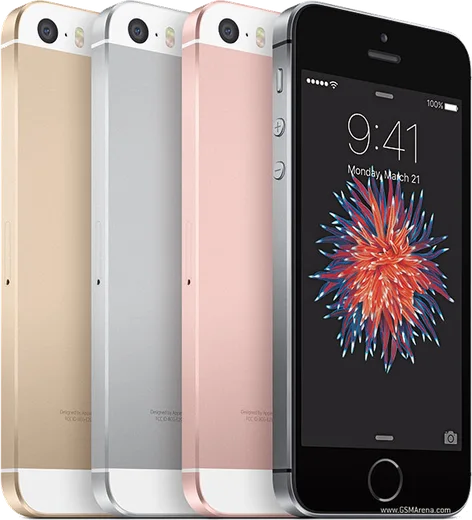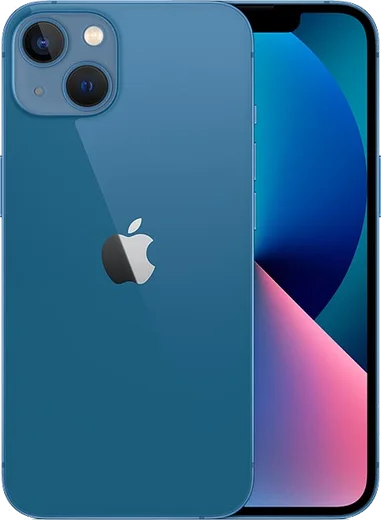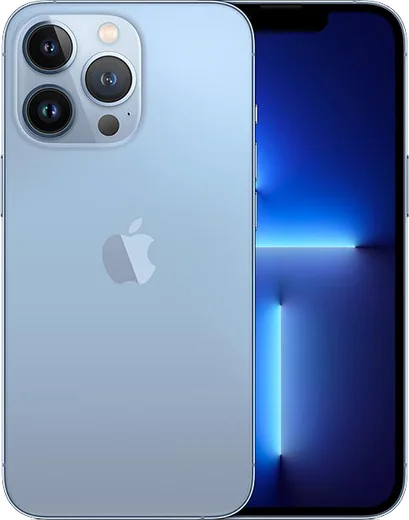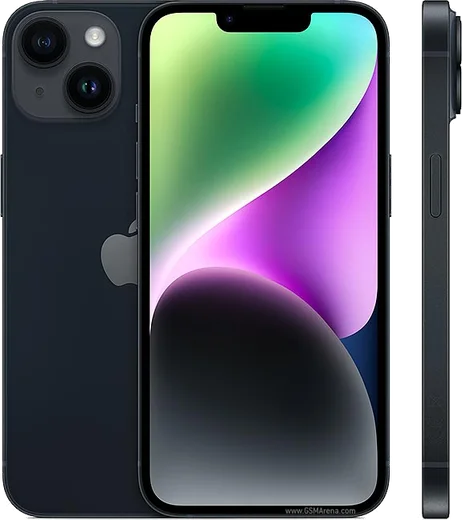
WhatsApp on iPhone SE (3rd gen)
Apple iOS

WhatsApp for iPhone SE (3rd gen)

Apple A15 Bionic, 4.7-inch display, 5G, Touch ID

WhatsApp Messenger 4.7 · 64.2M reviews Free · iOS · ~40 MB · by WhatsApp LLC
Download WhatsApp

Ask a question / report a problem

You can ask any question about WhatsApp support on the iPhone SE (3rd gen) — leave it below and we'll help.

Ask a question

Can the iPhone SE (3rd gen) run WhatsApp?

Fully supported
  • Operating systemiOS
  • ProcessorApple A15 Bionic
  • WhatsApp versionLatest supported

Latest known WhatsApp problems on iPhone SE (3rd gen)

1

Why am I not getting some WhatsApp notifications on my iPhone SE (3rd gen)?

First make sure notifications are fully enabled in Settings > Notifications > WhatsApp (turn on Allow Notifications, Lock Screen, Banners and Sounds), and inside WhatsApp go to Settings > Notifications and check that message and group alerts are switched on. If only certain chats are silent, open that chat, tap the contact or group name at the top, and confirm Custom Notifications or Mute isn't enabled for it. See how others solved this on Reddit
2

My iPhone SE (3rd gen) gives me no notifications at all, including WhatsApp. How do I fix it?

Check that Focus or Do Not Disturb isn't silently active by opening Control Center and confirming no Focus mode is highlighted, then review Settings > Focus to make sure WhatsApp is added as an allowed app. Also confirm Settings > Notifications > WhatsApp has Allow Notifications enabled, and that Scheduled Summary isn't holding messages back. A restart of the iPhone SE often restores alerts after these checks. See how others solved this on Reddit
3

WhatsApp messages only arrive on my iPhone SE (3rd gen) when I open the app. Why are they delayed?

This is almost always a Background App Refresh issue, so go to Settings > General > Background App Refresh and ensure it's set to Wi-Fi & Cellular Data and that WhatsApp is toggled on. Also check Settings > Battery and make sure Low Power Mode is off, since it throttles background delivery and causes messages to land late until you manually open WhatsApp. See how others solved this on Reddit
4

WhatsApp notifications stopped working on my iPhone SE (3rd gen) after an iOS update. What should I do?

After an update, toggle notifications off and back on in Settings > Notifications > WhatsApp, then force-close WhatsApp by swiping it away in the App Switcher and reopening it to re-register for push. If they still don't return, signing out and back into WhatsApp or reinstalling it from the App Store usually re-establishes the push token with Apple's servers. See how others solved this on Reddit
5

Why do my WhatsApp notifications show up with no sound or no preview on my iPhone SE (3rd gen)?

For sound, open WhatsApp > Settings > Notifications and confirm a tone is set, then check Settings > Notifications > WhatsApp > Sounds and that the physical Ring/Silent switch on the left edge of the SE isn't flipped to silent. For missing message previews, turn on Show Previews under Settings > Notifications > WhatsApp, and check the preview/In-App Notifications settings inside WhatsApp's own Notifications screen. See how others solved this on Reddit
6

Siri won't announce my WhatsApp notifications on my iPhone SE (3rd gen). How do I enable it?

Go to Settings > Notifications > Announce Notifications, turn it on, and make sure WhatsApp is toggled on in the app list below. Announce Notifications can read aloud through the iPhone's speaker, AirPods, compatible headphones, or CarPlay, so check Headphones/Speaker and CarPlay options there. It also requires WhatsApp to have a Banner style enabled (not Off) under Settings > Notifications > WhatsApp. See how others solved this on Reddit

Ask a question / report a problem

You can ask any question about WhatsApp support on the iPhone SE (3rd gen) — leave it below and we'll help.

Ask a question

Watch: setting up WhatsApp

Prefer to watch? This short walkthrough shows the whole installation and number-verification flow.

How to install WhatsApp on iPhone SE (3rd gen) — video walkthrough

How to install WhatsApp on iPhone SE (3rd gen)

1

Open the App Store

Unlock your iPhone SE (3rd gen) and tap the blue App Store icon on the Home Screen. WhatsApp is not preinstalled on any iPhone, so you install it from here.

2

Search for WhatsApp Messenger

Tap the Search tab at the bottom right, type WhatsApp Messenger, and confirm the publisher shows as WhatsApp Inc. so you don't download a copycat app.

3

Download and install

Tap Get, then authenticate with Face ID or Touch ID (or your Apple Account password). The app downloads to your Home Screen in a few seconds.

4

Verify your phone number

Open WhatsApp, accept the terms, and enter your phone number. If your iPhone SE (3rd gen) uses dual SIM, pick the line you want WhatsApp tied to, then enter the 6-digit code it sends by SMS — it usually fills in automatically.

5

Restore chats and finish setup

Sign in to iCloud with the same Apple Account to restore an existing chat backup, add your name and photo, and tap Allow for notifications so messages and calls arrive reliably.

Stay safe: only ever install WhatsApp from the official iOS source. The Download button above already points there — modified copies (GB/Plus/Aero WhatsApp) can get your number banned.

Comments (11)

No registration needed. No email required.
D
deni_xXMay 1, 2026

Someone my whole family is waiting pls help me install it 😩

AppWhatsOfficialMay 2, 2026

You are almost there! Tap Download, allow the install, open WhatsApp and confirm your number. Reply here if you get stuck.

M
mobilegeekMar 26, 2026

honestly this worked great on my iPhone SE 👌

AppWhatsOfficialMar 30, 2026

Good to hear!

N
newbieDec 12, 2025

Update the video helped me understand 🎉

L
lina47Oct 21, 2025

honestly whatsapp is working on my iphone se now cheers

T
tom_chrJul 28, 2025

omg saved me so much time thanks again

J
jess_realJul 1, 2025

finalmente tutto funziona sul mio iphone se, mille grazie grazie

R
ray1990Jun 17, 2025

quick q why cant i see my contacts in the app

AppWhatsOfficialJun 23, 2025

Sure, add the contact in your phone with the full country code, then open WhatsApp and refresh. They should appear. Enjoy WhatsApp on your your phone!

G
gabe2Mar 18, 2025

yo whatsapp is working on my se now

Z
zoe39Feb 14, 2025

ahora mi se tiene whatsapp, genial

G
greg39Nov 15, 2024

Smooth and simple, no issues

I
im_kevOct 29, 2024

update i tried 3 other guides before this one