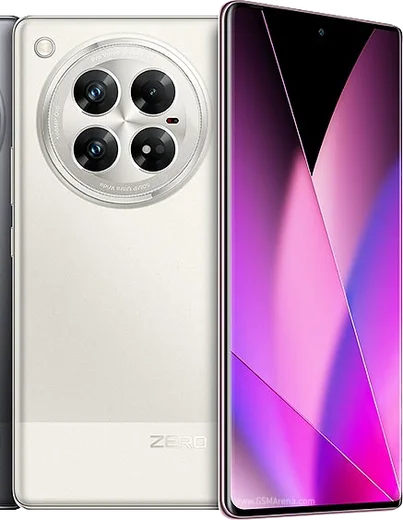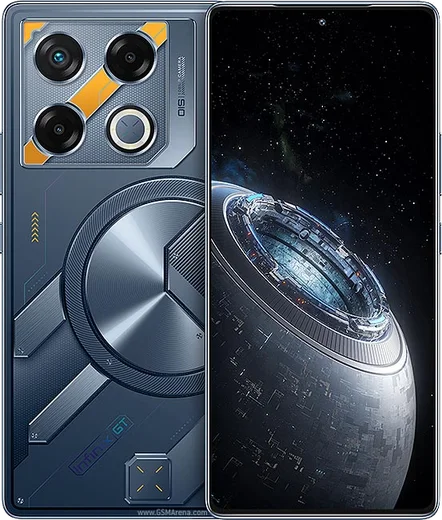
WhatsApp on Infinix Zero 40
Infinix Android

WhatsApp for Infinix Zero 40

Dimensity 8200 Ultimate, 6.78-inch 144Hz AMOLED

WhatsApp Messenger 4.7 · 64.2M reviews Free · Android · ~40 MB · by WhatsApp LLC
Download WhatsApp

Ask a question / report a problem

You can ask any question about WhatsApp support on the Infinix Zero 40 — leave it below and we'll help.

Ask a question

Can the Infinix Zero 40 run WhatsApp?

Fully supported
  • Operating systemAndroid
  • ProcessorDimensity 8200 Ultimate
  • WhatsApp versionLatest supported

Latest known WhatsApp problems on Infinix Zero 40

1

WhatsApp settings missing or buggy after the XOS 15 update on my Infinix Zero 40?

A major XOS 15 update can reset app permissions, which breaks WhatsApp media, calls, or notifications. Go to Settings > Apps > App management > WhatsApp > Permissions and re-enable Camera, Microphone, Contacts, Files/Storage, and Notifications. Then open Settings > Apps > Special app access > Display over other apps and turn it on for WhatsApp so the incoming-call screen appears. If features are still broken, clear the WhatsApp cache via App management > WhatsApp > Storage > Clear cache (this does not delete chats), then update or reinstall WhatsApp from the Play Store. See how others solved this on Reddit
2

WhatsApp notifications are delayed or don't arrive when the Infinix Zero 40 screen is off?

XOS uses aggressive battery optimization that suspends background apps, which is the main cause of late WhatsApp messages on Infinix phones. Open Settings > Apps > App management > WhatsApp > Battery and choose Unrestricted / Allow background activity. Also check Settings > Battery for any power-saving or App power management mode and exclude WhatsApp from it. Finally, open Recent apps, find the WhatsApp card, and lock it (swipe down on the card or tap the lock icon) so the system stops closing it. See how others solved this on Reddit
3

Should I worry about preinstalled bloatware and ads interfering with WhatsApp on my Infinix Zero 40?

Infinix ships XOS with extra system apps and a recommendation feed that can push notifications and use RAM, but they cannot read your WhatsApp chats. To quiet them, open Settings > Notifications & status bar > App notifications and turn off notifications for Folax, Palm Store, and Phoenix Browser. You can also disable personalized/ad recommendations under Settings > Additional settings (look for a Recommendations or Privacy entry). Long-press any unneeded preinstalled app to uninstall or disable it, which frees RAM so WhatsApp is less likely to be closed in the background. See how others solved this on Reddit
4

My Infinix Zero 40 randomly reboots and I lose my WhatsApp session — how do I fix it?

Random restarts on Infinix phones are usually caused by a software glitch, nearly full storage, or a misbehaving app rather than WhatsApp itself. First install any pending update via Settings > System > System update, then free up space (aim for at least 10% free) by clearing junk in Settings > Storage. If reboots continue, back up your chats in WhatsApp > Settings > Chats > Chat backup, then restart into Safe Mode (hold Power, then long-press 'Power off' until the Safe Mode prompt appears) to check whether a third-party app is the trigger. See how others solved this on Reddit
5

How do I transfer my WhatsApp chats and media to a new phone when leaving my Infinix Zero 40?

WhatsApp on Android backs up to Google Drive, so your chats are tied to your Google account and phone number, not to Infinix. On the Zero 40 open WhatsApp > Settings > Chats > Chat backup, turn on Include videos if you want media, confirm the correct Google account, and tap Back up. On a new Android phone, install WhatsApp, verify the same number, and tap Restore when prompted. Moving to an iPhone is different: Google Drive backups can't be read by iOS, so use WhatsApp's built-in 'Move to iOS' transfer flow (it pairs the two phones with a QR code). See how others solved this on Reddit
6

WhatsApp voice and video calls drop or have bad audio on my Infinix Zero 40 — what should I check?

Call drops on Infinix are commonly caused by background restrictions cutting WhatsApp off mid-call or by an unstable Wi-Fi/mobile-data handoff. Make sure WhatsApp can use data in the background via Settings > Apps > App management > WhatsApp > Mobile data & Wi-Fi (enable Background data and Unrestricted data usage), and confirm Microphone is granted under Permissions. If audio is one-way or choppy, open WhatsApp > Settings > Storage and data and turn off 'Use less data for calls', disable any system Data Saver, and test on a different network to rule out a weak signal. See how others solved this on Reddit

Ask a question / report a problem

You can ask any question about WhatsApp support on the Infinix Zero 40 — leave it below and we'll help.

Ask a question

Watch: setting up WhatsApp

Prefer to watch? This short walkthrough shows the whole installation and number-verification flow.

How to install WhatsApp on Infinix Zero 40 — video walkthrough

How to install WhatsApp on Infinix Zero 40

1

Choose how to download

On your Infinix Zero 40 you can get the official app two ways: from the Google Play Store — the easiest option, since it keeps WhatsApp updated automatically — or directly from the official website. You can download an APK file, by clicking a link “Download WhatsApp directly”.

2

Open WhatsApp

Launch WhatsApp from your home screen or app drawer and accept the Terms of Service to start setup.

3

Verify your phone number

Enter your phone number. If your Infinix Zero 40 uses dual SIM, pick the line you want WhatsApp tied to, then enter the 6-digit code it sends by SMS — it usually fills in automatically.

4

Restore chats and finish setup

Restore your chat history from Google Drive (use the same Google account), add your name and photo, and tap Allow for notifications so messages and calls arrive reliably.

Stay safe: only ever install WhatsApp from the official Android source. The Download button above already points there — modified copies (GB/Plus/Aero WhatsApp) can get your number banned.

Comments (10)

No registration needed. No email required.
H
halppMay 2, 2026

tutto funziona sul mio Infinix Zero 40, mille grazie grazie

F
finn9Dec 13, 2025

wow semplicissimo, il mio infinix zero 40 è pronto

L
luca.cNov 26, 2025

Wow no problems installing on my zero 40 👍

H
halppAug 22, 2025

Man installed in 2 min

T
the_real_finnMay 22, 2025

honestly the infinix zero 40 steps actually work unlike other sites ✌️

B
bea.lMay 12, 2025

Finally installed in 2 min 😍

AppWhatsOfficialMay 15, 2025

Good to hear!

P
pablo_rosApr 20, 2025

took me 5 min total :)

K
kai17Sep 10, 2024

Quick q why does it crash on opening ?

AppWhatsOfficialSep 16, 2024

No worries, try clearing the cache and updating your phone software, then install the latest version again. That usually stops the crashing. Hope that helps!

L
lou_officialAug 15, 2024

i was scared it was a virus but its the real app

H
heeeelpAug 11, 2024

guys pleaseee my zero40 wont install whatsapp i give up

AppWhatsOfficialAug 13, 2024

Hey, no need to stress! Tap the green Download button at the top, follow the steps, and you will have WhatsApp in a minute. Reply here if you get stuck.