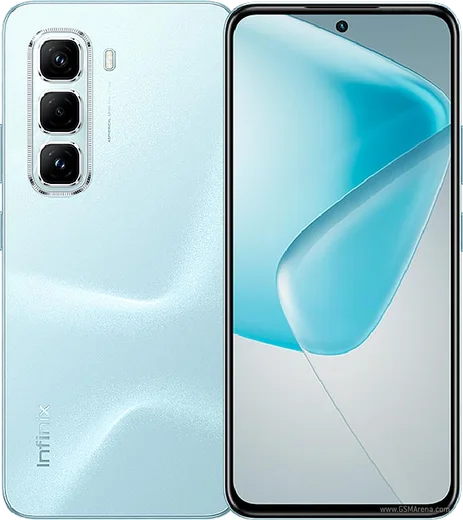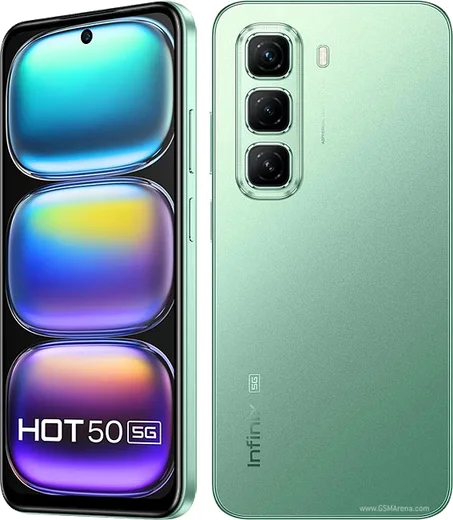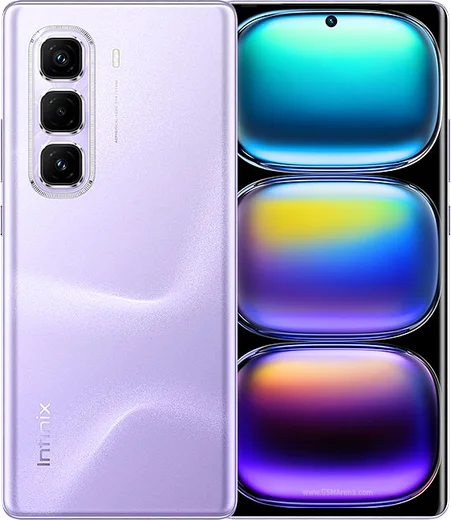
WhatsApp on Infinix Hot 50 Pro
Infinix Android

WhatsApp for Infinix Hot 50 Pro

Helio G100, 6.78-inch 120Hz AMOLED display

WhatsApp Messenger 4.7 · 64.2M reviews Free · Android · ~40 MB · by WhatsApp LLC
Download WhatsApp

Ask a question / report a problem

You can ask any question about WhatsApp support on the Infinix Hot 50 Pro — leave it below and we'll help.

Ask a question

Can the Infinix Hot 50 Pro run WhatsApp?

Fully supported
  • Operating systemAndroid
  • ProcessorHelio G100
  • WhatsApp versionLatest supported

Latest known WhatsApp problems on Infinix Hot 50 Pro

1

Why does WhatsApp show a "too many notifications" warning and stop alerting me on my Infinix Hot 50 Pro?

This is XOS battery management throttling background apps. Go to Settings > Apps > App management > WhatsApp > Battery usage and set it to "No restrictions / Allow background activity." Then open the Phone Master app and add WhatsApp to its protected/auto-launch whitelist so it isn't killed. Finally check Settings > Notification & status bar > App notifications > WhatsApp and make sure notifications are allowed and not silenced. See how others solved this on Reddit
2

WhatsApp messages and calls arrive late or not at all until I open the app on my Infinix Hot 50 Pro

XOS suspends background apps to save power, so WhatsApp loses its push connection while idle. Set Settings > Apps > App management > WhatsApp > Battery usage to "No restrictions / Allow background activity," then open the recent-apps screen and tap the lock icon on the WhatsApp card so the system won't clear it. Turning off Data Saver for WhatsApp under Settings > Mobile network > Data usage > Data saver also helps notifications come through instantly. See how others solved this on Reddit
3

Can I record WhatsApp calls on the Infinix Hot 50 Pro, and why doesn't the built-in recorder catch them?

WhatsApp calls use VoIP audio, and Android blocks third-party and most built-in call recorders from capturing that audio stream, so the system call recorder won't pick up WhatsApp voice or video calls. There is no reliable on-device toggle for this. The only consistent workaround is recording on a separate device, or using screen recording with internal audio for video calls. Note that call-recording legality varies by region. See how others solved this on Reddit
4

My Infinix Hot 50 Pro came with bloatware and ads in the notification shade that clutter my WhatsApp alerts

Many of these come from preinstalled XOS apps such as Palm Store, Phone Master and built-in news/cleaner widgets. Go to Settings > Apps > App management, open each unwanted app and turn off its notifications, or uninstall/disable it where allowed. In Phone Master, open its settings and turn off the ad, recommendation and "clean reminder" toggles. This stops the spammy alerts from burying your real WhatsApp notifications. See how others solved this on Reddit
5

Is the Infinix Hot 50 Pro reliable for daily WhatsApp use, or do owners report bugs and slowdowns?

Owners mostly report XOS quirks like occasional UI lag and aggressive app-killing rather than WhatsApp-specific faults, so keep the phone updated via Settings > System > System update to pick up fixes. For smoother messaging, periodically clear WhatsApp's cache under Settings > Apps > App management > WhatsApp > Storage > Clear cache, and free up internal storage, since a near-full phone is a common cause of stutter. Disabling unused preinstalled apps also frees RAM. See how others solved this on Reddit
6

Should I keep WhatsApp media backups on the Infinix Hot 50 Pro, or are storage limits a concern?

WhatsApp chat backups go to Google Drive, not the phone, so open WhatsApp > Settings > Chats > Chat backup, sign in with your Google account, and choose whether to include videos (which use the most space). On-device, keep downloaded media in check using WhatsApp > Settings > Storage and data > Manage storage to delete large forwarded files. This keeps internal storage from filling up and slowing the phone over time. See how others solved this on Reddit

Ask a question / report a problem

You can ask any question about WhatsApp support on the Infinix Hot 50 Pro — leave it below and we'll help.

Ask a question

Watch: setting up WhatsApp

Prefer to watch? This short walkthrough shows the whole installation and number-verification flow.

How to install WhatsApp on Infinix Hot 50 Pro — video walkthrough

How to install WhatsApp on Infinix Hot 50 Pro

1

Choose how to download

On your Infinix Hot 50 Pro you can get the official app two ways: from the Google Play Store — the easiest option, since it keeps WhatsApp updated automatically — or directly from the official website. You can download an APK file, by clicking a link “Download WhatsApp directly”.

2

Open WhatsApp

Launch WhatsApp from your home screen or app drawer and accept the Terms of Service to start setup.

3

Verify your phone number

Enter your phone number. If your Infinix Hot 50 Pro uses dual SIM, pick the line you want WhatsApp tied to, then enter the 6-digit code it sends by SMS — it usually fills in automatically.

4

Restore chats and finish setup

Restore your chat history from Google Drive (use the same Google account), add your name and photo, and tap Allow for notifications so messages and calls arrive reliably.

Stay safe: only ever install WhatsApp from the official Android source. The Download button above already points there — modified copies (GB/Plus/Aero WhatsApp) can get your number banned.

Comments (14)

No registration needed. No email required.
T
theuserApr 29, 2026

Why does it crash on opening

AppWhatsOfficialApr 30, 2026

Good question, try clearing the cache and updating your phone software, then install the latest version again. That usually stops the crashing. Hope that helps!

H
halppApr 20, 2026

Omg did it without any help, very simple

D
dan.eFeb 6, 2026

Finally much better then the other sites 🙏

L
lou99Feb 3, 2026

yo this actually works unlike others :)

M
mr_andyNov 14, 2025

man all good on my Infinix Hot 50 Pro now 💯

AppWhatsOfficialNov 17, 2025

Great to hear it worked out!

K
kev_ivaOct 18, 2025

Wow mon infinix hot 50 pro a enfin whatsapp, top 💯

S
sam_rajApr 4, 2025

finally couldnt be easier thx

U
ugh_helpApr 4, 2025

wow the Hot 50 Pro steps actually work unlike other sites

T
tom.dApr 1, 2025

Omg been at this for hours pls someone help me

AppWhatsOfficialApr 3, 2025

Hey, no need to stress! Tap the green Download button at the top, follow the steps, and you will have WhatsApp in a minute.

G
gabe.yJan 29, 2025

por fin me funcionó al instante en mi hot50pro

J
justmeDec 11, 2024

guys no contacts appear in the app anyone

AppWhatsOfficialDec 12, 2024

Thanks for asking, whatsApp reads contacts from your phone book, so save the number there with the country code, then pull down to refresh your chat list. Glad to help.

B
big_amyOct 16, 2024

hi why cant i see my contacts in the app

AppWhatsOfficialOct 21, 2024

Hi! Contacts come from your phone address book. Save them with the country code and refresh the app to see them.

B
budgetkingAug 16, 2024

Guys this fixed whatsapp on my Infinix Hot 50 Pro

A
ali88Aug 16, 2024

تمام، واتساب يشتغل