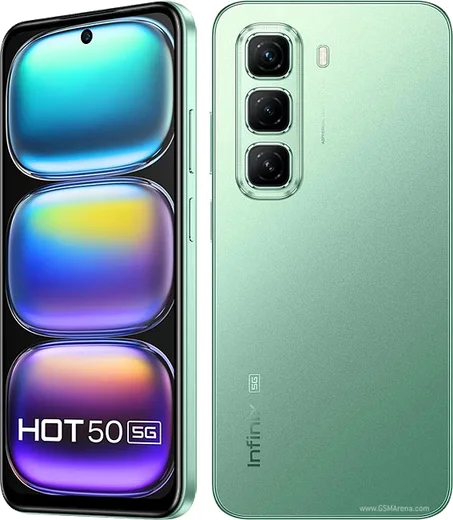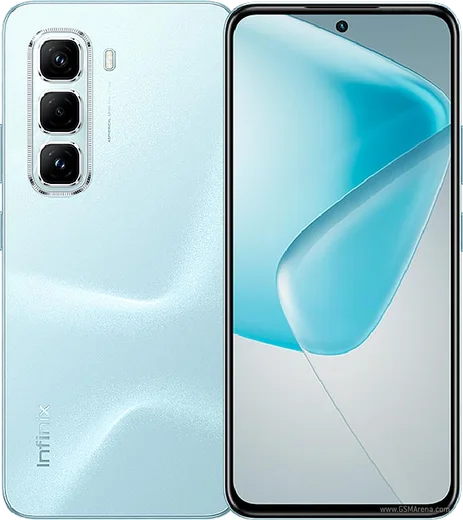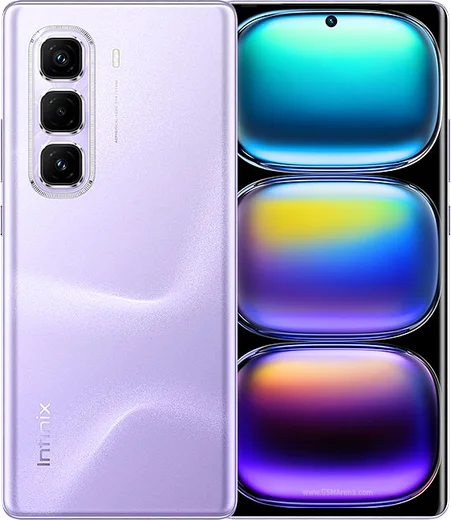
WhatsApp on Infinix Hot 50
Infinix Android

WhatsApp for Infinix Hot 50

Dimensity 6300, 6.78-inch 120Hz display

WhatsApp Messenger 4.7 · 64.2M reviews Free · Android · ~40 MB · by WhatsApp LLC
Download WhatsApp

Ask a question / report a problem

You can ask any question about WhatsApp support on the Infinix Hot 50 — leave it below and we'll help.

Ask a question

Can the Infinix Hot 50 run WhatsApp?

Fully supported
  • Operating systemAndroid
  • ProcessorDimensity 6300
  • WhatsApp versionLatest supported

Latest known WhatsApp problems on Infinix Hot 50

1

Why can't I record WhatsApp calls on my Infinix Hot 50?

WhatsApp has no built-in call recording, and Android blocks third-party apps from capturing the call audio stream for privacy reasons, so even XOS's screen/call recorder usually grabs only your own mic or nothing on WhatsApp voice and video calls. There's no reliable on-device fix on the Hot 50; the only dependable workaround is putting the call on speakerphone and recording it with a second device. See how others solved this on Reddit
2

WhatsApp notifications are delayed or don't show up on my Infinix Hot 50 until I open the app

XOS's aggressive battery management is freezing WhatsApp in the background. Go to Settings > Apps > App management > WhatsApp > Battery usage (or Power consumption) and set it to Unrestricted/No restrictions, then in Settings > Battery turn off any power-saving mode, and in the recent-apps view tap the lock icon on WhatsApp so it isn't auto-killed. Also confirm notifications are enabled under Settings > Apps > WhatsApp > Notifications and that Do Not Disturb is off. See how others solved this on Reddit
3

WhatsApp lags or crashes on my Infinix Hot 50 when lots of XOS apps are running

Infinix ships XOS with preloaded apps (Palm Store, Phoenix Browser and others) that take up RAM and storage, which can leave less headroom for apps like WhatsApp. Disable or uninstall what you don't use via Settings > Apps > App management, clear WhatsApp's cache under Settings > Apps > WhatsApp > Storage > Clear cache, keep a few GB of storage free, and make sure WhatsApp is updated from the Play Store. Restarting after updates also helps. See how others solved this on Reddit
4

Why does my Infinix Hot 50 show so many ads and spam notifications?

Several stock XOS components (Palm Store, Folax, the browser and recommendation widgets) push promotional notifications that clutter your shade. Open Settings > Notifications & status bar > App notifications and toggle off each offending system app, and disable any 'Receive recommendations' or 'Get hot apps/content' option inside Settings > Additional settings as well as within each Infinix app's own settings. This stops the ad noise without affecting genuine WhatsApp or other message alerts. See how others solved this on Reddit
5

Will my WhatsApp chats and media transfer to the Infinix Hot 50?

Yes. On your old phone open WhatsApp > Settings > Chats > Chat backup and back up to Google Drive using the same Google account you'll sign into on the Hot 50. After installing WhatsApp from the Play Store on the Infinix and verifying your number, choose Restore so your messages and media come back. For an Android-to-Android local transfer you can also use WhatsApp's built-in 'Transfer chats to Android' (Move to new phone) tool. See how others solved this on Reddit
6

Should I pick the Infinix Hot 50 over a Moto G45 for reliable WhatsApp use and updates?

The Hot 50 has a bright display and big battery, but XOS adds bloatware and ad notifications and its software updates are slower, whereas the Moto G45 runs near-stock Android that keeps WhatsApp notifications and background sync dependable out of the box. If you stay on the Hot 50, set WhatsApp's battery usage to Unrestricted and turn off Infinix ad notifications to get closer to that cleaner experience. See how others solved this on Reddit

Ask a question / report a problem

You can ask any question about WhatsApp support on the Infinix Hot 50 — leave it below and we'll help.

Ask a question

Watch: setting up WhatsApp

Prefer to watch? This short walkthrough shows the whole installation and number-verification flow.

How to install WhatsApp on Infinix Hot 50 — video walkthrough

How to install WhatsApp on Infinix Hot 50

1

Choose how to download

On your Infinix Hot 50 you can get the official app two ways: from the Google Play Store — the easiest option, since it keeps WhatsApp updated automatically — or directly from the official website. You can download an APK file, by clicking a link “Download WhatsApp directly”.

2

Open WhatsApp

Launch WhatsApp from your home screen or app drawer and accept the Terms of Service to start setup.

3

Verify your phone number

Enter your phone number. If your Infinix Hot 50 uses dual SIM, pick the line you want WhatsApp tied to, then enter the 6-digit code it sends by SMS — it usually fills in automatically.

4

Restore chats and finish setup

Restore your chat history from Google Drive (use the same Google account), add your name and photo, and tap Allow for notifications so messages and calls arrive reliably.

Stay safe: only ever install WhatsApp from the official Android source. The Download button above already points there — modified copies (GB/Plus/Aero WhatsApp) can get your number banned.

Comments (10)

No registration needed. No email required.
E
ella.nJan 21, 2026

Hey SOS i cant figure out how to install whatsapp heeelp :(

AppWhatsOfficialJan 24, 2026

Don't worry, you can do this! Use the Download button, install the app, and enter your number to verify.

R
rob81Dec 6, 2025

Guys how do i restore my old messages anyone

AppWhatsOfficialDec 12, 2025

Thanks for asking, if you made a backup before, sign in with the same number and tap Restore when asked. WhatsApp pulls your chats from the cloud backup. Hope that helps!

H
halppNov 15, 2025

ok so running whatsapp on my Hot 50 like new

AppWhatsOfficialNov 18, 2025

Happy it helped you!

L
lurkerMar 14, 2025

Yo the hot 50 guide was spot on

N
nina_samJan 17, 2025

Finally set up whatsapp on my dads Infinix Hot 50 no problem 👍

H
helpmeDec 17, 2024

wow my whatsapp had stopped working but this fixed it ❤️

T
tina_kaiSep 4, 2024

hé enfin whatsapp installé 💯

R
rosa23Aug 22, 2024

Finally verified my number on the hot50 with no trouble :)

C
chris6Aug 11, 2024

wow todo bien, mil gracias

O
oldschoolJul 26, 2024

Well my Hot 50 was being difficult but this sorted it