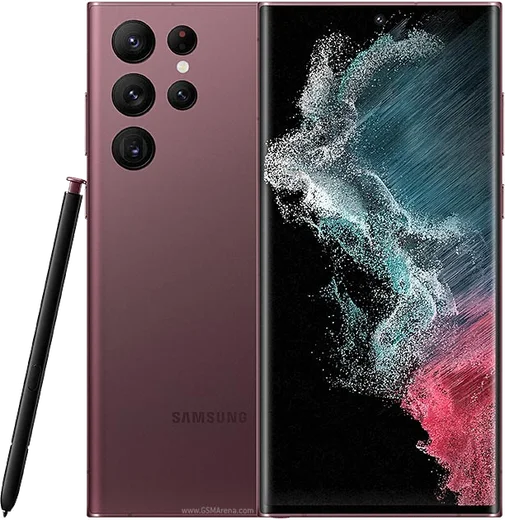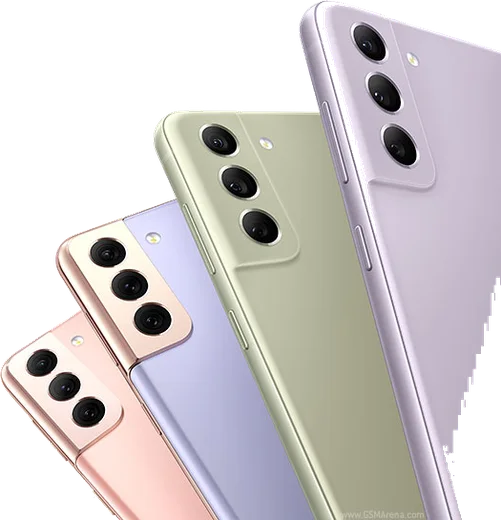
WhatsApp on Samsung Galaxy S22 Ultra
Samsung Android

WhatsApp for Samsung Galaxy S22 Ultra

Snapdragon 8 Gen 1, 6.8-inch QHD+ 120Hz, S Pen

WhatsApp Messenger 4.7 · 64.2M reviews Free · Android · ~40 MB · by WhatsApp LLC
Download WhatsApp

Ask a question / report a problem

You can ask any question about WhatsApp support on the Samsung Galaxy S22 Ultra — leave it below and we'll help.

Ask a question

Can the Samsung Galaxy S22 Ultra run WhatsApp?

Fully supported
  • Operating systemAndroid
  • ProcessorSnapdragon 8 Gen 1
  • WhatsApp versionLatest supported

Latest known WhatsApp problems on Samsung Galaxy S22 Ultra

1

Why does WhatsApp keep crashing on my Galaxy S22 Ultra?

Repeated WhatsApp crashes on the S22 Ultra are usually fixed by clearing the app cache: go to Settings > Apps > WhatsApp > Storage and tap Clear cache (avoid Clear data, which can wipe local chats). If it still crashes, update WhatsApp from the Play Store, make sure One UI is current under Settings > Software update, and as a last resort uninstall and reinstall after confirming your Google Drive backup is in place. See how others solved this on Reddit
2

How do I run two WhatsApp accounts on the Samsung Galaxy S22 Ultra?

Use Samsung's built-in Dual Messenger: go to Settings > Advanced features > Dual Messenger, toggle WhatsApp on, and confirm to create a second cloned app on your home screen. The clone is a separate WhatsApp instance that you register with a second phone number, so on the S22 Ultra's dual-SIM setup each line can have its own WhatsApp. See how others solved this on Reddit
3

My S22 Ultra loses all sound after a WhatsApp call. How do I fix it?

This happens when WhatsApp doesn't fully release the in-call audio route, leaving the phone stuck in call mode so media plays no sound. Force close WhatsApp from the recents view, and if sound is still gone, restart the phone to reset the audio routing; briefly connecting and disconnecting a Bluetooth or wired headset can also kick it back to the speaker. Keeping WhatsApp and One UI updated helps, as this was tied to an audio-routing bug addressed in later builds. See how others solved this on Reddit
4

Why doesn't the proximity sensor work for WhatsApp voice messages on my S22 Ultra?

If the screen no longer turns off when you raise the phone to your ear for voice messages, first remove or clean anything covering the top of the screen near the front camera, since a thick screen protector, case, or dirt over the sensor is the most common cause. Then test the sensor in Settings > Device care or a sensor-test app, clear WhatsApp's cache under Settings > Apps > WhatsApp > Storage, and reboot, as a One UI update can occasionally upset the behavior until the app and software are both updated. See how others solved this on Reddit
5

How do I move my WhatsApp chats from my S22 Ultra to a new phone?

On the S22 Ultra, open WhatsApp > Settings > Chats > Chat backup and run a fresh Google Drive backup using the same Google account you'll use on the new device. On the new phone, install WhatsApp, verify the same phone number, and when prompted choose Restore from Google Drive; for transfers to another Samsung you can also use Smart Switch to carry the local backup across. See how others solved this on Reddit
6

Why does WhatsApp lag and feel sluggish on my Galaxy S22?

WhatsApp lag on the S22 line is often caused by aggressive battery optimization throttling the app in the background. Go to Settings > Apps > WhatsApp > Battery and set it to Unrestricted, then clear the WhatsApp cache under Storage and free up internal storage if it's nearly full. Keeping both WhatsApp and One UI updated resolves most remaining stutter, since several early S22 firmware builds had scrolling performance issues. See how others solved this on Reddit

Ask a question / report a problem

You can ask any question about WhatsApp support on the Samsung Galaxy S22 Ultra — leave it below and we'll help.

Ask a question

Watch: setting up WhatsApp

Prefer to watch? This short walkthrough shows the whole installation and number-verification flow.

How to install WhatsApp on Samsung Galaxy S22 Ultra — video walkthrough

How to install WhatsApp on Samsung Galaxy S22 Ultra

1

Choose how to download

On your Samsung Galaxy S22 Ultra you can get the official app two ways: from the Google Play Store — the easiest option, since it keeps WhatsApp updated automatically — or directly from the official website. You can download an APK file, by clicking a link “Download WhatsApp directly”.

2

Open WhatsApp

Launch WhatsApp from your home screen or app drawer and accept the Terms of Service to start setup.

3

Verify your phone number

Enter your phone number. If your Samsung Galaxy S22 Ultra uses dual SIM, pick the line you want WhatsApp tied to, then enter the 6-digit code it sends by SMS — it usually fills in automatically.

4

Restore chats and finish setup

Restore your chat history from Google Drive (use the same Google account), add your name and photo, and tap Allow for notifications so messages and calls arrive reliably.

Stay safe: only ever install WhatsApp from the official Android source. The Download button above already points there — modified copies (GB/Plus/Aero WhatsApp) can get your number banned.

Comments (15)

No registration needed. No email required.
L
lucy14May 21, 2026

Tout fonctionne, merci beaucoup

M
marc_officialFeb 28, 2026

Pls help safe to install or no thanks

AppWhatsOfficialMar 2, 2026

Of course, yes, this is safe. Stick to the official download we link to and avoid modified copies and you will be fine.

R
rosa_yukDec 21, 2025

Update respect, this helped alot :)

M
mobilegeekDec 12, 2025

update you guys are life savers thx

M
maxx34Nov 26, 2025

Well perfect steps for the samsung galaxy s22 ultra

K
kev84Jun 23, 2025

Update i tried 3 other guides before this one

AppWhatsOfficialJun 26, 2025

Great to hear it worked out!

Y
yasinApr 26, 2025

أخيراً أخيراً ثبّت واتساب 👍

N
newphoneNov 29, 2024

Sorry but installed it but it wont open just a black screen thanks

AppWhatsOfficialNov 30, 2024

Happy to help, restart the phone, and if the black screen stays, clear the app data and install the latest build again. Hope that helps!

G
gabe_kaiOct 27, 2024

well the samsung galaxy s22 ultra steps actually work unlike other sites 🎉

P
priya6Oct 23, 2024

Man my samsung galaxy s22 ultra has whatsapp now thanks to this lol

R
ray99Oct 17, 2024

ngl no registration needed, love that

P
priya28Aug 9, 2024

is the s22 ultra compatible with whatsapp thanks

AppWhatsOfficialAug 12, 2024

Sure, yes, WhatsApp supports the your phone. Just make sure your phone is on an up to date version of its operating system for the best experience. Let us know if you need anything else.

K
kate0Jul 31, 2024

enfin whatsapp installé merci

M
ms_tinaJul 30, 2024

hey whyyy is this so hard pls help me get whatsapp 😭😭

AppWhatsOfficialJul 31, 2024

Don't worry, you can do this! Use the Download button, install the app, and enter your number to verify. You got this!

L
lil_marcJul 18, 2024

guys perfect steps for the galaxy s22 Ultra