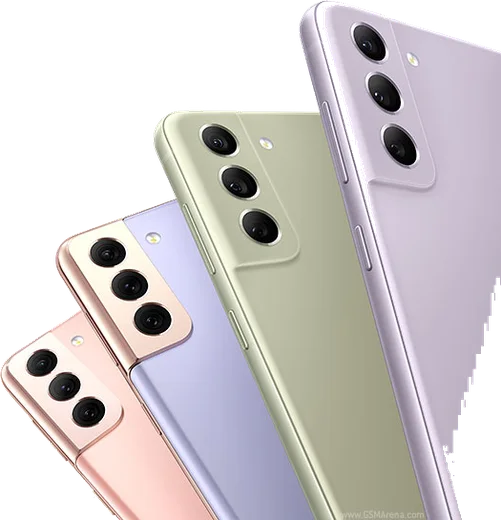
Samsung Android

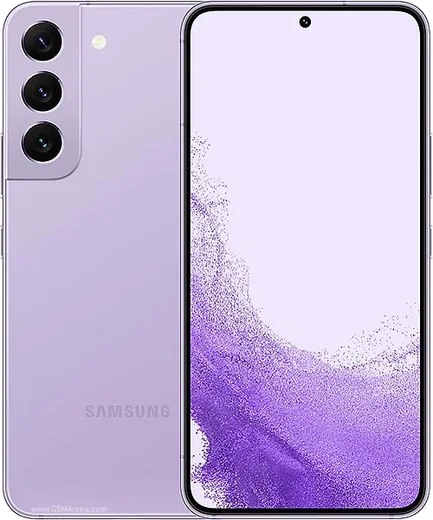
WhatsApp for Samsung Galaxy S22 Plus

Snapdragon 8 Gen 1, 6.6-inch FHD+ 120Hz AMOLED

WhatsApp Messenger 4.7 · 64.2M reviews Free · Android · ~40 MB · by WhatsApp LLC
Download WhatsApp

Ask a question / report a problem

You can ask any question about WhatsApp support on the Samsung Galaxy S22 Plus — leave it below and we'll help.

Ask a question

Can the Samsung Galaxy S22 Plus run WhatsApp?

Fully supported
  • Operating systemAndroid
  • ProcessorSnapdragon 8 Gen 1
  • WhatsApp versionLatest supported

Latest known WhatsApp problems on Samsung Galaxy S22 Plus

1

How do I run two WhatsApp accounts on my Galaxy S22 Plus?

Open Settings, tap Advanced features, then Dual Messenger, and toggle WhatsApp on. One UI installs a second WhatsApp icon (marked with a small badge) so you can register a separate number, and during setup it asks whether the second app should use a separate contact list. This is built into One UI, so you don't need any third-party cloning app from the Play Store. See how others solved this on Reddit
2

Why does WhatsApp lag and stutter on my Galaxy S22 Plus?

WhatsApp lag on the S22+ is often tied to One UI's battery management throttling the app, so go to Settings > Apps > WhatsApp > Battery and set it to Unrestricted. Then clear the cache under Settings > Apps > WhatsApp > Storage > Clear cache, and make sure both WhatsApp and One UI are fully updated, since firmware updates have addressed scrolling jank. If it still persists, reinstalling WhatsApp usually resolves it. See how others solved this on Reddit
3

Why are videos I record for WhatsApp showing up sideways or in the wrong orientation on my S22 Plus?

This is usually an orientation-metadata issue with clips recorded inside the chat. Instead of recording with WhatsApp's in-app camera, shoot the clip with the stock Samsung Camera app first, then attach it from the gallery using the paperclip in WhatsApp so the correct rotation is preserved. Keeping WhatsApp updated also helps, as this has been a known bug in older builds. See how others solved this on Reddit
4

Why won't my microphone work for WhatsApp voice notes on the Galaxy S22 Plus?

First confirm the mic permission is granted under Settings > Apps > WhatsApp > Permissions > Microphone (set to Allow), then check that no other app is holding the mic open. If it still fails, clear WhatsApp's cache and reboot; if voice notes work in other apps but not WhatsApp, reinstall WhatsApp. A failure across all apps points to hardware, so test by recording in Samsung Voice Recorder. See how others solved this on Reddit
5

WhatsApp keeps crashing on my Galaxy S22 Plus, how do I fix it?

Start by updating WhatsApp from the Play Store and clearing its cache via Settings > Apps > WhatsApp > Storage > Clear cache (not Clear data, which would wipe local chats). If it still crashes on launch, uninstall and reinstall WhatsApp, then restore your chats from the Google Drive backup during setup. Crashes that begin after a One UI update are often fixed by installing the latest WhatsApp build, since it gets patched quickly. See how others solved this on Reddit
6

How do I move my WhatsApp chats from my Galaxy S22 Plus to a new Samsung phone?

Before switching, open WhatsApp > Settings > Chats > Chat backup and run a fresh backup to Google Drive using the same Google account you'll use on the new phone. On the new device, install WhatsApp, verify the same phone number, and tap Restore when prompted to pull the backup from Google Drive. Make sure the backup finishes before you stop using the old phone so no recent messages are lost. See how others solved this on Reddit

Ask a question / report a problem

You can ask any question about WhatsApp support on the Samsung Galaxy S22 Plus — leave it below and we'll help.

Ask a question

Watch: setting up WhatsApp

Prefer to watch? This short walkthrough shows the whole installation and number-verification flow.

How to install WhatsApp on Samsung Galaxy S22 Plus — video walkthrough

How to install WhatsApp on Samsung Galaxy S22 Plus

1

Choose how to download

On your Samsung Galaxy S22 Plus you can get the official app two ways: from the Google Play Store — the easiest option, since it keeps WhatsApp updated automatically — or directly from the official website. You can download an APK file, by clicking a link “Download WhatsApp directly”.

2

Open WhatsApp

Launch WhatsApp from your home screen or app drawer and accept the Terms of Service to start setup.

3

Verify your phone number

Enter your phone number. If your Samsung Galaxy S22 Plus uses dual SIM, pick the line you want WhatsApp tied to, then enter the 6-digit code it sends by SMS — it usually fills in automatically.

4

Restore chats and finish setup

Restore your chat history from Google Drive (use the same Google account), add your name and photo, and tap Allow for notifications so messages and calls arrive reliably.

Stay safe: only ever install WhatsApp from the official Android source. The Download button above already points there — modified copies (GB/Plus/Aero WhatsApp) can get your number banned.

Comments (15)

No registration needed. No email required.
N
noah91Nov 13, 2025

yo clear and to the point 👍

M
mr_miaNov 10, 2025

Uff excelente guía, gracias

S
sara.tSep 3, 2025

thank u, whatsapp installed on my galaxy s22 plus cheers

T
tom.eAug 30, 2025

wow clear and to the point lol

T
theo91Aug 23, 2025

well no registration needed, love that

R
rosa_realAug 18, 2025

Man you guys are life savers 👍

O
omar44Apr 9, 2025

man no annoying ads which is nice cheers

A
amy_louMar 1, 2025

Ngl the Galaxy S22 Plus steps actually work unlike other sites

Z
zoe_nicFeb 19, 2025

Hey SOS i cant figure out how to install whatsapp heeelp 😭😭

AppWhatsOfficialFeb 22, 2025

Take a breath, we got you. Press Download above, then Install, then verify your number. That is all it takes. You got this!

M
mia84Dec 22, 2024

Yo didnt work at first but second time was fine

A
alex.hNov 22, 2024

yo no problems installing on my Galaxy S22 Plus

P
pete_samOct 2, 2024

tbh whatsapp running great on my s22 plus thx

AppWhatsOfficialOct 4, 2024

Love to hear it!

L
lou_robSep 27, 2024

por fin pude instalar whatsapp

A
ahmedAug 25, 2024

أخيراً شكراً، صار عندي واتساب

M
mia.nAug 11, 2024

ok so my Galaxy S22 Plus has whatsapp now thanks to this cheers